

![APF-01 Memory Card [Atari Portfolio]](https://www.jungsi.de/blog/wp-content/uploads/APF-01-Memory-Card-Vorderseite.jpg)
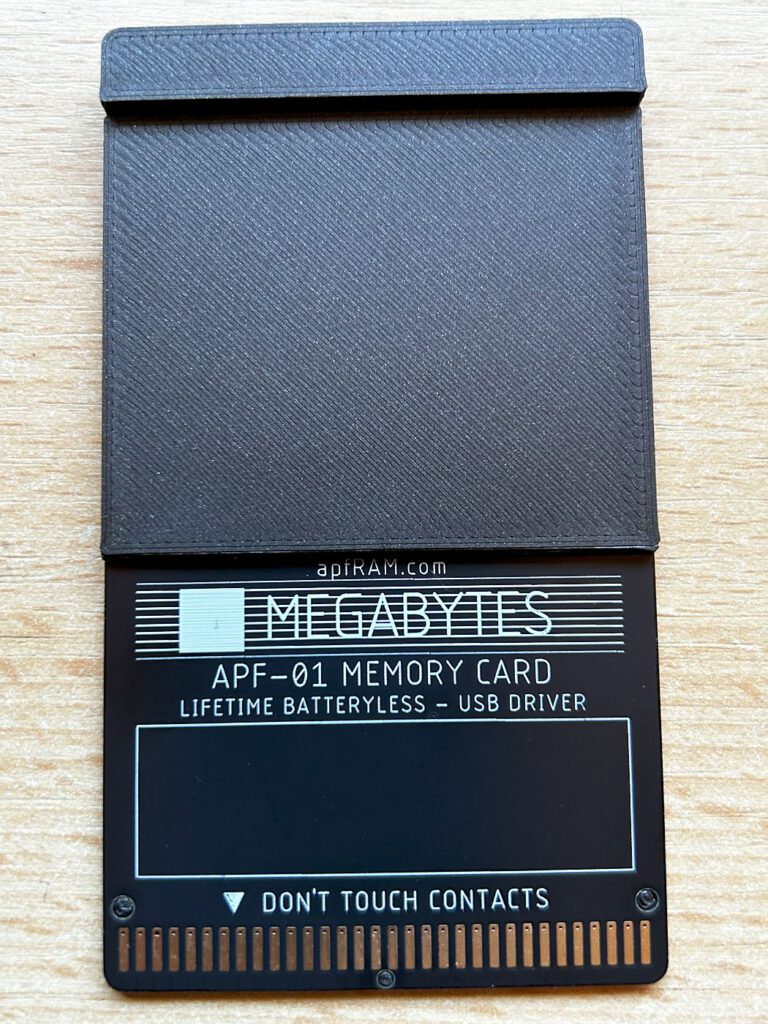
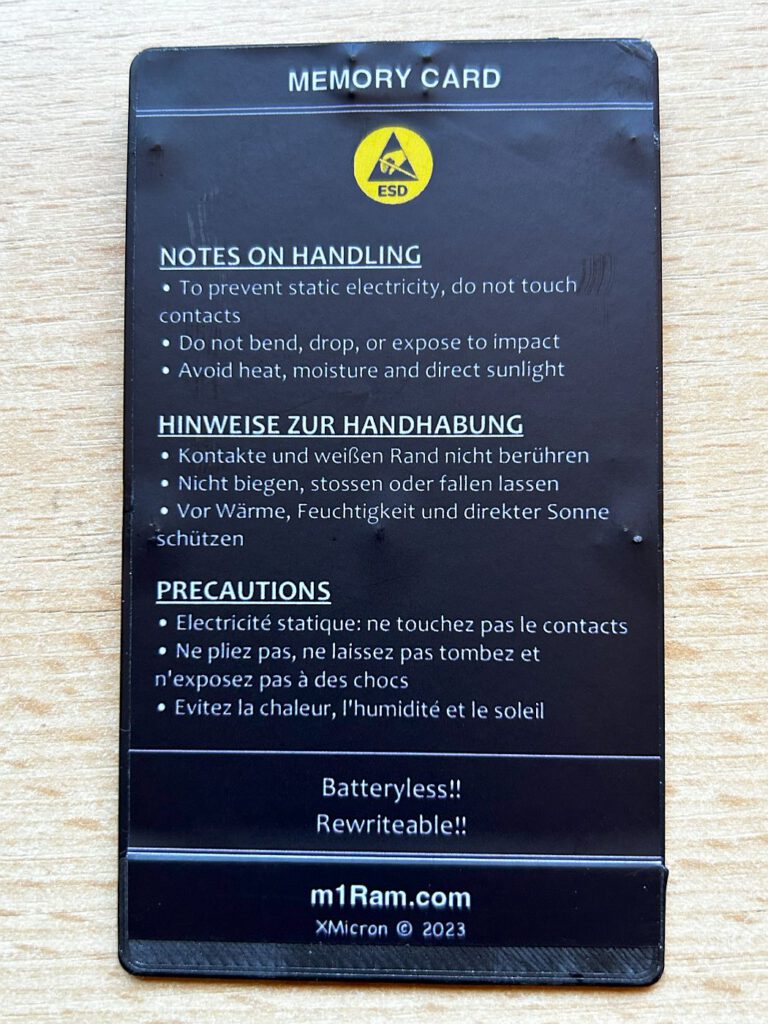
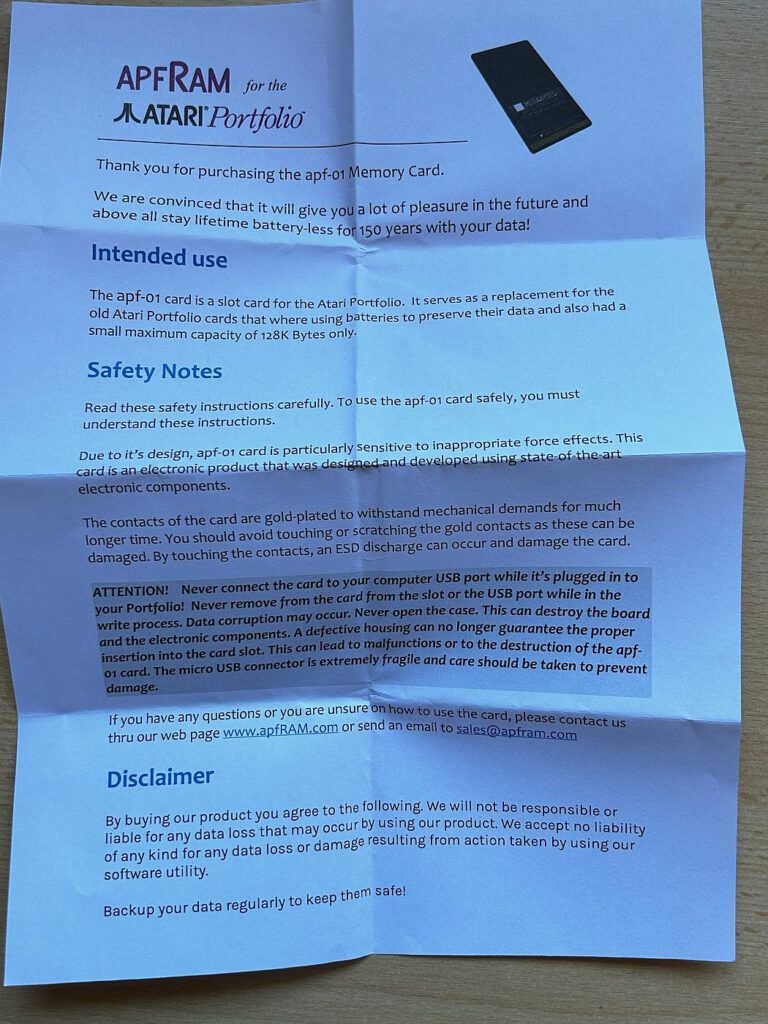
The APF-01 card is a plug-in module for the Atari Portfolio, available in capacities starting at 512KB from apfram.com. I purchased the 1MB version, which currently costs $119 plus shipping. The module comes with an A4 sheet that contains no information other than a few notes on safe and proper use.
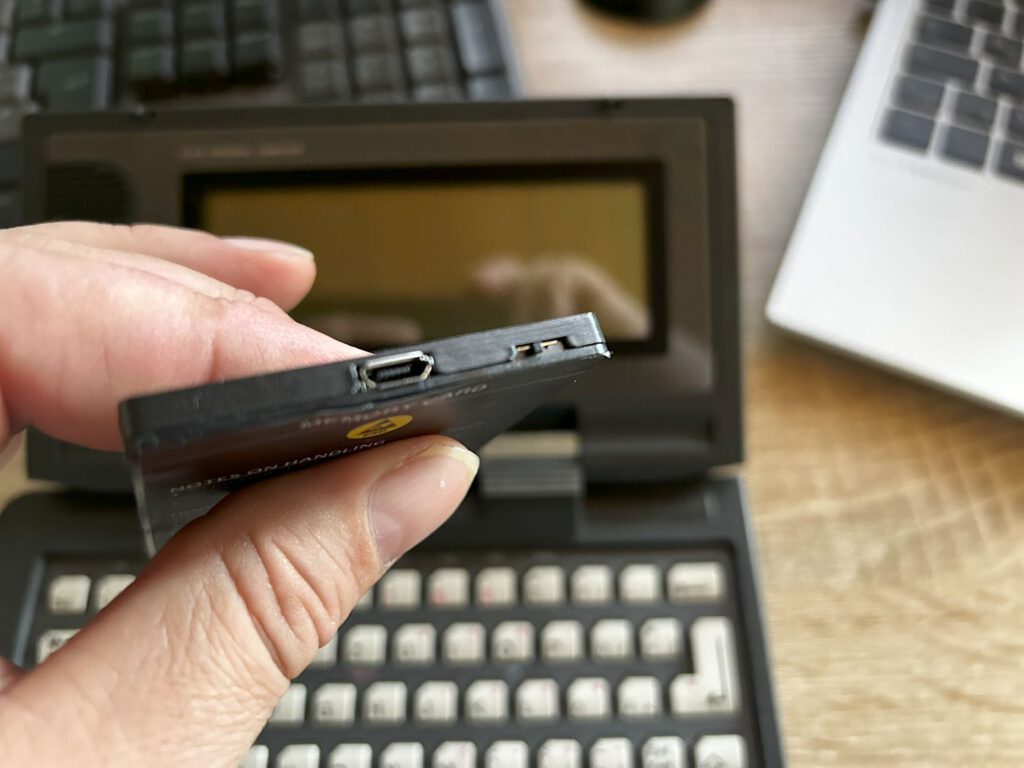
The contacts used to insert the module into the slot on the left side of the Atari Portfolio are located on one side. On the opposite side, there is a mini-USB port for the included short cable. A small switch is positioned next to it.
A significant advantage of this card is that it does not require a battery—the manufacturer guarantees data retention for 150 years.
A few years ago, I published a short article about using the original memory cards with the PC-Card-Drive.
As with other cards, the APF-01 should not be inserted into a Portfolio that is switched on. But how is data transferred to the APF-01?
Für die Nutzung wird das „apfRam Utility for Windows – v2.1“ von der Website des Anbieters benötigt, das im Download-Bereich verfügbar ist. Leider existiert keine entsprechende Software für Apple oder Linux. Treiber müssen nicht installiert werden; es genügt, die heruntergeladene EXE-Datei auszuführen.
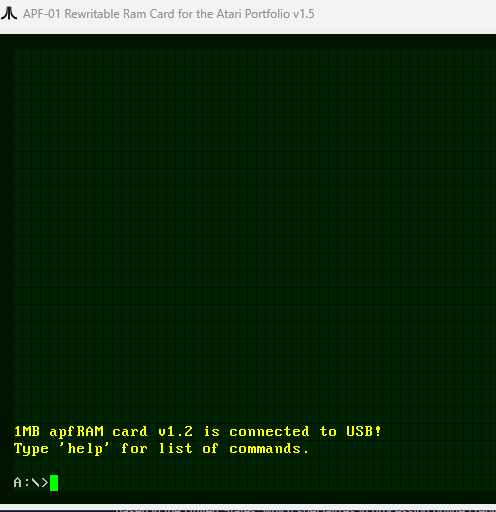
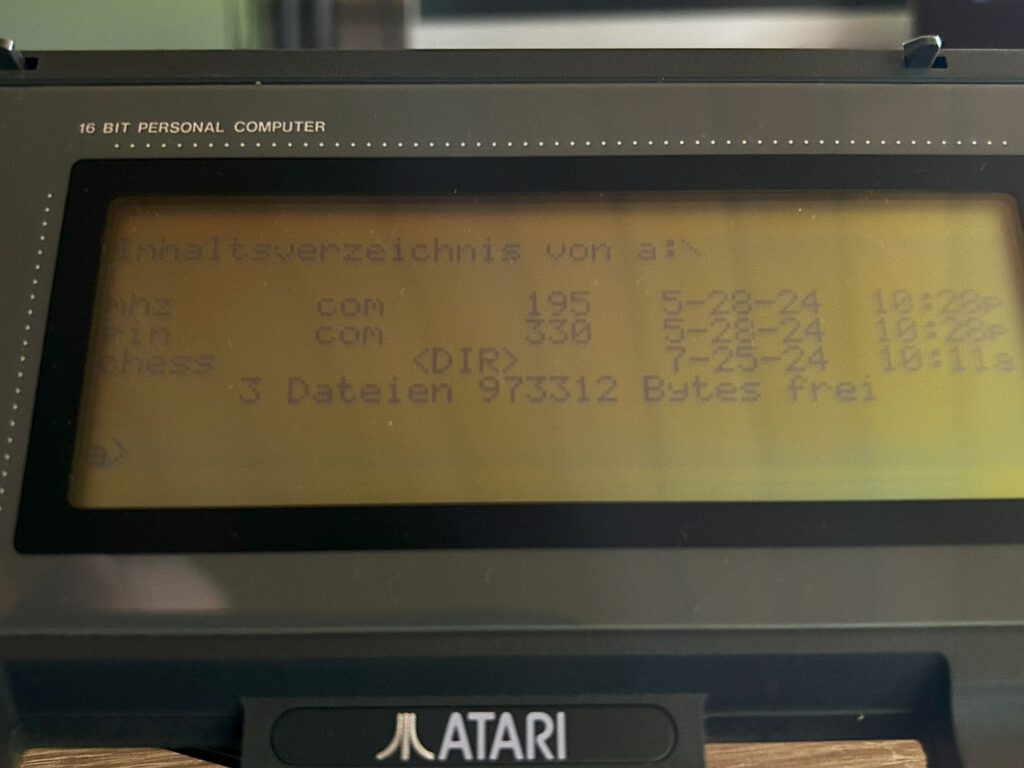
Anschließend wurde meine Karte als „1MB apfRAM card v1.2“ identifiziert. Mit dem Befehl „help“ lassen sich die verfügbaren Kommandos anzeigen, die an die DOS-Befehle erinnern. Für den Datentransfer zwischen PC und Karte gibt es lediglich zwei Befehle: „upload“ und „download“.
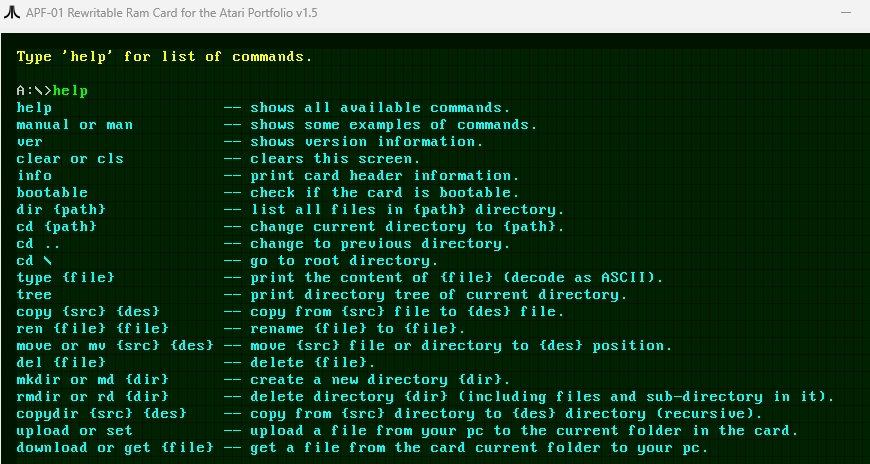
Copying entire directories is not possible. First, a directory must be created (on the PoFo or the PC), and then the data can be transferred.
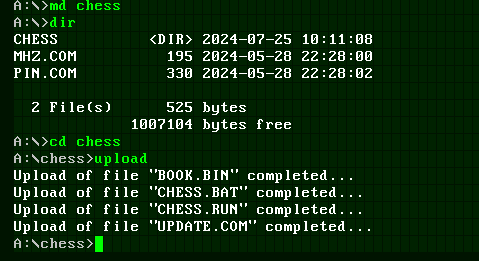
Meine Methode besteht darin, mit „md“ ein Verzeichnis zu erstellen und anschließend die Daten hochzuladen. Trotz Berichten in Foren über Probleme bei der Erstellung von Verzeichnissen auf dem PC habe ich keine Schwierigkeiten festgestellt.
In Version 3 der Software wurde der Befehl „uploadfolder“ hinzugefügt. Damit kann ein Ordner inklusiv aller Dateien und Unterordner vom PC in den am APF-01 ausgewählten Ordner kopiert werden. Dabei ist zu beachten, dass die Datei- und Ordnernamen der 8.3-Regel folgen – so wie der Portfolio es erwartet. Keine langen Dateinamen verwenden!
The portfolio scene has been revitalizing recently. Among other things, we are currently working on a reader for POFO memory cards that is connected to the PC via a USB connection and integrates the card as a drive.
![Tips & Tricks zum Datenaustausch [Atari Portfolio]](https://www.jungsi.de/blog/wp-content/uploads/Atari-Portfolio-Deckel-offen-schraeg-1-480x300.jpg)
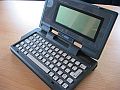
![Atari Portfolio [Atari]](https://www.jungsi.de/blog/wp-content/uploads/2012/07/Portfolio.jpg)
Hallo Gerhard!
Du schreibst „In letzter Zeit belebt sich die Portfolio-Szene wieder.“
Tut sie das? Wo denn? Wo treiben sich die Pofo-Jünger rum? Ich meine die Fragen ernst, nicht ironisch oder sarkastisch.
Grüße
Hallo Robert,
leider sind die Pofo-Fans weit verstreut und es gibt mehrere Anlaufstellen – in der Summe finde ich aber, dass sich mehr tut als in vielen Jahren vorher.
Zum einen hast Du diesen Artikel hier gelesen – der nächste zum APF-02 ist bereits vorbereitet. Anlaufstellen sind in Facebook die Gruppe „Atari Portfolio Users“, https://forum.atari-home.de/,
https://forum.classic-computing.de/forum/?board-list/ and https://forums.atariage.com/index.php.
Es wird an Software gearbeitet und an Hardware – meiner Meinung nach mehr als „früher“
Viele Grüße
Gerhard
Moin zusammen,
ich habe jetzt auch schon seit einigen Tagen eine 1,9MB Karte und das USB-Laufwerk von Apfram im Einsatz. Beides zu empfehlen wenn man mit der Übertragungssoftware klar kommt. Mein einsames Hobby ist Softwareentwicklung für Atari PoFo und HP200lx unter DOS. Leider finden sich immer weniger Gleichgesinnte.
Nette Seite hier
Klaus
Hallo Klaus,
da hast Du recht, die Softwarelösung könnte etwas besser aussehen. Das ändert sich vielleicht, wenn der neue USB-Read von a2heaven mal fertig wird. Dort wir die Karte als normales Windows-Laufwerk angesprochen.
Das es nicht mehr viele Softwareentwickler für den Pofo gibt kann ich mir vorstellen.
Solltest Du mal ein interessantes Projekt für die Öffentlichkeit haben, kann ich es gerne vorstellen.
Viele Grüße
Gerhard
Hallo Gerhard,
ich habe gerade mehrere Progis in der Pipeline.
Z.B. ein Tool zur Optimierung der Atari Speicherkarten bei dem keine Formatierung erforderlich ist und diverse Spiele an denen ich meine Grafikroutinen ausprobiere (2048, Sokoban, Mahjongg, Styx,… um ein paar zu nennen).
Gruß an alle Nostalgiker
Hallo Gerhard!
Ich verstehe. Abgesehen von Facebook, das ich „aus Gründen“ nicht nutzen werde, kenne ich die von dir genannten Websites ebenfalls und bin dort auch angemeldet.
Ein bisschen Werbung in eigener Sache: Es gibt auch noch die Mailingliste https://sourceforge.net/p/portfolioclub/mailman/portfolioclub-german/
Allerdings wird dort auch nur alle paar Monate was geschrieben.
(Ich bin der Initiator der Liste.)
Grüße
Hallo Klaus (KU)!
Ich bin auf deine Programme gespannt. Vielleicht hole ich meine Pofos doch mal wieder aus der Mottenkiste.
Mangels Windows (aus Prinzip) ist die APF-Karte für mich leider keine Option. Der Anbieter hat meine Anfrage bzgl. Linux-Unterstützung leider auch nie beantwortet.
Grüße
PS an Gerhard: Die Zersplitterung ist in meinen Augen schon irgendwie ein Problem, aber was willste machen. Wenn man jetzt noch ein Forum o. ä. starten würde, würde sich auch wieder nicht jeder anmelden. Und irgendwie es ja auch von Vorteil, wenn die Informationen verteilt sind. Falls mal eine Site verschwindet, bleiben noch die Infos auf den anderen.
Hi Robert,
ich code und verwalte meine PoFo-Sachen in einer virtuellen DOS Instanz unter Linux.
Habe daher meine Apfram-Karte in den PoFo gesteckt, Serial-Port-Adapter am PoFo mit USB-to-Serial verbunden und die Daten mit Acom.exe im Highspeedmodus übertragen.
Geht ganz fix, man braucht auf dem PoFo zur Ordnung nur Unterordner anlegen, hinein wechseln und kann dann mit wildcard alle Dateien vom Host senden und direkt im Anschluss testen!
Gruß Klaus
Hey Klaus!
> virtuellen DOS Instanz unter Linux
Magst du das genauer ausführen? Reden wir von VirtualBox, DOSBox, dosemu2?
> Habe daher meine Apfram-Karte in den PoFo gesteckt, Serial-Port-Adapter am PoFo mit USB-to-Serial verbunden und die Daten mit Acom.exe im Highspeedmodus übertragen.
Danke, aber damit hätte ich dann auch wieder das ganze Kabelgedöns auf meinem kleinen Tisch herumliegen.
Grüße
Hi Robert,
ist bei mir DOS in VirtualBox unter Linux.
Eine andere Lösung wäre Windows7 in VirtualBox unter Linux.
Dann DOS in Virtual PC unter dem Windows7 mit freigegebenen Ordnern zum Datenaustausch einrichten.
Dadurch können die Daten dann auch per afpRAM Utility ausgetauscht werden.
Gruß Klaus