

![Atari Portfolio [Atari]](https://www.jungsi.de/blog/wp-content/uploads/2012/07/Portfolio.jpg)
Atari Portfolio – my DOS handheld from the 90s (and why it still fascinates today)
Whenever I write an article about the Atari Portfolio, I’m struck by just how quickly time flies. I actually owned the device myself back then – bought it (like so many things) quite simply from Quelle – and used it extensively in the 90s. And yet, so far there is only one short post on my blog, dating from 2012:
https://www.jungsi.de/atari-portfolio/
Back then, I barely managed to form more than a fleeting impression. Today, I’d like to make up for that and describe the Portfolio as it deserves: as a device that packed ‘real everyday PC use’ into a format you could actually take with you on the go.
A handheld computer that wasn’t actually an Atari
What many people don’t know is that the hardware design and ROM software (BIOS, DOS, shell and the complete PIM applications) were originally not developed by Atari. The technical basis came from DIP Research Ltd. in the UK, which had previously demonstrated a ‘Pocket PC’ as a proof of concept. Atari licensed this platform and turned it into a market-ready product.
Atari did not “merely” contribute the logo: the industrial design team developed the production casing and the keyboard, and adapted the electronics to the new layout. In practice, this meant, amongst other things, that the internal components were adapted to the casing (e.g. the position of the LCD module) and that, in the process, corrections and improvements identified during the development process were also incorporated.
The case: a distinctive design
The Portfolio is a device you recognise instantly: that compact clamshell design that feels like a mini-laptop, but leans more towards a ‘VHS cassette’ – only with a keyboard.
Ira Velinsky is often cited as the designer, having created several case designs for Atari. This fits in with the overall picture: the Portfolio looks like a genuine mass-produced product rather than a ‘tech prototype’ that just happened to end up on the market.
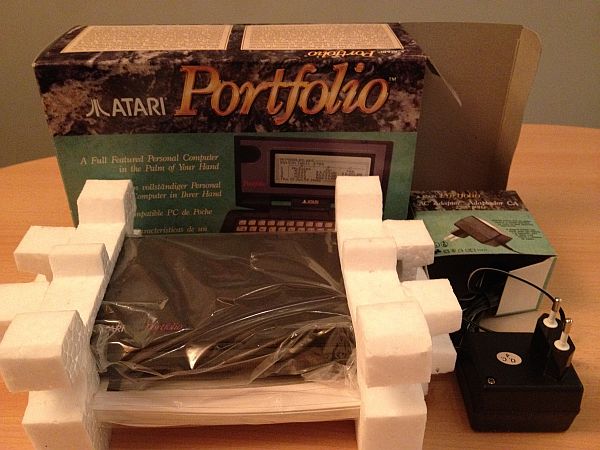
Launched in 1989, widely available by 1990
At trade fairs in 1989, the device appeared under various names before establishing itself as the Atari Portfolio. In Germany, the starting price was 798 DM – and looking back, whilst that wasn’t cheap, it wasn’t an exorbitant price either, considering what you got for it: a PC-compatible computer that ran on batteries and fit in your jacket pocket.
And yes: the Portfolio is often described as the ‘first IBM PC-compatible palmtop’ – or at least as one of the first devices to deliver on that promise in a form that could actually be used on the go.
Displays and everyday life: it’s all about the light
The display consisted of a monochrome LCD with 240×64 pixels (typically 40 characters × 8 lines in text mode). There was no backlight. That might sound like “so what?” today, but it was a real issue in everyday use: depending on the lighting and viewing angle, the display could be perfectly legible – or completely unreadable.
I still remember clearly how I would deliberately seek out the seat by the window or turn the device so that the reflections wouldn’t be a nuisance. Back then, ‘mobile’ simply meant making do.
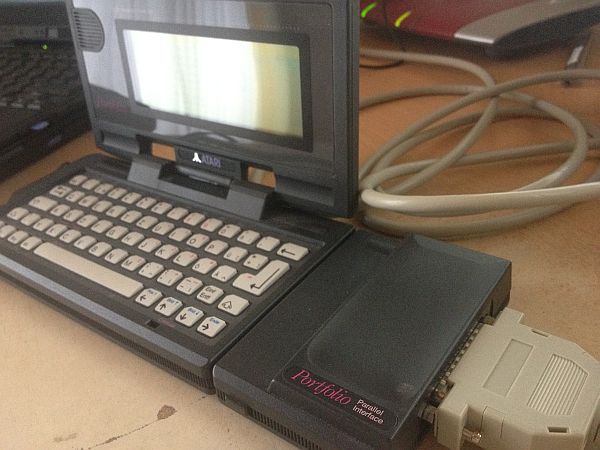
My “aha” moment back then: pride, order, null modem
I was so proud when I held this device in my hands for the first time. I immediately started entering data into the address book, wrote my first texts in the editor – and then came the feature that really turned the Portfolio into a ‘tool’ for me: Data transfer.
I used to transfer files to and from my PC the old-fashioned way, using a null modem cable (via the serial port). That’s exactly how the Portfolio became my link: updating data on the go, then continuing my work at home on the PC – and vice versa. Essentially, that’s what we take for granted today with the cloud and smartphones, only with a 90s twist.
Hardware at a glance
Inside is an energy-efficient 80C88 (a variant of the 8088) running at just under 5 MHz. It also features 128 KB of RAM and 256 KB of ROM, which directly contains the BIOS, DOS, shell and applications. The computer runs on batteries (3× AA), and the system settings are usually retained when the batteries are changed – extremely important for a device that you use ‘on the side’.
The operating system: a DOS feel, but with its own DNA
What’s interesting is how it fits in: the Portfolio feels very much like DOS – commands, filenames, typical workflow – and is largely compatible with MS-DOS 2.11, provided that programmes do not access PC hardware ports directly.
The built-in software is the real star here: you simply open the device and can get straight to work. That was (and still is) the Portfolio’s greatest strength.
Software: this is already stored in the ROM
The most important factor was the software that was already integrated. This includes:
- Command line / Shell
- Setup
- Text editor
- Spreadsheet (Lotus 1-2-3 compatible)
- Calendar/diary with reminders
- Calculator
- Address book (including DTMF dialling via the loudspeaker)
The address book in particular is a wonderful snapshot of its time: phone numbers could be dialled using DTMF tones – you’d hold the receiver up to the small speaker, and the Portfolio would ‘dial’ the number acoustically. It’s quintessentially 80s/90s – and at the same time a surprisingly practical idea.
Memory cards: Bee cards instead of PCMCIA
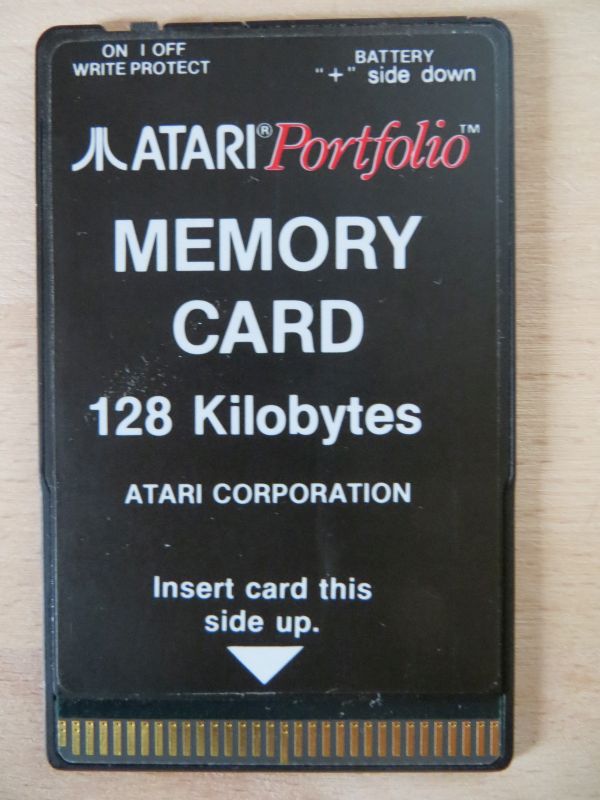
The familiar Mitsubishi “Bee” cards (which originally came from the MSX ecosystem) serve as the removable storage medium. They slot into the left-hand side of the device and are mounted as drive (A:). They are formatted using the FAT file system, so the whole setup feels very much like a PC – except that it uses a memory card format that predates the PCMCIA standard.
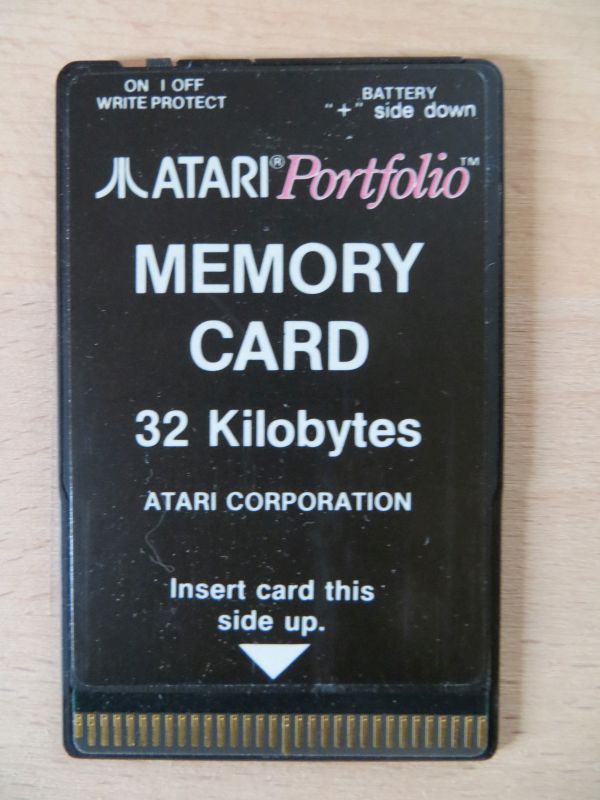
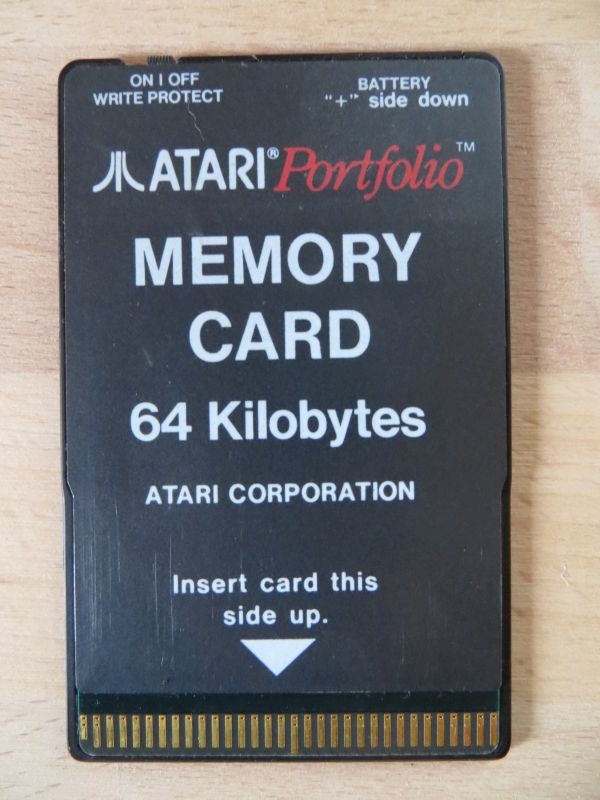
Multilingualism and ROM versions
The Portfolio was supplied in several language combinations. Typically, the device supports three languages per ROM variant (e.g. English/French/German as a common combination). Different keyboard layouts are also available to match these.
In Germany, one often comes across device variants such as HPC-004 and HPC-006 (depending on the layout or market), often with ROM versions from the ‘mainstream phase’. For collectors, the topic of ROM versions is a small world of its own – including later bug fixes and utilities.
An insider’s view of development: the book of 2021
What’s really fascinating is that we now also have an ‘inside’ perspective: in 2021, an e-book was published entitled ‘The story behind the creation of the Atari Portfolio’, written by a member of the original development team. This is a lovely addition, particularly for those who are interested not only in the device itself but also in the story of its creation – because it tells the story of the team, the design decisions and the realities of production.
Accessories – just a brief overview; the rest will follow in a separate article
I actually intended to cover accessories in a separate post (and I will do so), but to provide the right context, here’s a brief overview:
On the right-hand side is the 60-pin expansion port. This allowed modules such as Serial or Parallel to be connected, and there were memory expansions (Memory Expander+) that could significantly enhance the Portfolio’s capabilities – right up to a PC card (ISA solution) for reading/writing memory cards on a desktop PC.
This is a topic I’d like to explore in more detail separately, because the portfolio encompasses a vast array of ‘ecosystems’ – from original Atari games to later specialised solutions.
Today in my collection
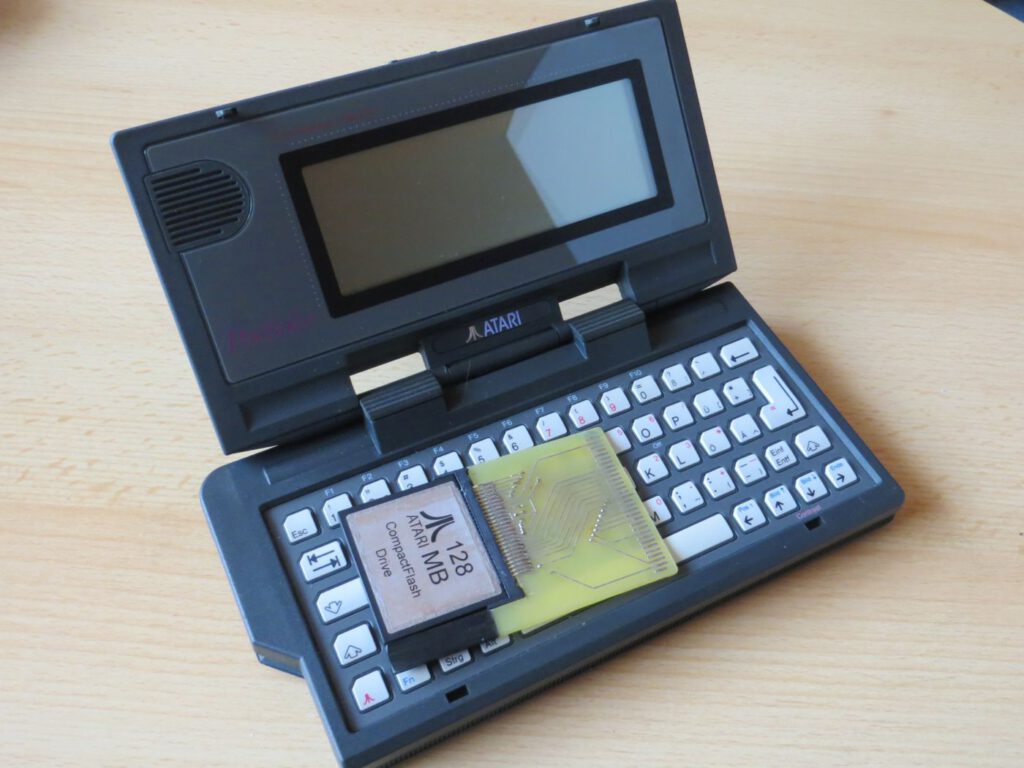
I’ve now accumulated quite a collection of Portfolio devices – including models in excellent condition and special variants or modifications. That alone shows just how durable and collectable this device is: the Portfolio isn’t just ‘an old computer’, but a piece of mobile computing history.
Conclusion
The Atari Portfolio is a real favourite of mine because it brings two worlds together: the rigour and clarity of DOS workflows and the idea of making the whole thing truly portable. And it does this so effectively that even today you still enjoy opening it up – not because it’s ‘more practical than a smartphone’, but because it shows just how early on the concept of mobile computing was already there.
![APF-02 USB-Card-Reader [Atari Portfolio]](https://www.jungsi.de/blog/wp-content/uploads/APF-02-Oberseite.jpg)
Leave a Reply