

Memory cards for the Atari Portfolio: original cards, program cards and my backup workflow
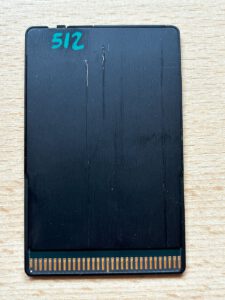
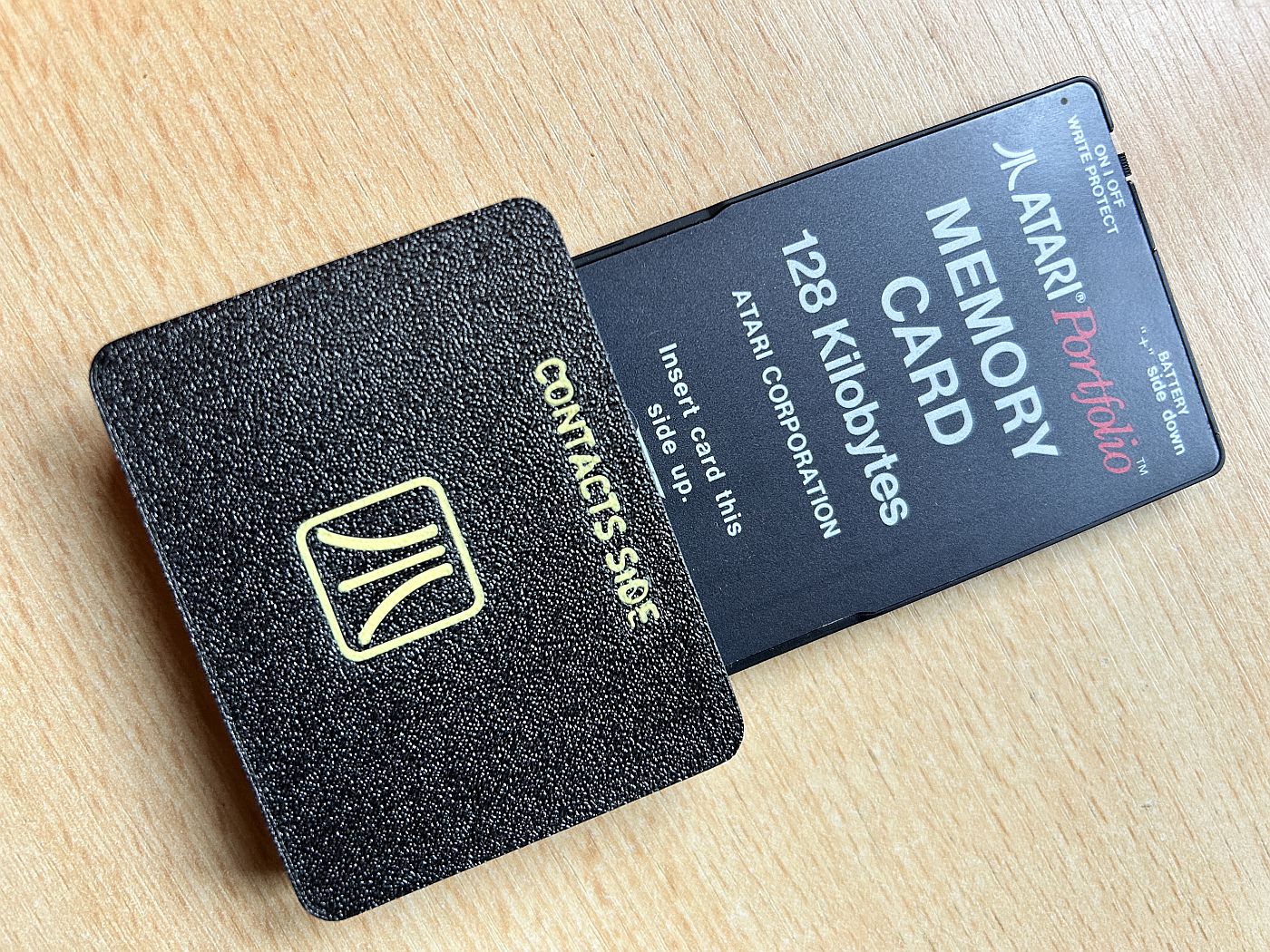
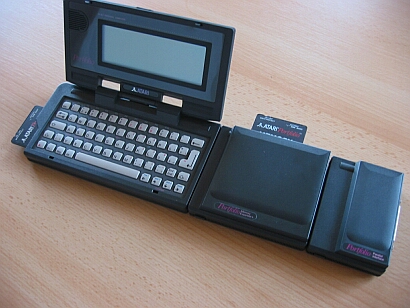
For me, the Atari Portfolio is one of those computers that only feels ‘complete’ when it’s accompanied by the right accessories. And that clearly includes the cards for the side slot. In my collection, I have four variants: the original memory cards with 32 KB, 64 KB and 128 KB – as well as a no-name card with 512 KB. Also, whilst putting this article together, I remembered that I also have an original program card labelled “FileManager/Tutorial”. It is precisely this mix that beautifully illustrates how Atari envisaged the Portfolio concept back then: memory for working – and software to plug in.
Why memory cards are so important for the Portfolio
Although the Portfolio is a fully-fledged small DOS computer, without removable storage you’ll quickly reach its limits in everyday use. Sure, there’s an internal RAM disk – but the whole point of the Portfolio is to ‘work on the go and continue later on a PC’. That’s exactly what the cards are for: save documents, small programmes, configuration files or data whilst on the move, remove the card, back up or swap it on a PC – done.
Bee Card: Credit card format predating PCMCIA
Visually, the card slot is somewhat reminiscent of later PCMCIA/PC cards, but that’s a whole different story when it comes to the Portfolio. Atari uses so-called ‘Credit Card Memory’ cards here (often referred to as ‘Bee Cards’). This was an obvious approach in the late 80s: credit card-sized memory, fast, robust and practical for mobile devices. The catch is also what makes it interesting today: it is not simply a PCMCIA card, but a proprietary solution – and you need the right accessories if you want to read or back up the data outside the Portfolio.
The original memory cards: 32 KB, 64 KB and 128 KB
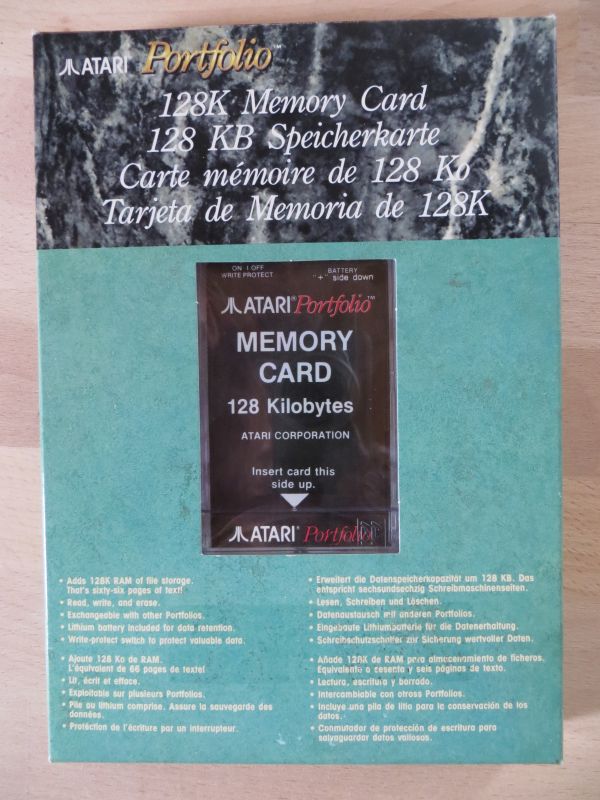
These three classic sizes are typical of the Portfolio: 32 KB, 64 KB and 128 KB. From today’s perspective, that seems tiny, but back then it suited the device’s intended purpose very well. Text files, small spreadsheets, simple databases or tools – that’s what the Portfolio was designed for, and these capacities are surprisingly often sufficient for that.
The 32 KB card, in particular, has a certain charm: it practically forces you to work the way we used to – streamlined, efficient, without any ‘clutter’. The 128 KB card, on the other hand, is the more convenient option, allowing you to keep several projects open at once.
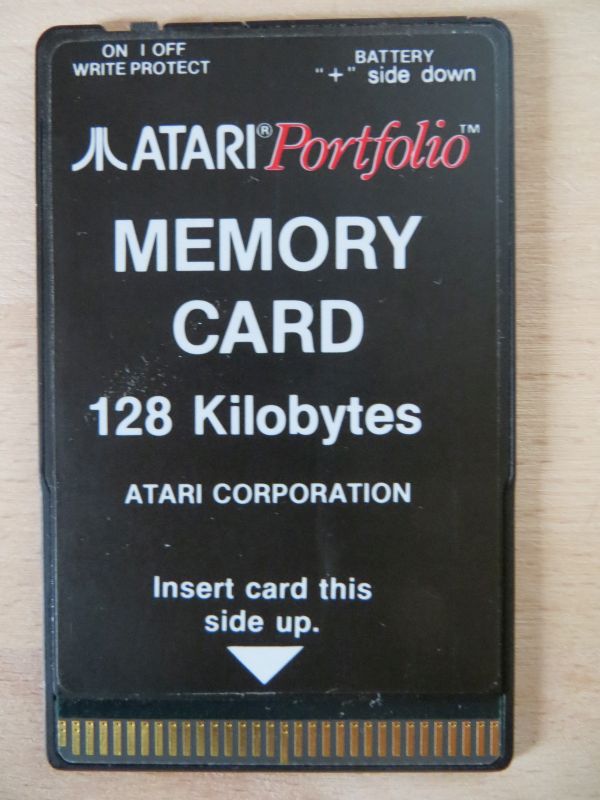
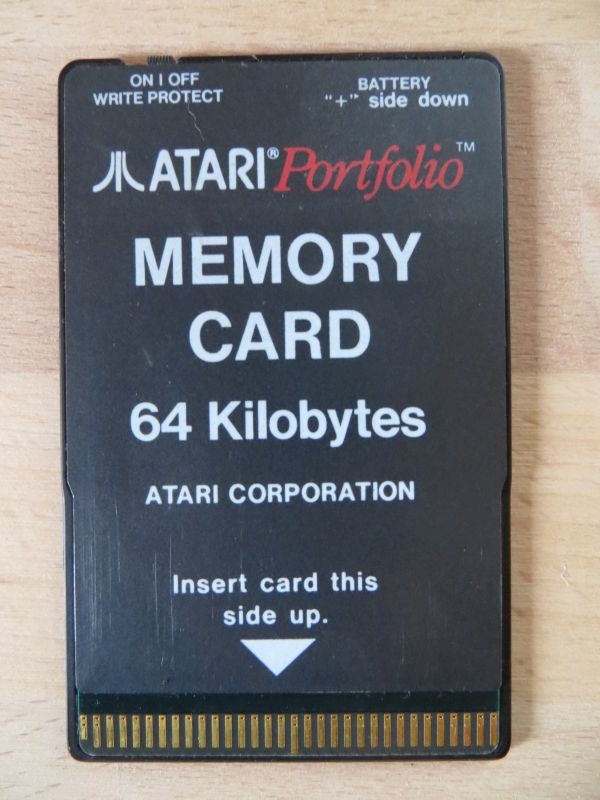
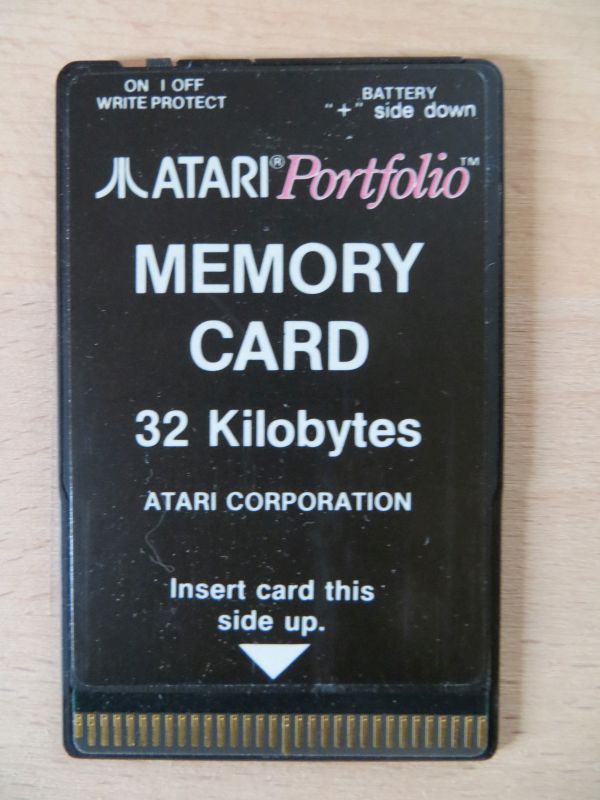
Technology inside: SRAM with backup battery
The classic memory cards in the Portfolio range are generally based on battery-backed SRAM. This has several consequences that are immediately noticeable in everyday use:
- Extremely fast response: no “loading”, no mechanical faff – it feels instant.
- Data is retained as long as the backup battery supplies sufficient power.
- If the battery runs out, data may become corrupted or be lost.
That is the key point about original cards: they are not archives, but practical removable storage devices. Anyone working with them today should take the battery issue seriously – not out of fear, but out of pragmatism.
Card as a drive: working just like on a mini DOS PC
In the Portfolio, the cards are mounted as a drive (traditionally as A:). This makes using them feel pleasantly “DOS-like”: copying, deleting and renaming files, launching programmes – everything just as you’d expect. It is precisely this concept that makes the cards so appealing to me to this day: it is simple, fast and works without any major complications.
Programme cards: “FileManager/Tutorial” and plug-in software
In addition to RAM memory cards, the Portfolio also had cards on which programmes were permanently stored. My “FileManager/Tutorial” card is one such example – and it shows that Atari did indeed offer software as plug-in accessories back then (and in some cases even included it with the system).
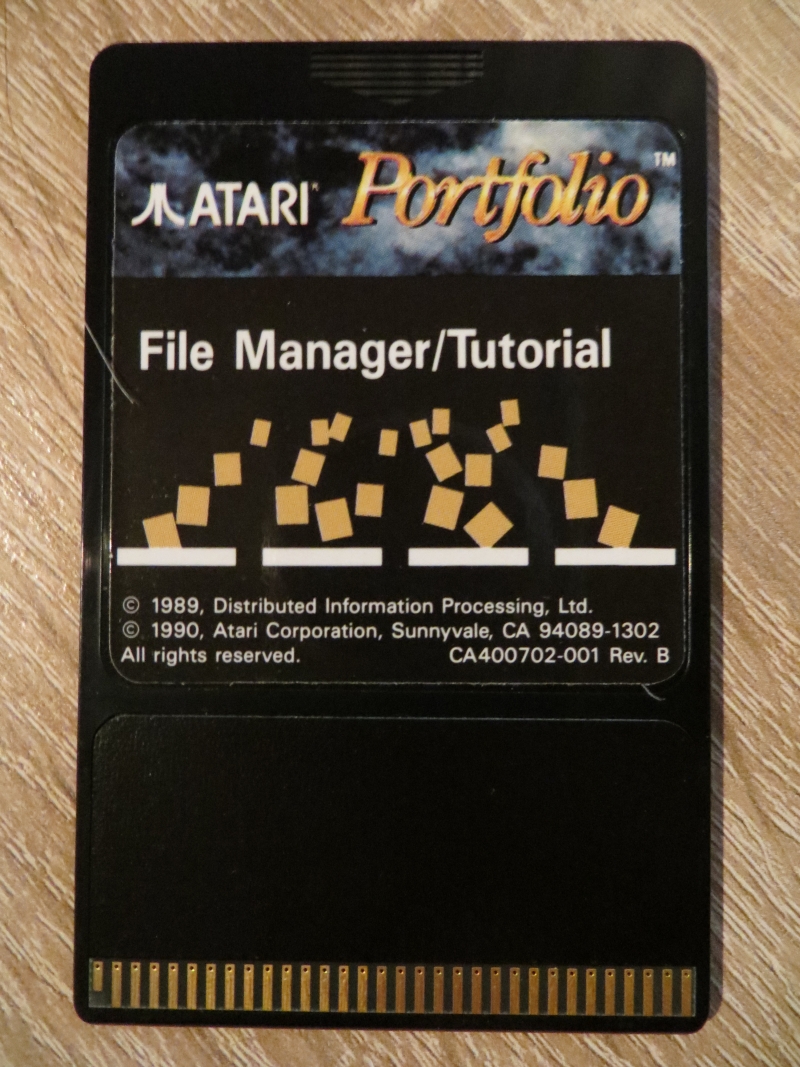
The difference from a standard memory card is important: a programme card is not a ‘battery-dependent storage medium’, but rather a ROM disc – its contents are fixed and not intended for storing your own files. In everyday use, this means: insert the card, launch the programme, and enjoy the convenience. The FileManager in particular is a real game-changer for the Portfolio, as it makes file management significantly more convenient and makes the device seem much more “suitable for everyday use”.
A quick look at larger cards: 512 KB NoName
As well as the original cards, I also have a 512 KB NoName card. This is, of course, in a completely different league and clearly shows that the Portfolio ecosystem has outgrown the official sizes. Such cards are often technically similar (SRAM + battery), but may be organised differently internally to ensure that larger capacities can be utilised efficiently. For the purposes of this article, however, the focus remains on the original cards – for me, the 512 KB card is more of an exciting ‘bonus category’.
PC Card drives and modern alternatives
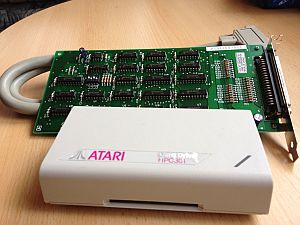
The PC Card drive is the classic link between your portfolio and your PC. It is exactly the accessory that perfectly replicates the original workflow: insert the card, back up the files, carry on working.
I’ve set up an old PC for this purpose, to which the PC Card drive is connected – ready to use at any time to back up data from the cards. For me, this is the best of both worlds: the original workflow, but with the peace of mind that I won’t lose my data at some point because the backup battery has run flat.
For those who prefer a more modern approach, the latest reading solutions are worth looking into. I’ve already reviewed a modern card reader – the APF-02 USB Card Reader – and am linking to the article here as it fits perfectly with this topic:
https://www.jungsi.de/apf-02-usb-card-reader-atari-portfolio/
Practical tip: My backup workflow for portfolio cards
Because RAM cards use battery-backed SRAM, I treat them as “volatile storage with an expiry date”: I work on the portfolio as normal – but as soon as there’s something important on it, I back it up. And I make sure to keep it simple.
Folder structure on the PC: one master folder per map
I create a dedicated folder on my PC, with a separate subfolder for each map. I like to organise these by date, so that each backup is preserved as a snapshot.
Example:
C:\PORTFOLIO\CARD_32KB\2026-02-05\C:\PORTFOLIO\CARD_64KB\2026-02-05\C:\PORTFOLIO\CARD_128KB\2026-02-05\
Backing up via DOS: quick and reliable
Once the PC Card drive has mounted the card as a drive (e.g. A:, E: or similar, depending on the setup), a simple XCOPY command is all that is needed for full backups:
xcopy A:\*.* C:\PORTFOLIO\CARD_128KB\2026-02-05\ /E /I /V
/Ecopies all subfolders (including empty ones)/Itreats the destination as a folder/Vverified after copying (slower, but safer)
If I just want to update my ‘work in progress’ files, I like to use a destination such as ...\CURRENTLY\ and only copy the newer files:
xcopy A:\*.* C:\PORTFOLIO\CARD_64KB\CURRENTLY\ /E /D /I
8.3 file names: better to be compatible than creative
I keep file names short (8.3), without umlauts or special characters. This saves a lot of hassle – especially when files are moved between a portfolio, a card drive and a modern backup system.
When a card starts acting up: back it up first, then fix it
When I encounter directory errors or sporadic read errors, my approach is always to back up whatever I can first, then clean, check and format the card. With SRAM cards in particular, the backup battery is always a likely culprit – and it’s not worth experimenting without a backup.
A simple layout on the map
To make sure I can find my way around easily later on, I keep the maps simple and well-organised:
\DOC\for texts\PRG\for tools\DATA\for data/lists\TMP\for “can be deleted”
Conclusion
With the Atari Portfolio, the cards are not just “nice accessories”, but a central part of the concept: a mobile DOS computer, fast removable storage, and even plug-in software. The original 32/64/128 KB memory cards seem nostalgically small today, but they’re what make the Portfolio truly authentic. And with a quick backup via the ready-to-use PC Card drive, the retro workflow is preserved – without the risk of any nasty surprises with your data down the line.
![Portolio Zubehör [Atari Portfolio]](https://www.jungsi.de/blog/wp-content/uploads/2012/07/Portfolio-Memory-Expander.jpg)
![APF-02 USB-Card-Reader [Atari Portfolio]](https://www.jungsi.de/blog/wp-content/uploads/APF-02-Oberseite.jpg)
![Tips & Tricks zum Datenaustausch [Atari Portfolio]](https://www.jungsi.de/blog/wp-content/uploads/Atari-Portfolio-Deckel-offen-schraeg-1-480x300.jpg)
Leave a Reply