

![ZX Touch – Firmware 1.12a [ZX Touch]](https://www.jungsi.de/blog/wp-content/uploads/ZX-Touch-Verpackung-Oberseite.jpg)
ZX Touch Firmware 1.12 – A major update
Ihr kennt den ZX Touch noch nicht? Dann seht in diesen Artikel rein: ZX Touch
Eigentlich wollte ich dieses Firmware-Update in meinen ersten Artikel zum ZX Touch integrieren, da es kurz vor dessen Veröffentlichung erschienen ist. Doch aufgrund des Umfangs habe ich mich entschieden, einen eigenen Artikel zu schreiben – so kann ich alle Neuerungen im Detail vorstellen, ohne kürzen zu müssen. Goran von Elmar Electronics war wieder fleißig und hat neben Fehlerbereinigungen einige spannende neue Features in die Firmware 1.12 integriert. Die kurz darauf erschiene Version 1.12a hat ein paar kleinere Fehler, die sich bei dem großen Update eingeschlichen hatten, gleich wieder korrigiert.
Download
Note
Nach dem Update der Firmware wird empfohlen, das Gerät auf Werkseinstellungen zurückzusetzen, damit die geänderten Parameter dieses Updates richtig initialisiert werden können. -> Save/Load Einstelllungen – Knopf mit dem Home-Icon und dann „Save Defaults“.
Improved AY chip emulation
Until now, the AY emulation was optimised for the built-in speaker, which is unable to reproduce deep bass tones. The new software emulation improves the sound quality, particularly when using headphones. This option can be adjusted in the sound menu.
Improvements to the emulation
Numerous optimisations ensure a more accurate emulation, particularly when the CPU is not accessing memory. Among other things, this improves accuracy in demos and delivers an even more authentic Spectrum experience.
More stable loading of .tap files
Issues with loading .tap files have been resolved, meaning that games with specific block structures now launch more reliably.
Increased file size for .ztg files
The maximum size of .ztg files has been increased from 640 KB to 4 MB – a major advantage for large .tap and .tzx files containing many blocks.
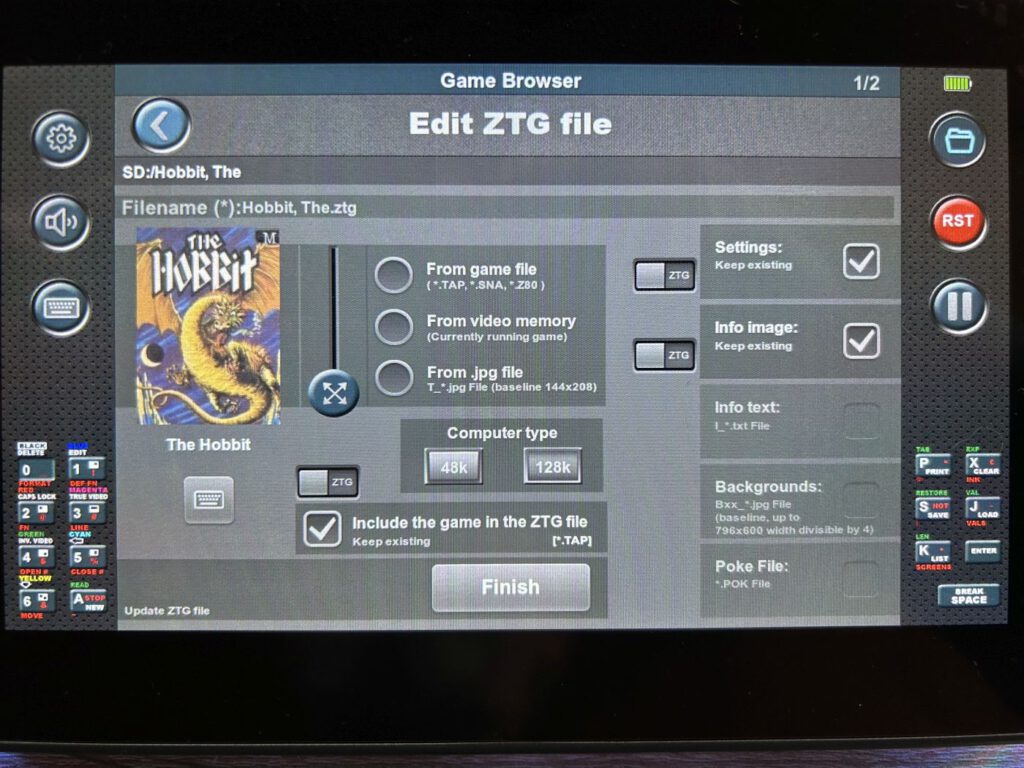
Automatic library updates & new conversion options
A feature I’d been hoping for has finally been implemented: .ztg files are now automatically added to the library. In addition, .TRD, .TZX and .SCL files can now also be converted to ZTG format.
Improved touchscreen navigation
If you hide the side panels by tapping the screen, the game will now continue. This feature can be adjusted in the settings if required.
New Turbo Mode
A new mode emulates a 7 MHz CPU, whilst the ULA interrupt remains at 50 Hz – comparable to a Pentagon (ZX Spectrum clone). This often results in better graphics without affecting the AY sound. Alternatively, the ULA interrupt can be doubled to 100 Hz.
Support for .SCL and .TZX files
SCL files, a compressed version of TRD files for Beta-Disk drives, are now supported natively. The Beta-Disk interface has also been optimised. The TZX format is now fully integrated as well, enabling the loading of copy-protected games and custom loaders – although, as with a real tape drive, loading can sometimes take several minutes.
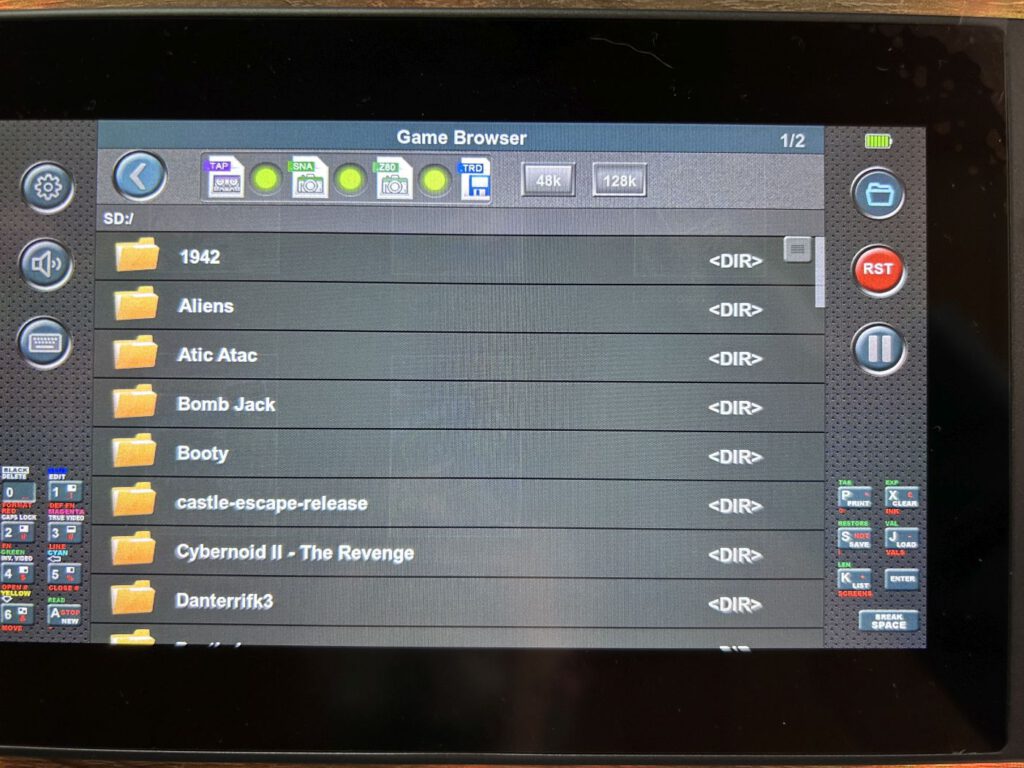
Simulated cassette player
A cassette player has been integrated to load TAP and TZX files, simulating a real tape drive. Turbo mode can be enabled in the options to reduce loading times.
Snapshot function
At last, snapshots can be saved in Z80 or SNA format! This is particularly useful for games in TAP or TZX format, which can only be launched from tape due to certain load block types. Now, after loading, you can create a snapshot that can be reloaded immediately or converted to ZTG format. Snapshots can also be transferred to a PC and used in an emulator.
New games included
The new firmware also brings a fresh batch of games:
- Pentacorn Quest (José Ignacio Rodríguez – Nightwolf)
- Secrets: The Castle of Doom (Wizbit Games)
- Max Stone (Juan Leal – Flopping)
- Quest For The Golden Eggcup (Harvey Lodder – Network Adventure Games, 1986)
A great update with lots of useful improvements – ZX Touch users have something to look forward to!
![Evercade Alpha Mega Man [Blaze]](https://www.jungsi.de/blog/wp-content/uploads/Evercade-Alpha-Controller.jpg)
![Anbernic RG351MP [Anbernic]](https://www.jungsi.de/blog/wp-content/uploads/Anbernic-RG-351MP-Displayseite.jpg)
![ZX Touch [Elmar Electronic]](https://www.jungsi.de/blog/wp-content/uploads/ZX-Touch-Oberseite.jpg)
Hmm, ich bekomme nach dem flashen die Meldung „file header not valid“ aber kann neu starten und sehe dann bei „info“, dass ich 1.12a drauf habe.
So, nach dem 2. flash gab es „All done!“. Somit erledigt.