

![Schneider CPC6128 [Schneider]](https://www.jungsi.de/blog/wp-content/uploads/Schneider-CPC-6128-oben.jpg)
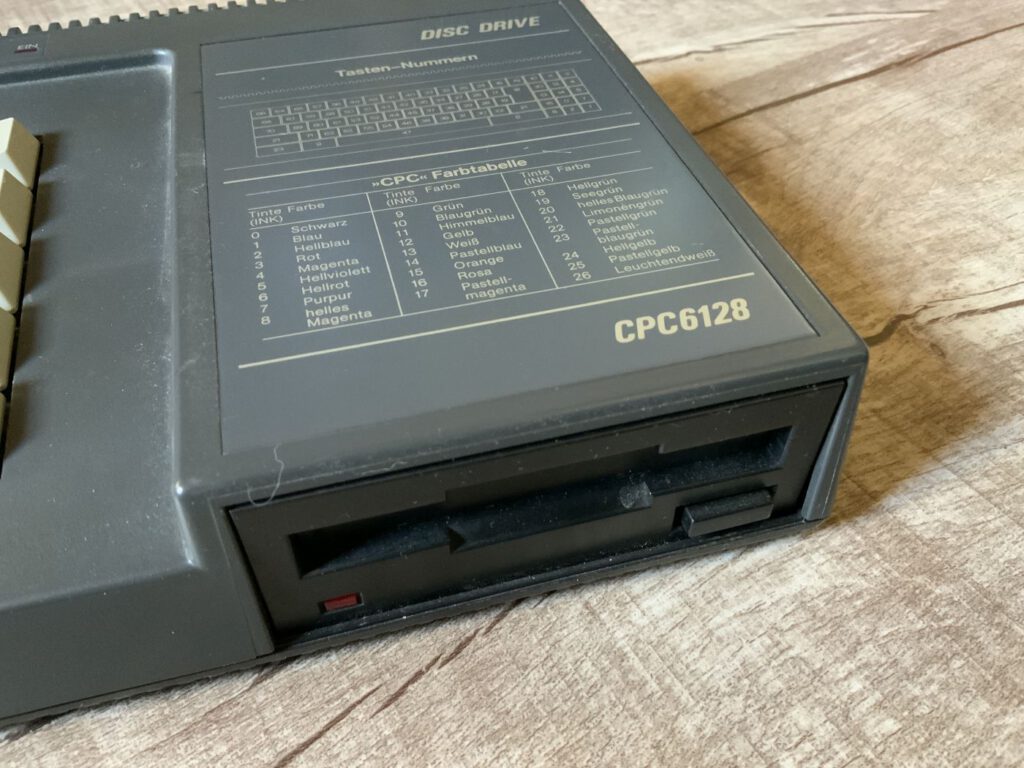
Durch Zufall bin ich nun auch noch zu einem anderen wichtigen Computer der 8-Bit-Computergeschichte gekommen – den Schneider CPC6128 – diesen habe ich zusammen mit dem Grün-Monitor „GT 65„, einem externen 3″-Diskettenlaufwerk und einem Stapel 3“-Disketten erhalten. Den Rechner konnte ich sofort testen – das externe Diskettenlaufwerk noch nicht, da hier das Verbindungskabel zum CPC fehlt.
History
Der Ursprung der Geräte ist England – dort wurden sie von der Firma Amstrad produziert und vertrieben – für Deutschland übernahm die Firma Schneider den Vertrieb. Die Abkürzung CPC steht übrigens für „Colour Personal Computer„. Das erste Modell der Baureihe war 1984 der Schneider CPC464 mit 64 kB Speicher. Dieser hatte ein integriertes Kassettenlaufwerk – das 3″-Diskettenlaufwerk (FD1) mit Controller (DDI1) war extra erhältlich. 1985 wurde der Rechner zum Computer des Jahres gewählt.
In 1985, the CPC664 model was released, featuring a slightly improved keyboard as well as an internal 3-inch floppy disk drive. Shortly thereafter, its successor—the CPC6128 (also released in 1985)—hit the market. In addition to the integrated floppy drive, this model now boasted 128 KB of RAM (organized as 2 × 64 KB via bank switching).
The computer was usually sold as a bundle with a monitor—consequently, the CPC was very attractively priced. The C64 was more expensive, as both the floppy disk drive and a monitor always had to be purchased separately.
Technically, the Schneider (Amstrad) was state-of-the-art and could hold its own against the Commodore 64. In some respects, it was even superior—save for the lack of hardware support for sprites.

Technical Specifications
Inside, a 4 MHz *Zilog Z80A* is at work—though, due to the wait states that the *Gate Array* imposes on the processor during memory access, the effective speed is somewhat lower. A *Motorola 6845* (CRTC) handles the video output, working in conjunction with the Ferranti *Gate Array* characteristic of the CPC. The latter serves as the true heart of the computer, controlling video timing, mode switching, and memory access. Additionally, an *Intel 8255 PPI* is present to handle I/O tasks.
Three graphics modes are available:
- Mode 0: 160 × 200 pixels with 16 colors
- Mode 1: 320 × 200 pixels with 4 colors
- Mode 2: 640 × 200 pixels with 2 colors
The complete range comprises 27 colors.
Upon switching on the **CPC**, you land directly in *Locomotive Basic*, which is embedded in the ROM—specifically version 1.1 on the 6128 (the CPC464 still featured version 1.0). Thanks to the *Z80* processor used, the system also offered compatibility with the operating systems *CP/M 2.2* (64 KB) or *CP/M 3.0/Plus* (128 KB), which could be loaded via floppy disk. Incidentally, *AMSDOS*—supplied by Amstrad—is not a distinct operating system layer in its own right, but rather a floppy disk extension for Locomotive Basic.
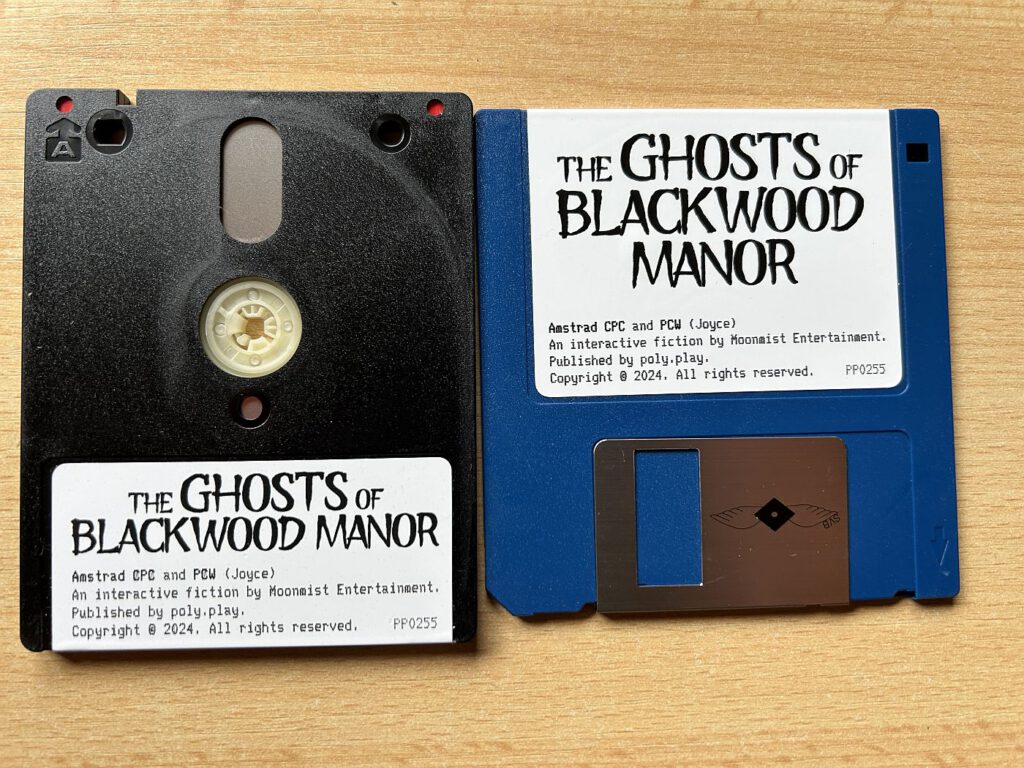
The 3-inch floppy disk format
Das von Hitachi entwickelte 3″-Disketten-Format (CF-2) hatte sich nie wirklich durchsetzen können – durch die geringe Verbreitung war auch der Preis der Disketten hoch – so kosteten sie damals zwischen 7 und 20 DM. Die Disketten selbst waren doppelseitig und hatten eine Kapazität von 360 kB (180 kB je Seite). Da in den CPC’s Einzelkopflaufwerke verbaut wurden, mussten die Disketten auch physisch gedreht werden, um die zweite Seite beschreiben zu können.
Apart from the CPC models, the 3-inch format also appeared in the Sinclair ZX Spectrum +3 and the Schneider Joyce (Amstrad PCW)—meaning my collection includes several representatives of this idiosyncratic design. 🙂
Sound
Sound in the CPC is handled by an AY-3-8912 chip from General Instrument. The chip generates three tone channels plus a noise generator. The signal is output in mono via the built-in speaker; stereo output—featuring hard-wired panning (Channel A left, Channel B center, Channel C right)—is available only through the 3.5mm headphone jack.
Incidentally, Yamaha's *YM2149F*—which was built into the *Atari ST*—also hails from the same chip family; while both chips are closely related, they are not identical. The 8912 in the CPC, for instance, features only one I/O port, whereas the 8910 (or YM2149) has two.
Power Supply
The power supply of the CPC is implemented in an unusual manner. The computer itself features neither a built-in power supply unit nor a direct power connection. Instead, the monitor is utilized to provide power. To this end—taking the **GT65** as an example—two cables emerge: one serves as the connection for the monitor, while the other supplies the 5 volts required by the computer. The **CPC** itself is equipped with a cable that connects to the 12-volt input located on the front of the monitor.
As a result, it isn't quite so simple to connect the CPC to a TV using an RGB SCART cable, since the Schneider also needs to be supplied with power. 🙂
Incidentally, there were two lines of monitors: the green monochrome monitors GT64/GT65 and the color monitors CTM640/644. Anyone who wanted a color monitor had to dig significantly deeper into their pockets.
Market Performance and the End of the Model Series
Around 3 million CPCs were sold worldwide—a remarkable success. In 1990, the series came to an end with the Plus series (CPC 464Plus, CPC 6128Plus) and the dedicated game console, the Amstrad GX4000. Incidentally, I also have the GX4000 in my collection.
My Copy – The Typical Quirks
Hinweis: Bei meinem Modell hatte ich das Problem, dass keine Diskette gelesen werden konnte. Beim Zugriff auf die Disketten erhielt ich immer den Fehler „Bad Command“. Die Disketten waren so weit in Ordnung (am Sinclair ZX Spectrum +3 getestet) und der Verkäufer versicherte mir, dass es bei ihm auch noch geklappt hat. Als erstes vermutete ich mal den Antriebsriemen des CPC-Diskettenlaufwerks – dieser sah aber nach Öffnen des Rechners noch sehr gut aus (war vermutlich schon mal gewechselt worden). Nachdem ich das Diskettenlaufwerk genauer untersucht hatte, sah ich einen „Metallstift“ mit Gewinde, von dem eine Führung zum Schreib-Lesekopf ging. Weil die Führung nicht mehr richtig in dem Gewinde lag, konnte sich der Schreib-Lesekopf nicht mehr bewegen und erzeugte die o. a. Fehlermeldung. Ich denke, das war dem Transport geschuldet. 🙂
After receiving a connection cable to link the FD-1 to my CPC, I unfortunately discovered that the drive was displaying nothing but read errors on the screen. So far, I haven't been able to repair the drive. I would be grateful for any tips—or for a helpful CPC specialist who might be able to fix it. 🙂
Since I had never worked with the Schneider CPC before, this is uncharted territory for me—and I will certainly dedicate an article to one or two of my experiences. 🙂
![Multiface II Remake [Schneider CPC]](https://www.jungsi.de/blog/wp-content/uploads/multiface-ii.jpg)
![DDI-1 2014 [Schneider CPC]](https://www.jungsi.de/blog/wp-content/uploads/ddi-1-clone-schalter.jpg)
![Alcon 2020 [Schneider CPC]](https://www.jungsi.de/blog/wp-content/uploads/Alcon-2020-Cartridge.jpg)
Hallo Jungsi,
ich habe noch einen Schneider CPC6128 mit funktionierendem Laufwerk. Leider ist der Monitor nicht mehr funktionstüchtig. Somit ist der Computer für mich nicht mehr nutzbar.
Solltest Du Interesse haben, melde Dich bitte unter der angegebenen E-Mail-Adresse.
Tschüß
Jürgen
Hallo Jürgen,
danke für das Angebot – ich melde mich per E-Mail!
Grüße
Jungsi