

![MiSTerX Mini [MiSTer]](https://www.jungsi.de/blog/wp-content/uploads/MisterX-mini-Oberseite.jpg)
The Story Behind MiST and MiSTer: An Overview of the Project and Current Developments
The origins of the MiST/MiSTer project likely date back to 2012. I first wrote about the MiST (Minimig Atari ST)—the predecessor to the MiSTer—on my blog back in 2014. This original device supported numerous cores that enabled hardware-accurate emulation of retro systems. I followed the development of the MiST for many years. However, as is often the case with technology, the device underwent further development and improvement. This led to the creation of the MiSTer, which is based on the DE10-Nano board from Terasic.
The basic functions of the MiSTer are complemented by several expansions—so-called daughterboards—such as:
- SDRAM board: required for many cores to meet additional memory requirements.
- I/O board: offers various outputs such as VGA, analog audio, optical audio, buttons, and LEDs.
- RTC board (optional): adds a real-time clock.
- USB hub board: expands the USB ports for controllers, keyboards, or other devices.
Availability and price trends
In recent years, the availability of the MiSTer has deteriorated significantly, and costs have risen as well. The DE10-Nano board, which is equipped with an Intel Cyclone V FPGA, was originally developed by Intel (following its acquisition of the original manufacturer, Altera, in 2015) as a cost-effective solution for educational institutions. Intel had subsidized the boards to encourage their adoption.
In 2022, this "subsidy" ended, causing the price of the DE10-Nano board to rise from around €130 to as much as €300. This also significantly increased the total cost of a MiSTer setup. Fortunately, there is now a more affordable alternative: the MiSTer Pi, which uses a compatible board and lowers production costs. As a result, the price of a complete package is now only around €180—a welcome development for retro gaming fans.
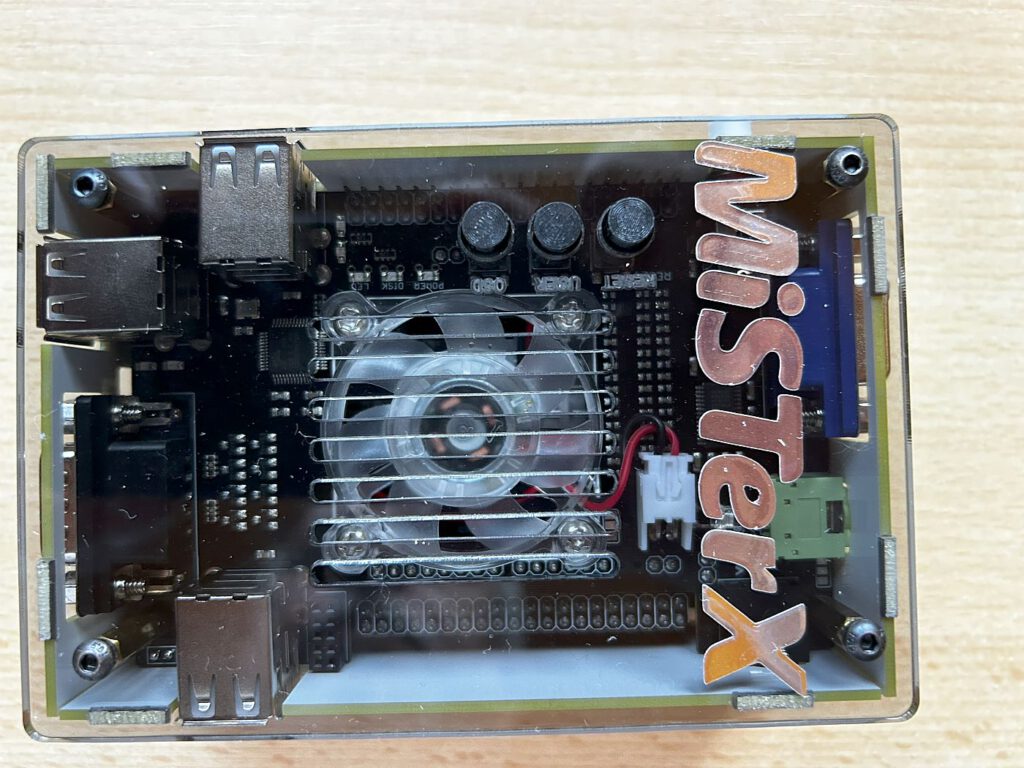
A special MiSTer from Spain
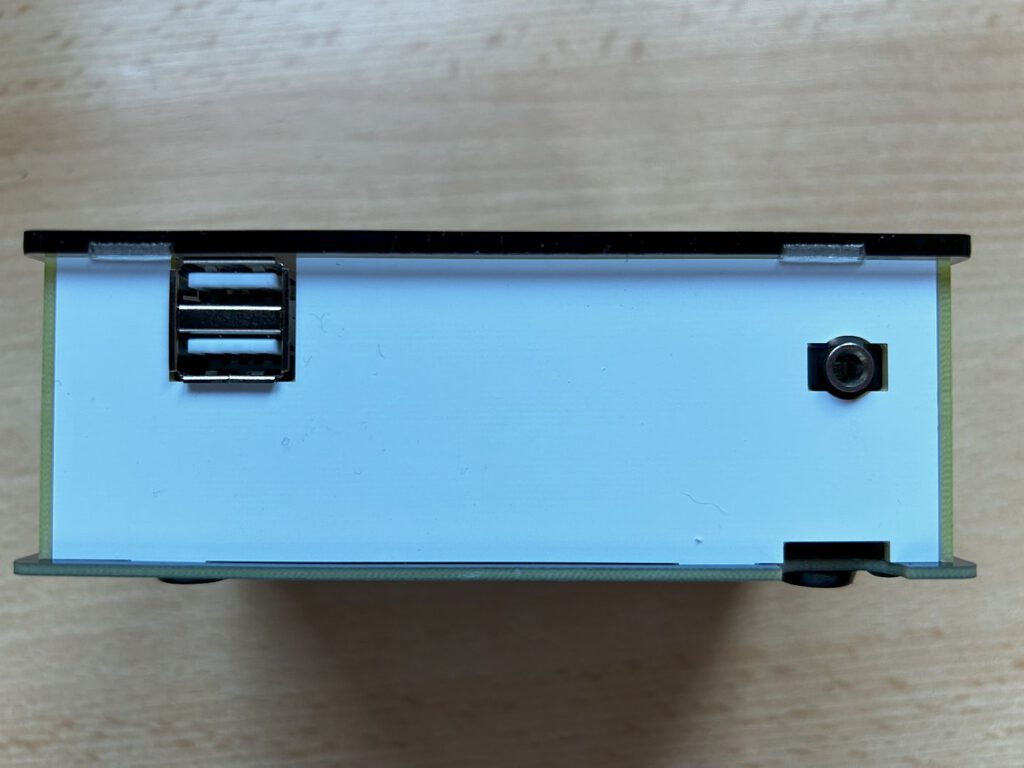
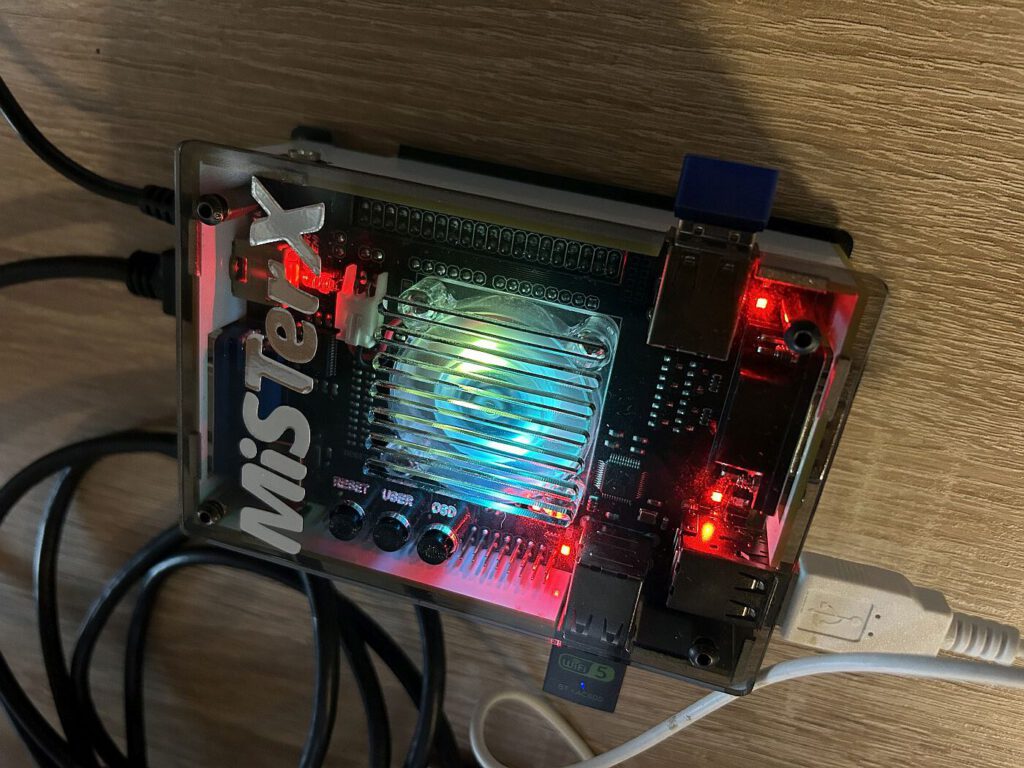
The device presented here comes from Antonio Villena, a developer from Spain who is also known for the ZX-Uno. His MiSTer package costs around €350 and comes in an extremely compact and visually appealing case.
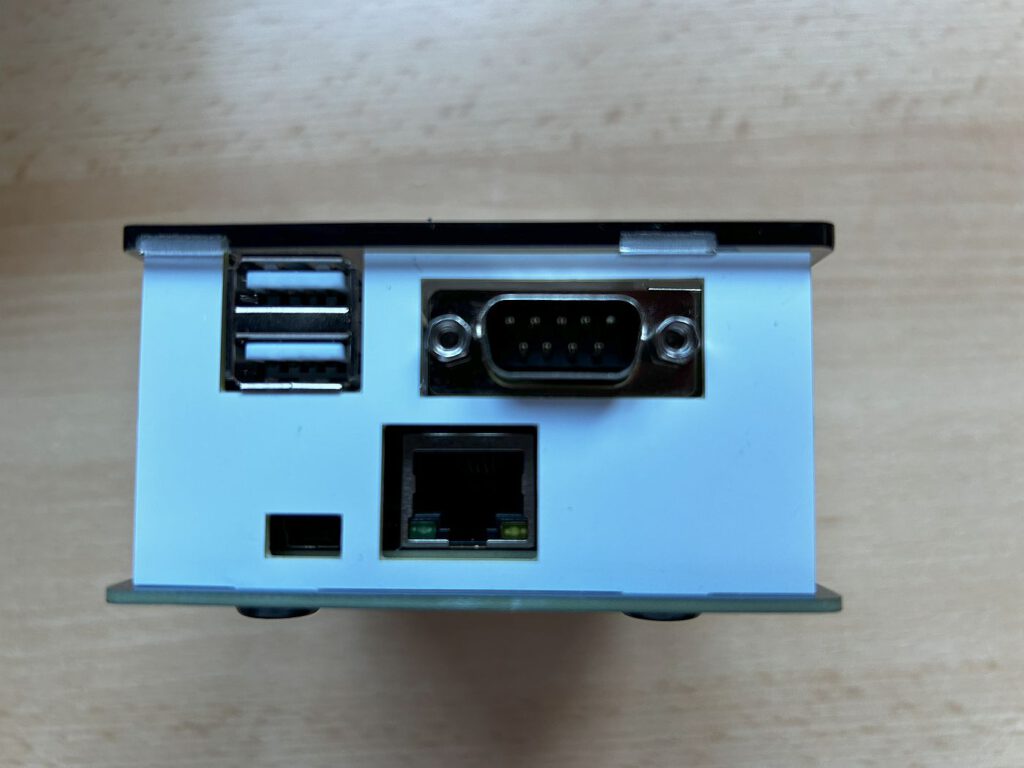
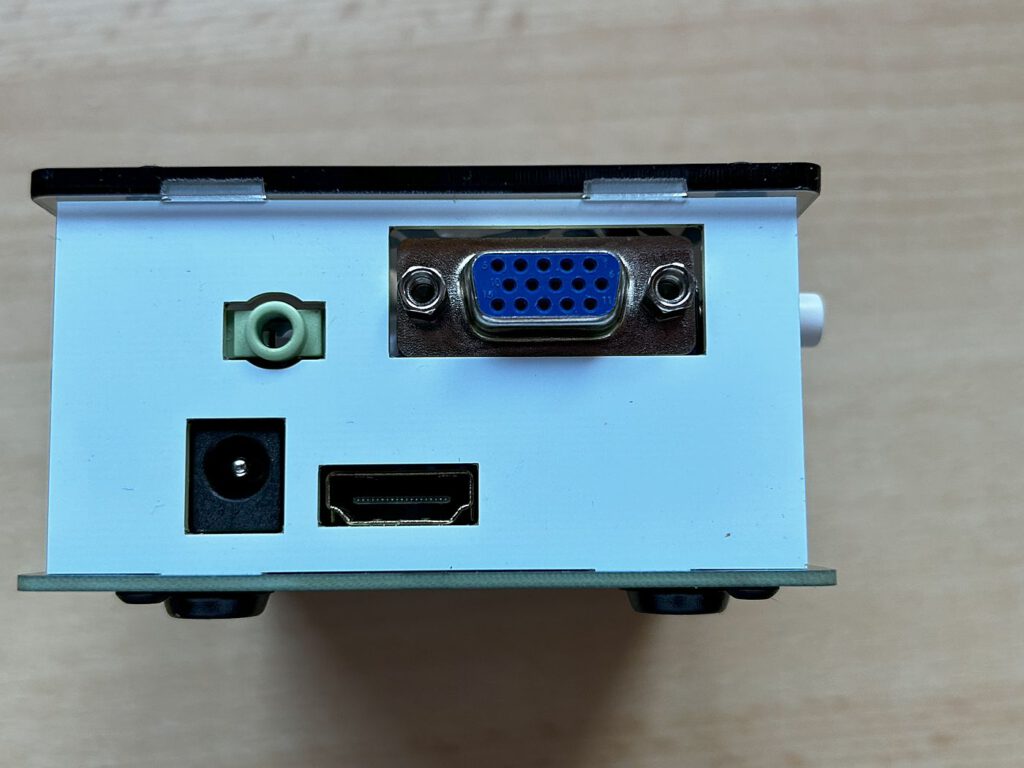
The housing with a transparent top contains:
- An I/O board with R-2R DAC (VGA output),
- An audio DAC with a 112dB signal-to-noise ratio (analog and optical),
- A DB-9 Joystick Connector,
- Illuminated pushbuttons for operation.
A suitable power supply is also included. The device remains true to the original DE10-Nano, offering high-quality construction and the familiar MiSTer features.
Setting up the MiSTer
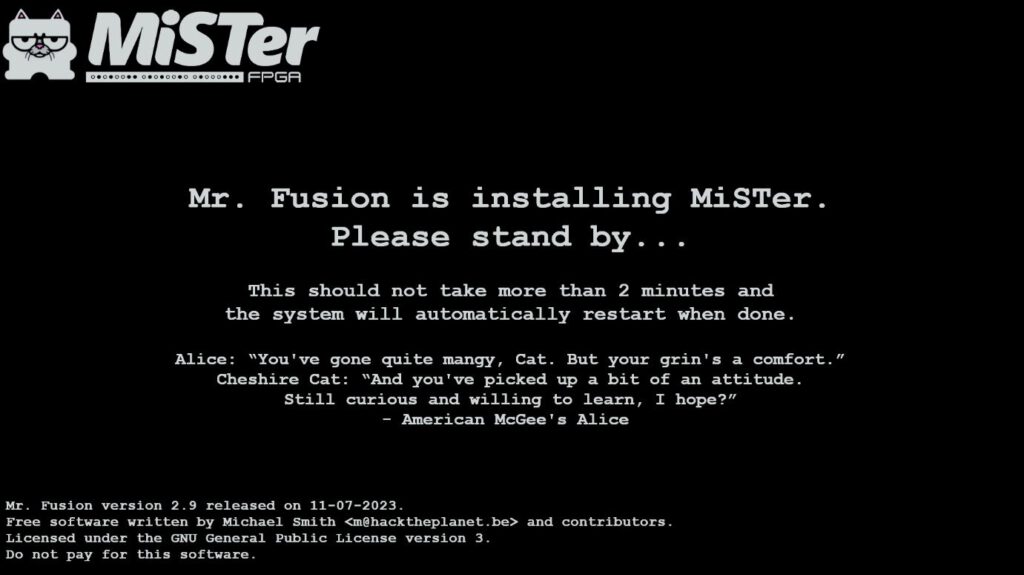
The MiSTer is set up using Mr. Fusion, a compact Linux distribution that runs on the DE10-Nano and installs the MiSTer.
- SD-Karte vorbereiten:
- Lade das Mr. Fusion-Image herunter.
- Verwende ein Programm wie den Win32 Disk Imager, um das Image auf eine SD-Karte zu flashen.
- Erster Start:
- Stecke die vorbereitete SD-Karte in den MiSTer und starte das Gerät.
- Das System richtet die Karte ein und installiert ein Basis-Setup.
- Update und Feineinstellungen:
- Nutze die integrierten Skripte, um WiFi einzurichten.
- Starte das Standard-Skript „MiSTer Downloader“, um Cores und Updates herunterzuladen.
Personally, however, I prefer the "Update All" script, which is significantly more flexible. It allows you to configure numerous options and download all necessary data directly to the SD card. The downloaded file is extracted and copied to the Scripts directory on the SD card.
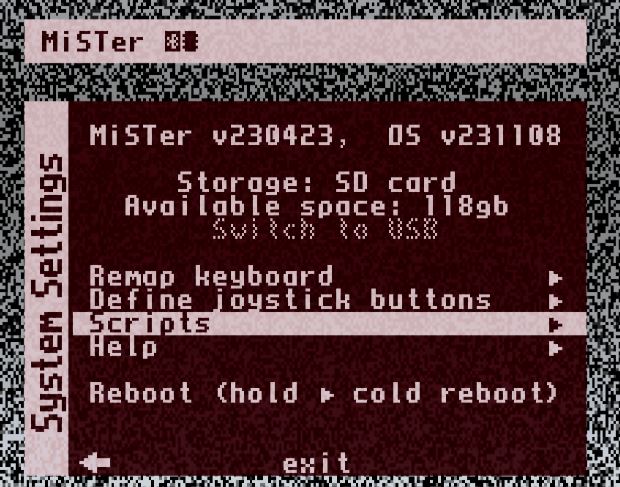
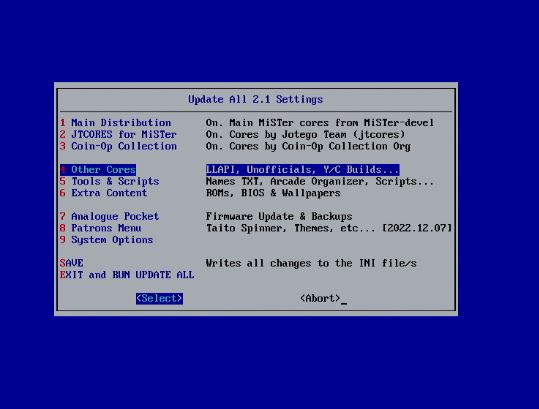
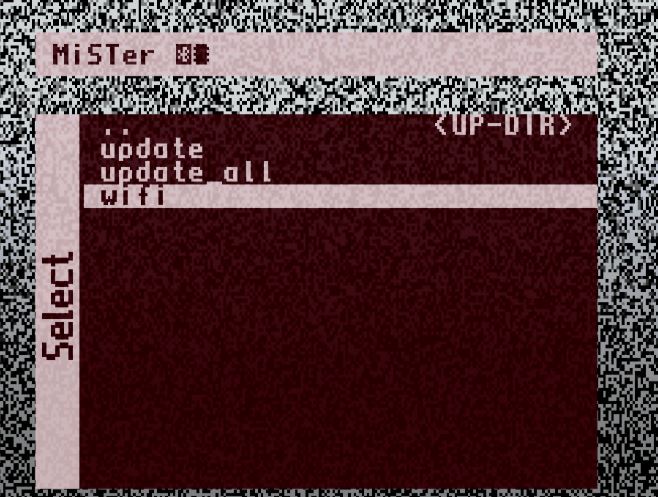
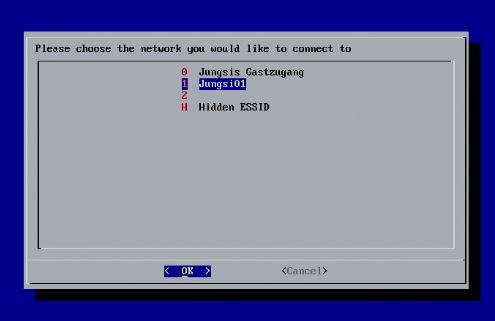
Wi-Fi set up?
In that case, it is worth taking advantage of the network connectivity options. A particularly handy feature is that the SD card can be easily populated and managed using an FTP program (such as FileZilla). This eliminates the need to constantly remove the card to work on it via a PC card reader.
In your FTP program, simply enter the IP address of the MiSTer, use user "root" and password "1". Important: specify /media/fat/ as the target directory – that's the central folder on the SD card where everything important is located. This lets you quickly transfer new games, BIOS files, or entire folder structures.
MiSTer and NAS
If there are multiple MiSTer devices in the household, a central data store on a NAS is a good option. This way, you do not have to maintain two SD cards with identical content. Setup is performed via a script:
👉 GitHub: cifs_mount.sh
👉 Forum thread: Link to discussion
👉 Instructions: Krystof.IO – MiSTer FPGA Initial Setup and Network Mounting
With this configuration, only the base system resides on the SD card. Games and other content are loaded directly from the NAS. For the next MiSTer, simply copy the SD card—and you're done.
My verdict on the NAS
I would steer clear of this by now. After the setup, my Wi-Fi adapter was no longer detected. It only worked when an Ethernet cable was also connected—a strange quirk. Longer load times for larger games also count against this solution.
No matter what I tried—static IP addresses, alternative settings, network adjustments—no improvement. When it works, it’s great—but in my case, it actually made daily life more complicated.
Alternative: External hard drive
If you are genuinely running out of storage space, you can simply connect an external USB hard drive instead. Move the "Games" folder, and MiSTer will correctly recognize it in the new location—without needing to go through the network.
Controller
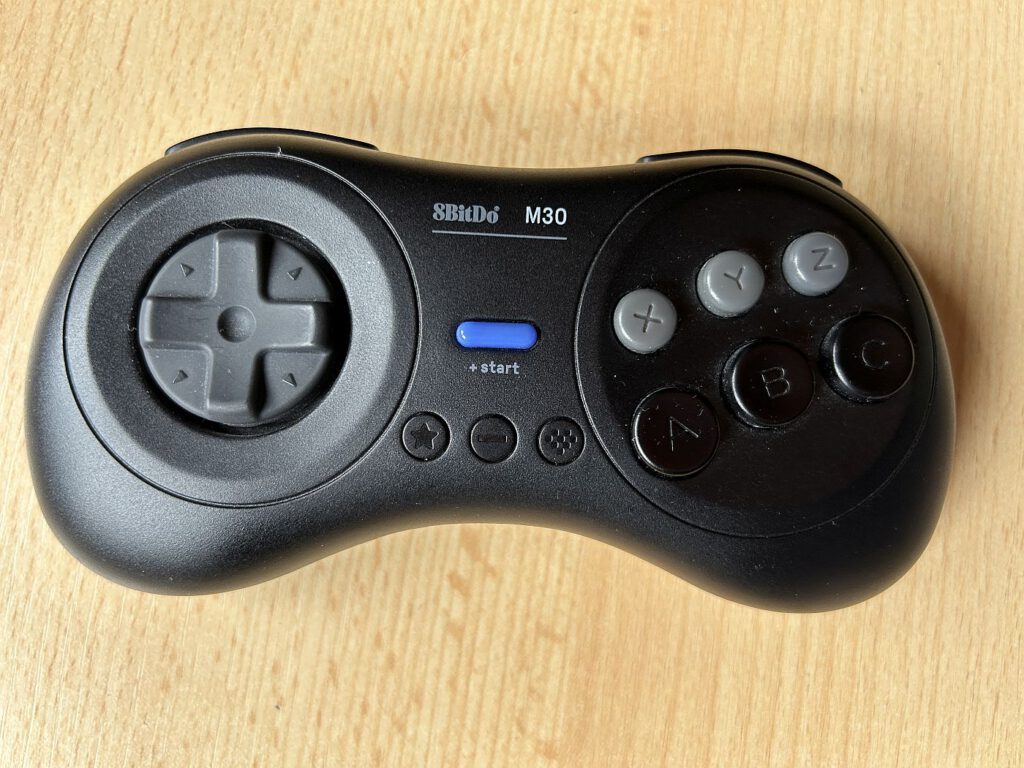
I am currently using the wired 8BitDo M30 – a great controller with a classic layout. It can be configured in the MiSTer settings and also used to navigate the menu.
Tip: When launching a new core for the first time, configure the most important settings—such as controller mapping—right away and save them immediately. That way, everything is ready to use the next time you start it.
Conclusion
The MiSTer platform remains one of the best ways to experience classic computer systems and consoles as authentically as possible—short of using actual hardware. Despite rising costs and a somewhat more involved setup process, the MiSTer remains an indispensable tool for retro enthusiasts.
With devices like the MiSTer Pi or custom solutions from developers such as Antonio Villena, more affordable or compact alternatives are now available. The growing MiSTer community continues to provide regular updates and new cores, ensuring that this project is likely to remain interesting for a long time to come.
Further recommendations for controllers:
RetroBit Sega Saturn 2.4Ghz Pro Controller
8BitDo NeoGeo wireless controller
Links
Setting Up A Static IP Address – MiSTer FPGA Forum
Overview of all cores: MiSTer-devel repositories · GitHub
MiSTer FPGA Forum
![Magnum Clean Shot [ZX Spectrum Next]](https://www.jungsi.de/blog/wp-content/uploads/Magnum-Clean-Shot-Start.jpg)
![The Spectrum [Retro Game Ltd]](https://www.jungsi.de/blog/wp-content/uploads/The-Spectrum-Oberseite.jpg)
![MiSTer Pi [MiSTer]](https://www.jungsi.de/blog/wp-content/uploads/Mister-Pi-Oberseite-e1757659517336.jpg)
Leave a Reply