

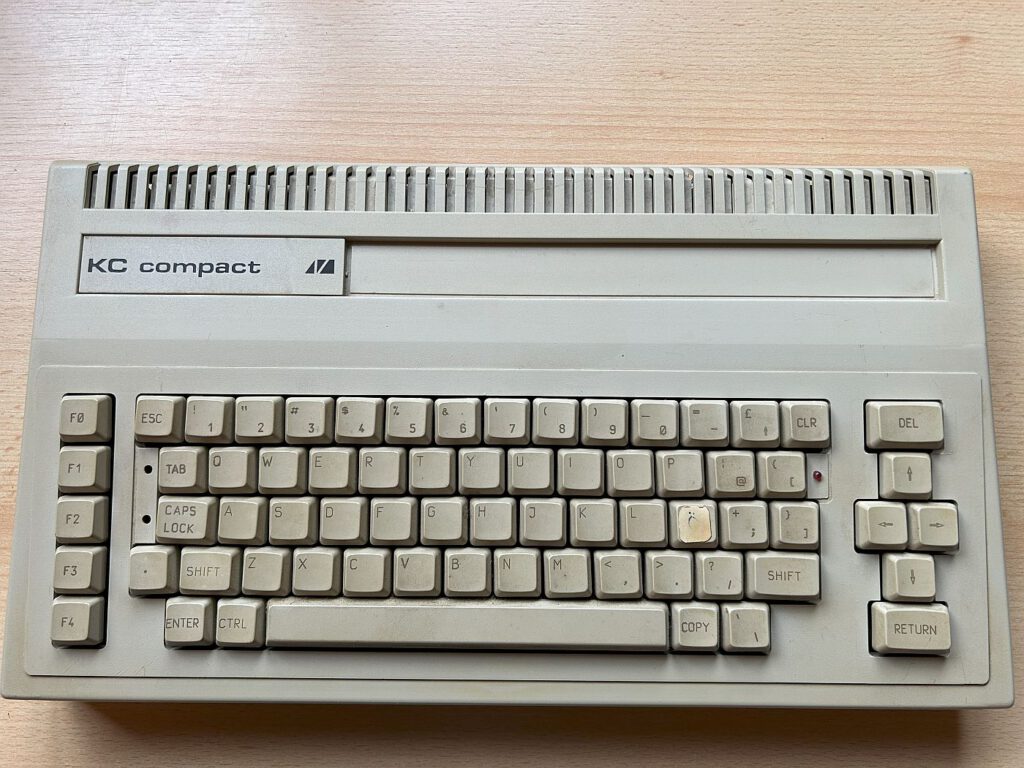
![KC Compact [VEB Mühlhausen]](https://www.jungsi.de/blog/wp-content/uploads/KC-compact-Oberseite-1.jpg)
The KC Compact – A rare treasure from the history of GDR computers
I never thought I would ever write a report about this computer. Due to when it was created, the KC Compact is so rare that it is hardly to be found on the usual platforms. When one does turn up, the price is often well over €1,000.
The creation of the KC Compact
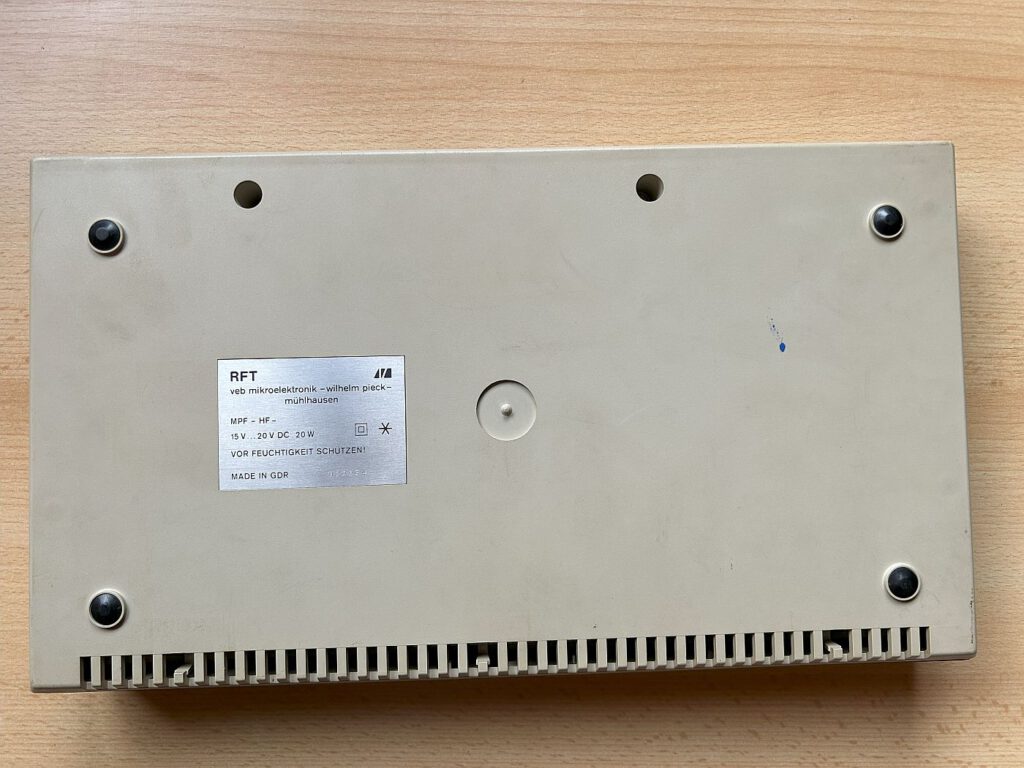
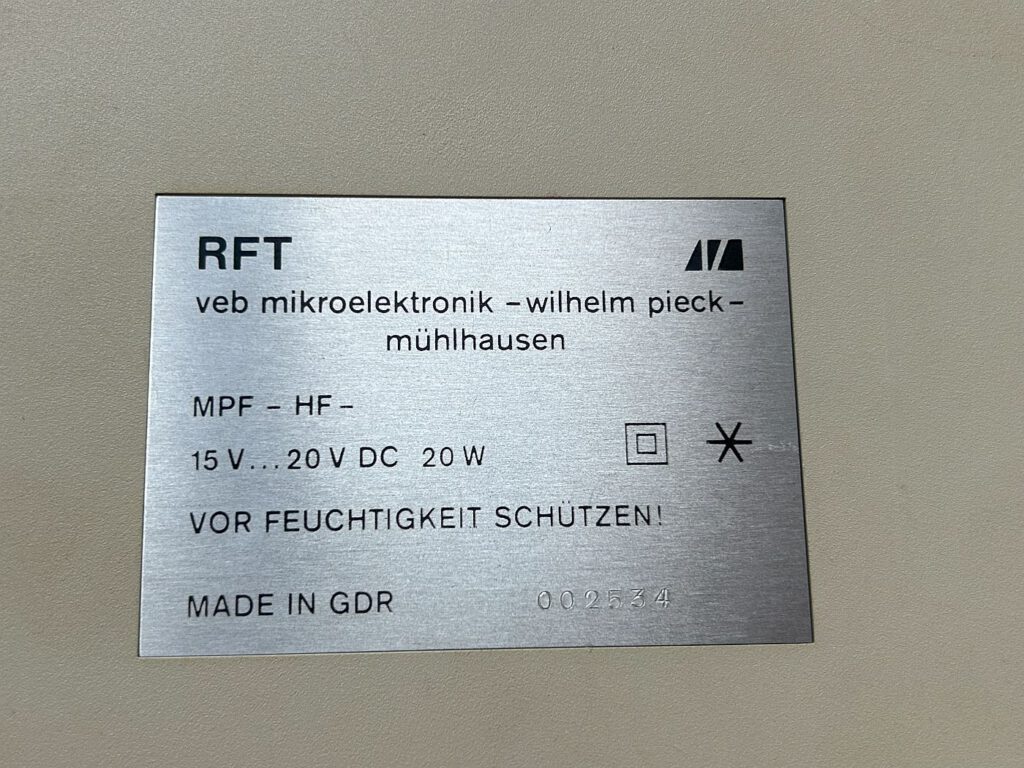
The KC Compact was the last home computer to be developed and produced in the GDR. It was unveiled in October 1989 on the occasion of the GDR's 40th anniversary – just a few weeks before the fall of the Berlin Wall. The big presentation at the Leipzig Spring Fair in 1990 was a flop, as hardly anyone was interested in the computer anymore. In April 1990, series production finally began, originally planned for 20,000 units. There are only estimates of the actual number of units produced – my copy bears the serial number 2534. The introductory price was 2,300 East German marks, but quickly fell to 1,000 East German marks. After the currency union, the KC Compact was finally sold off for 230 DM.
The order to develop a Schneider CPC clone came directly from the state leadership. The engineers at VEB Mikroelektronik “Wolfgang Pieck” Mühlhausen took over both development and production – albeit with little enthusiasm, as they had previously designed all computers independently and felt it was a step backwards to implement a specified design.
There was even a special drive and interface from VEB Mikroelektronik Mühlhausen, which is even rarer to find than the KC Compact itself.
Technical details
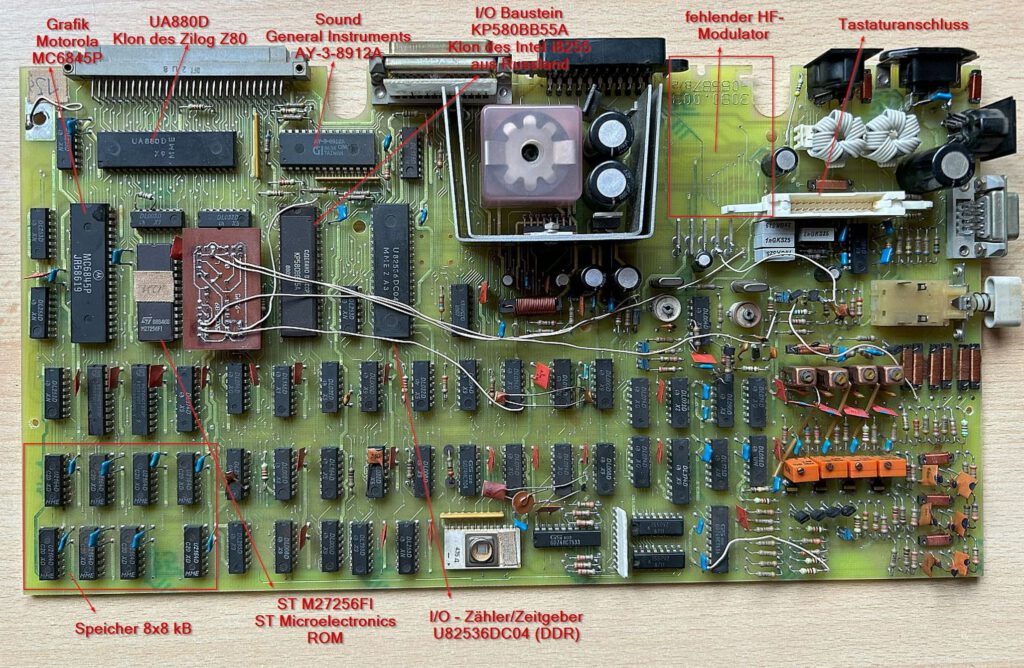
The KC Compact was integrated into the housing of the 5105 educational computer. The UA 880D, a DDR clone of the Z80 with a clock frequency of 4 MHz, was used as the processor. The Motorola 6845 graphics chip was replicated in Bulgaria under the name CM 607 and supported a maximum resolution of 640 × 200 pixels with two colors. The sound chip, an AY-3-8910 clone, was produced in the GDR as the U 8912.
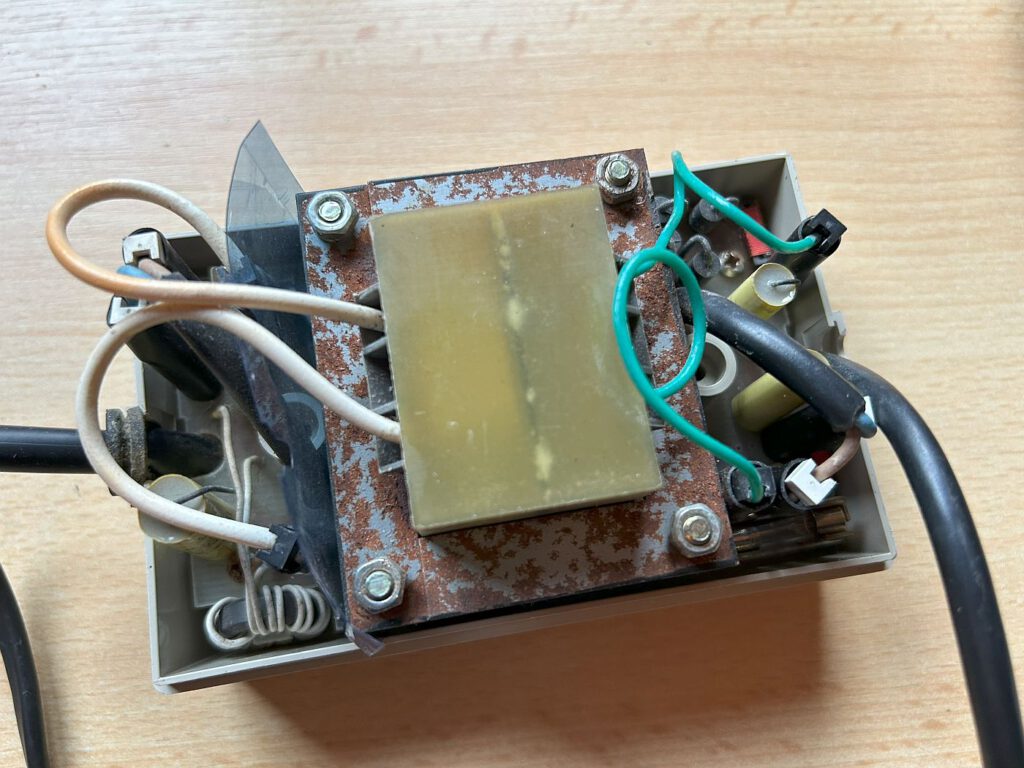
For input and output, the U82536 (a Zilog 8546 clone) replaced the components specially developed by Amstrad. One difference from the Amstrad computers was the KC Compact's external power supply, which was supplemented by additional voltage regulation on the motherboard.
The power supply unit in the original delivers 20 V DC, which is then converted in the computer via a fixed voltage regulator (B3170) to +12 V and a switching regulator (B2960) to +5 V.
When viewed from the rear, the right-hand contact (towards the tape jack) is the positive pole.
When looking at the cable coming from the power supply, the positive pole is on the left (notch is at the top).
The serial number of my device is 2534, so it could be one of the later devices. A mixture of East German and Western chips was used.
– UA880D from the GDR – clone of the Z80 (processor)
– AY-3-8912A from GI in Taiwan (sound)
– MC6845P – original from Motorola (graphics)
– ST M27256FI from ST Microelectronics (ROM)
– U82536DC04 – from the GDR (counter/timer and I/O)
– KP580BB55A – clone of the Intel i8255 from Russia (I/O)
– U2164D – from the GDR 64Kx1 bit RAM (8 KB RAM)
Differences from the Amstrad CPC
Although the KC Compact was based on the Amstrad CPC, there were a few differences:
- No integrated drive, but external cassette and floppy disk drives.
- A 58-pin connector (K5120 bus) instead of the 50-pin connector of the CPC6128.
- External power supply instead of monitor power supply.
- Video signal available directly via a separate jack, but without luminance signal.
The software was also slightly modified. The system ROM consisted of 32 KB:
- 16 KB Locomotive Basic 1.1 (like CPC6128)
- 16 KB modified operating system ROM
Instead of CP/M, a clone translated into German called MicroDOS (CP/M 2.6) was used.
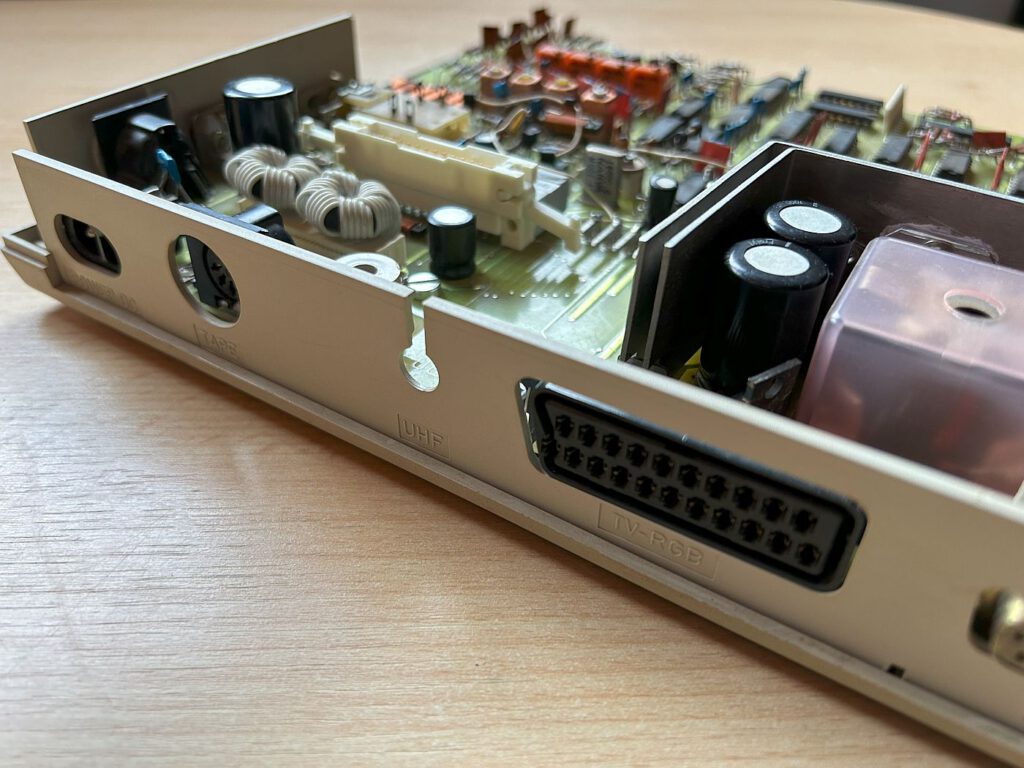
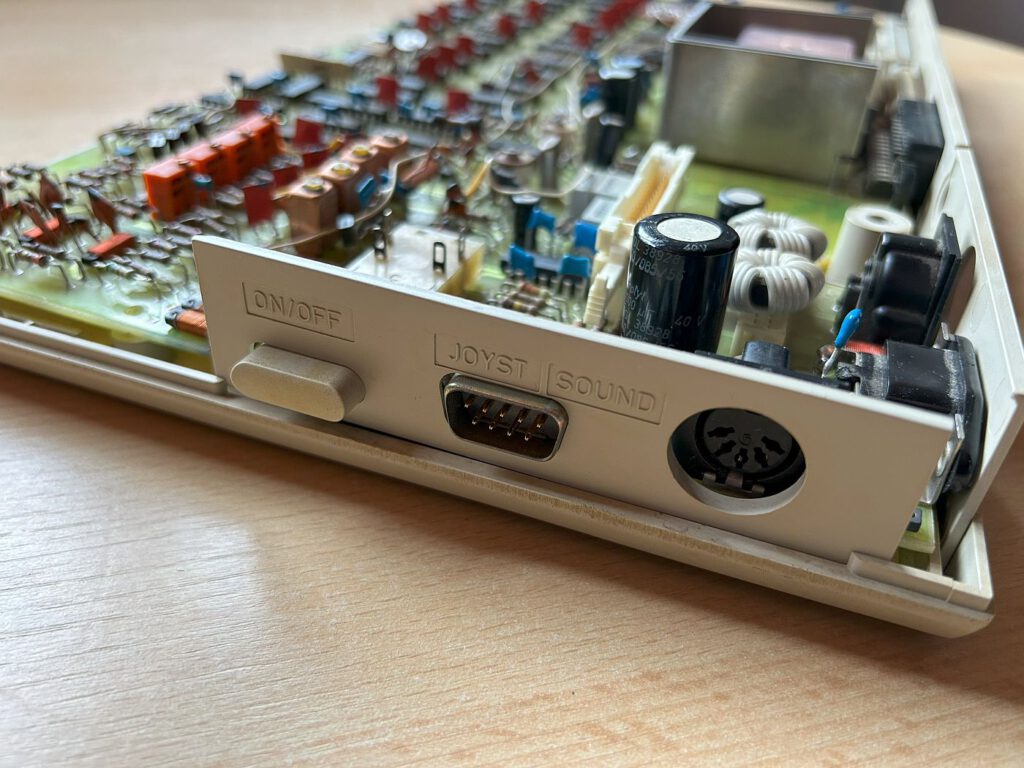
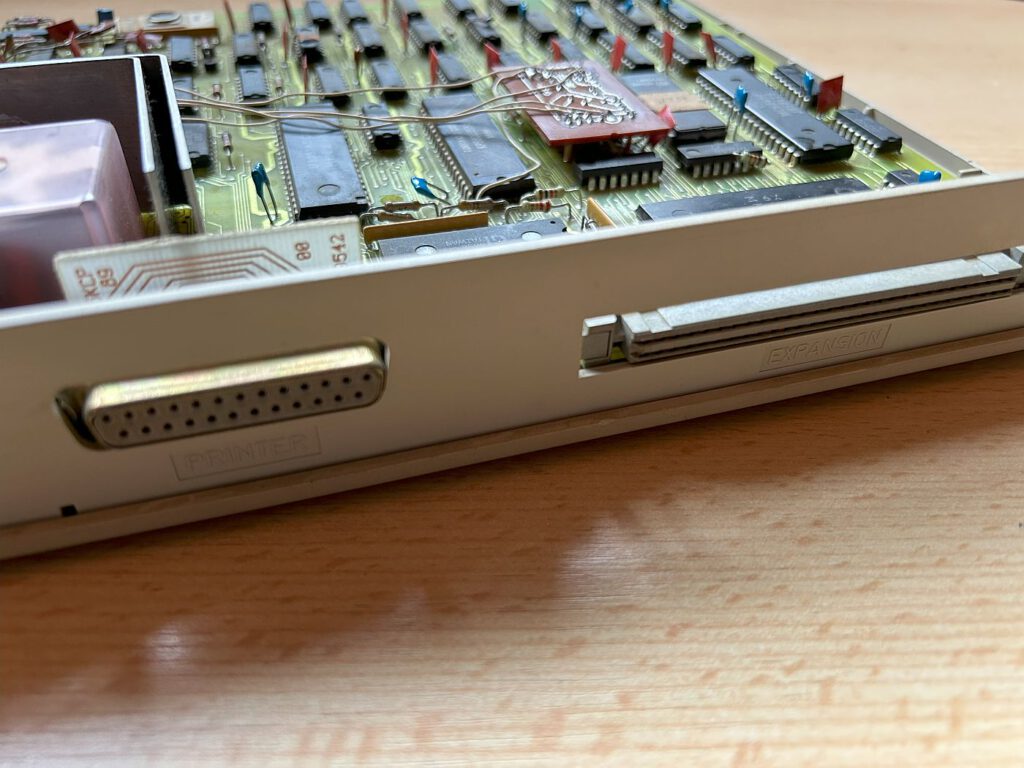

The interface connection was (almost) standard on East German computers. With a suitable adapter, it is possible to use CPC hardware on the KC – but with some limitations.
There are also significant differences in the power supply and video output. The CPC was usually sold in packages with a green or color monitor that supplied the computer with power and output the image directly. If no monitor was available, the CPC had to be cumbersomely supplied with power, and a special adapter was required for image output. The KC Compact solved this problem differently: it used an external power supply for power, and the video signal was available directly via a separate socket.
However, there is also a limitation here: Since the KC Compact does not output luminance, it cannot be used with GT64 or MM14 monitors. However, it is possible to connect an Amstrad/CPC monitor using an appropriate adapter. Here is a description of how such an adapter must be wired in order to operate a monitor on the KC Compact.
An 8-pin DIN socket and a Scart plug are required:
| PIN on the SCART connector | PIN on CPC+ monitor connection |
| 19 (Composite Video Output) | 1 (Composite Sync) |
| 17 (Video Ground) | 8 (GND) |
| 15 (Analogue Red) | 4 (Red) |
| 11 (Analogue Green) | 2 (Green) |
| 7 (Analogue Blue) | 5 (Blue) |
However, there were slight differences not only in the hardware, but also in the software. The system ROM, which consists of 32 KB, was divided into:
– Locomotive Basic 1.1, which corresponded to that of the CPC6128 (16K)
– a modified ROM with the operating system of the CPC6128 (16)
The differences are:
Dabei sind die Unterschiede:
– Different power-up message
– Other computer names such as Schneider, Awa, and Solavox were removed
– Initialization code for the CIO
– Test program transfer
Most CPC software should also work on the KC, but programs that use the following may not:
– Programs that rely entirely on the CPC6128's interrupt mechanism
– Programs that directly call the operating system ROM (even if the changes were minimal)
– Programs that address unofficial hardware capabilities
– das seltene Disketteninterface (des KC) hat ein modifiziertes AMSDOS
My KC Compact – The Restoration
I found one on eBay by chance and jumped at the chance to buy it. It was a real bargain, but it didn't come with a power supply. I managed to find one on the Robotrontechnik forum. However, after starting it up for the first time, there were problems: a fuse blew and the computer started to smoke.
An expert helped me with the repair:
- Replacement of a defective switching regulator and capacitor C311
- Replacement of a defective 4-fold OPV N001
- Missing HF modulator, but not relevant to functionality
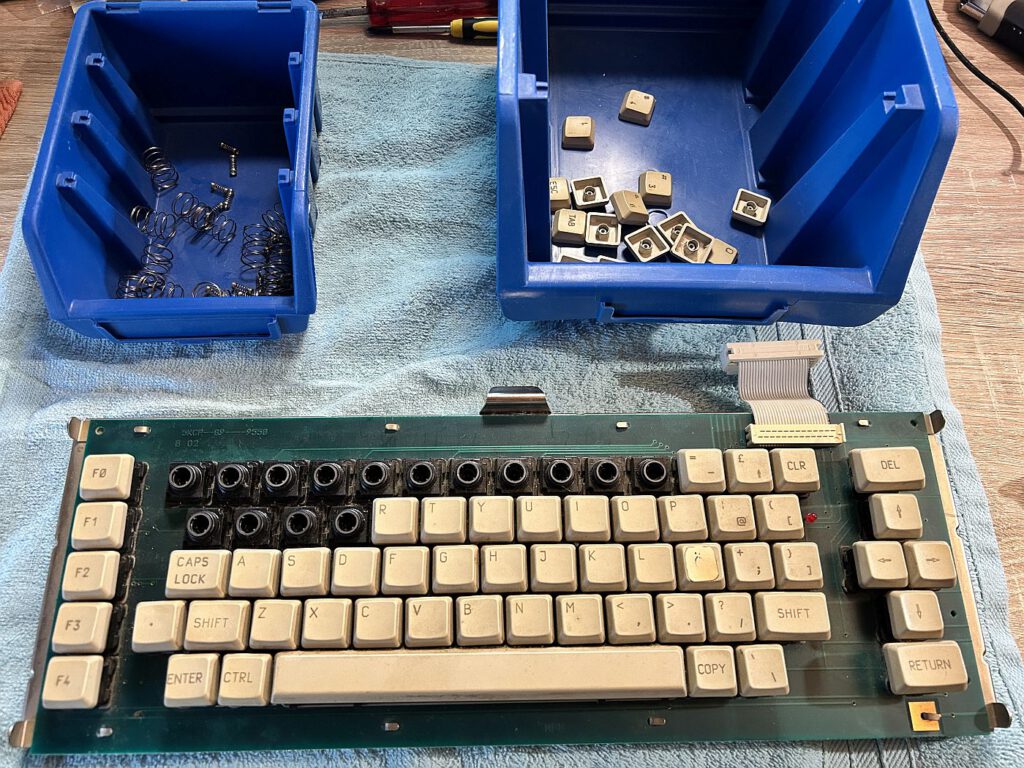
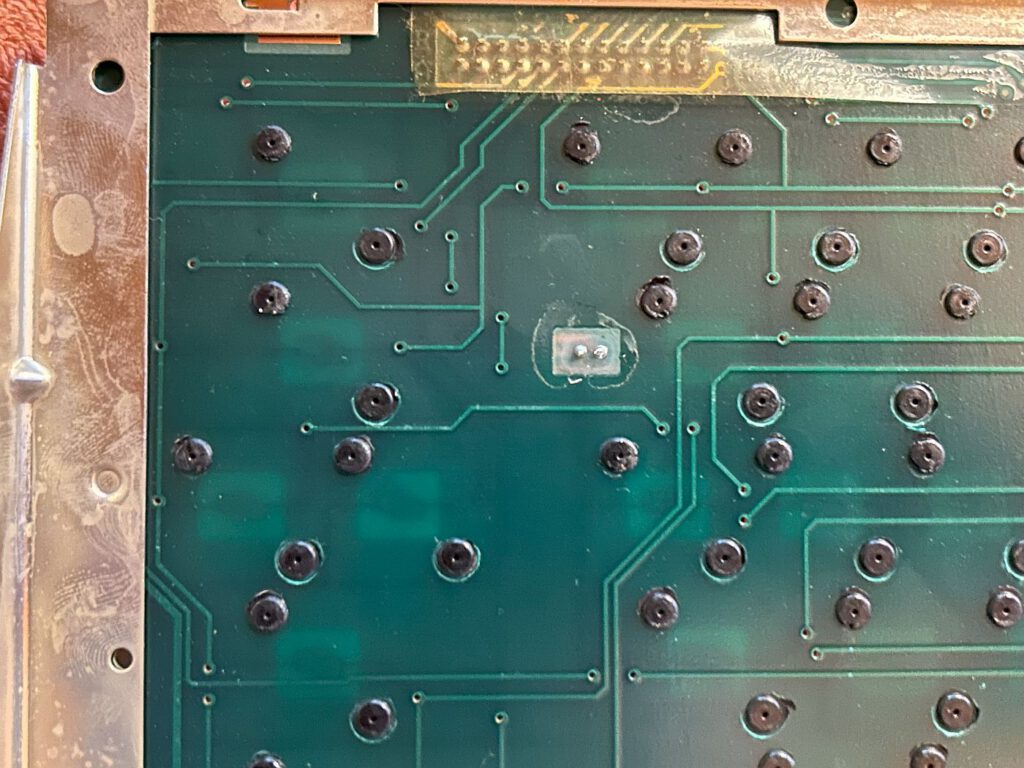
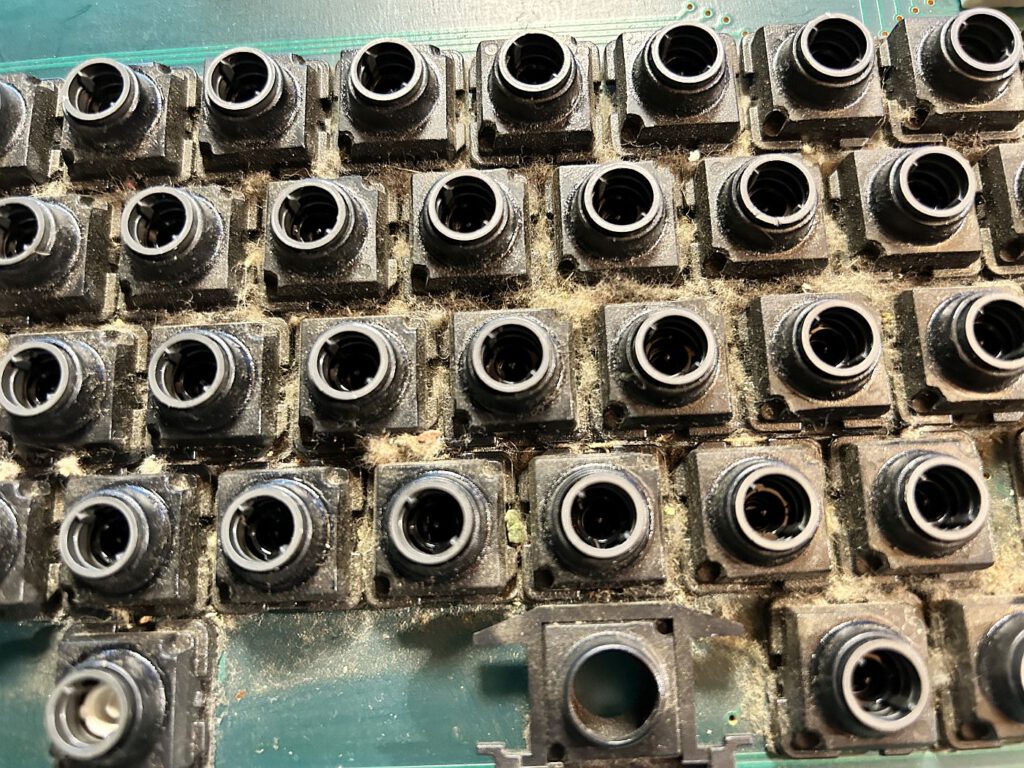
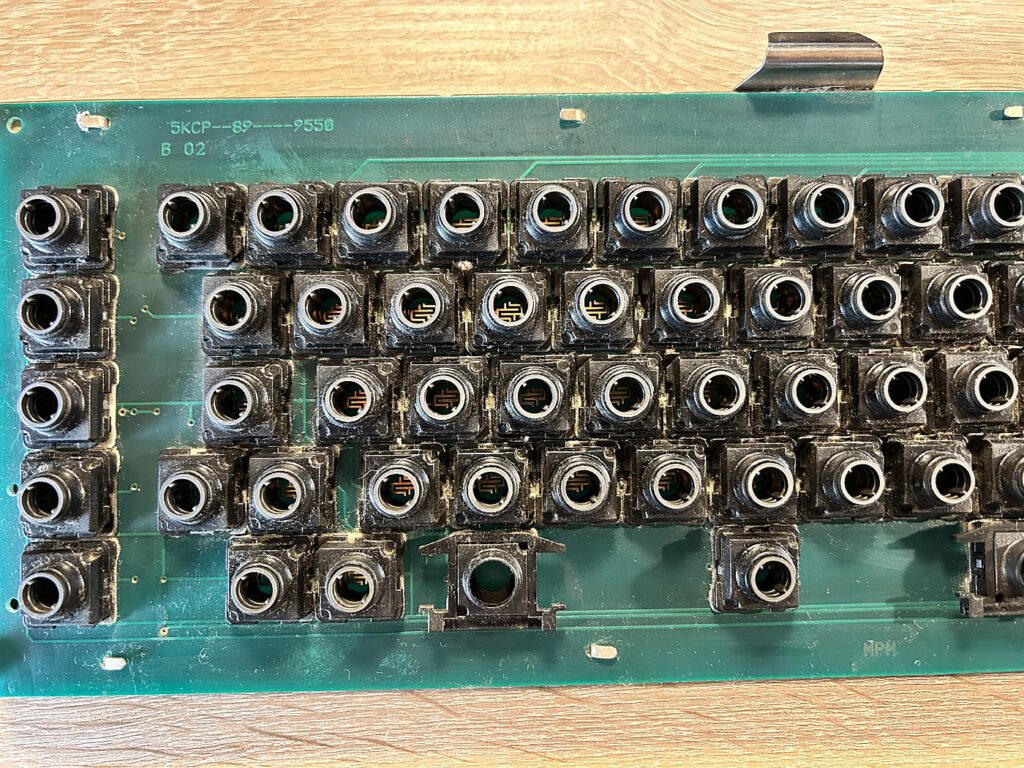
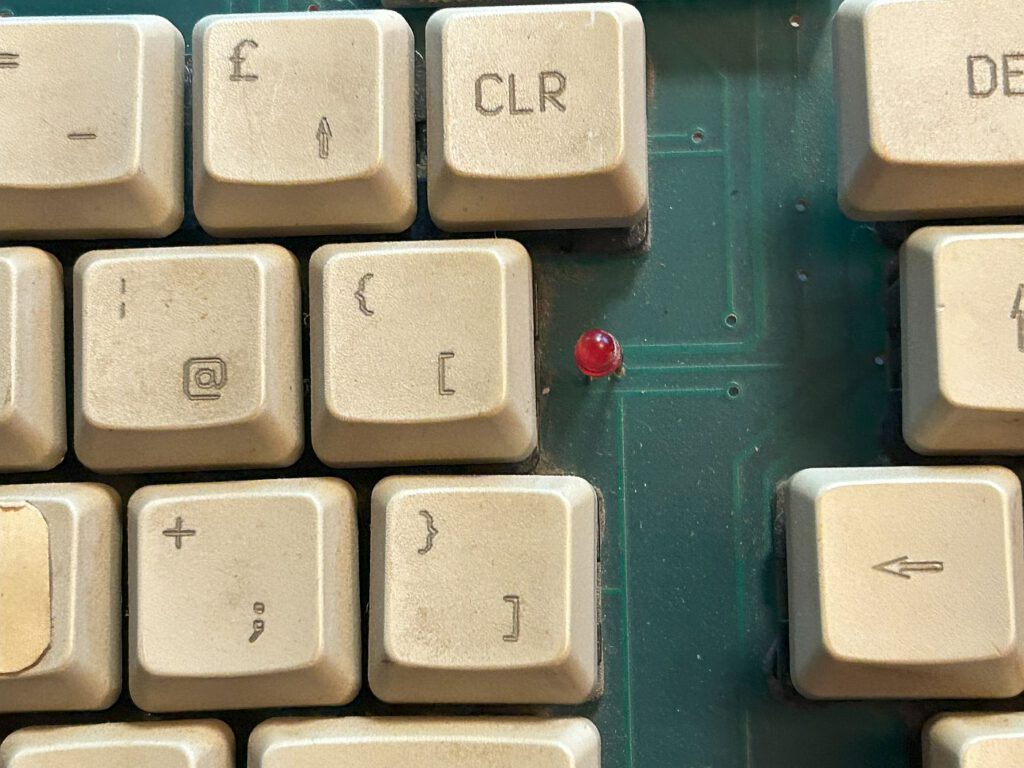
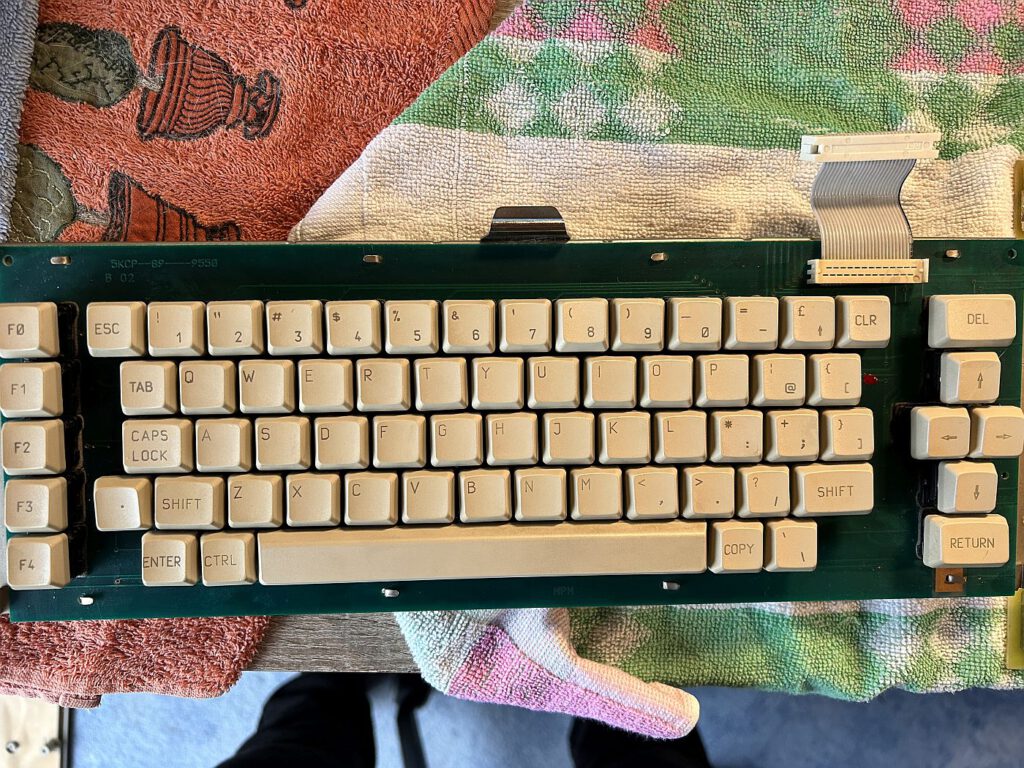
Another problem was the keyboard, where some keys did not work. It should be mentioned that the KC's keyboard is of higher quality overall than that of the CPC: The KC has a “real” keyboard with a circuit board, not a fragile membrane keyboard that often breaks down after a few years. Nevertheless, problems can also arise with this design – fortunately, these can be remedied quite easily.
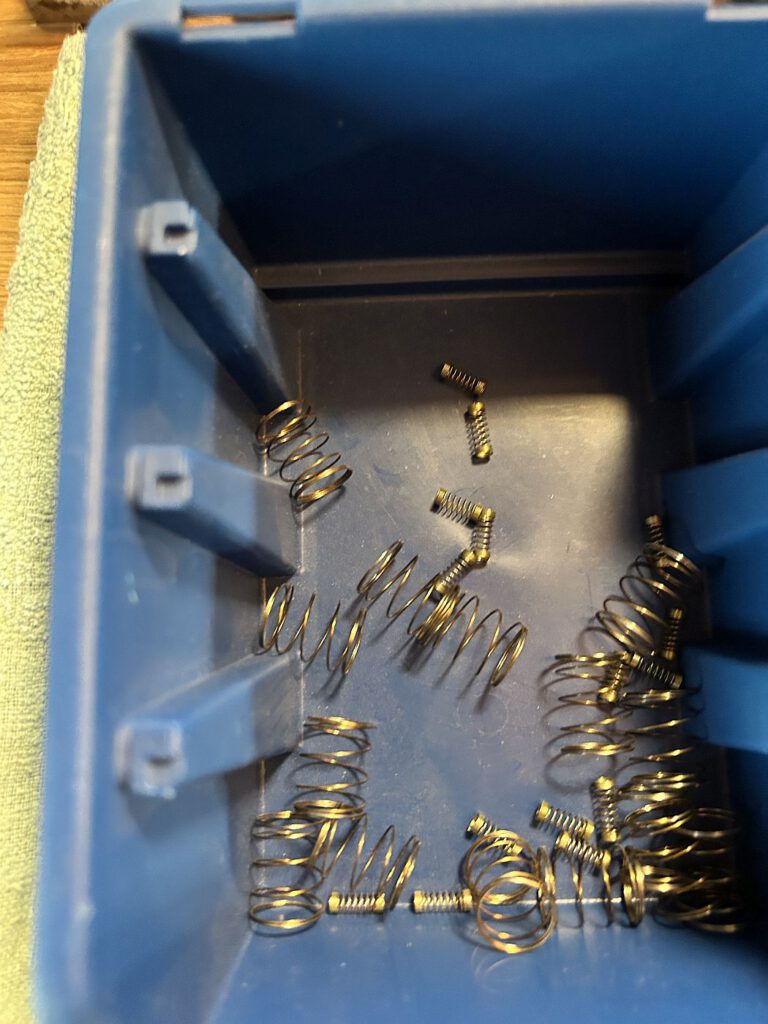
To repair the keys, you need the right tool to carefully remove them. Be careful not to lose the small springs under the keys. Once all the keys have been removed, cleaning can begin.
To ensure that the keys function properly, the “stamps” must be removed from the open keys. Underneath is the circuit board, which should be cleaned with cotton swabs and isopropanol (ISO). The “stamps” themselves can be carefully rubbed on a sheet of paper to reactivate the graphite layer—the less residue, the better.
At this point, you can clean the keys and the housing in a small foam bath. The springs can also be cleaned briefly with isopropanol. After reassembly, the keyboard should work perfectly again.
Conclusion
The KC Compact is a fascinating piece of GDR computer history. Despite its similarity to the Amstrad CPC, it has some interesting features of its own. Its rarity makes it a sought-after collector's item today—a real treasure for retro computer fans.
Hello, this is certainly one of the most comprehensive sources of information on the KC Compact. I have one here too, but unfortunately it doesn't display any images. Would it be possible to exchange information with the experts? I would like to have my KC Compact restored by a professional so that it can be preserved for posterity. As a bonus, I also have the floppy disk drive for it, so this could be an exciting challenge for the experts.