

![DDI3 USB Floppy Emulator [Schneider CPC]](https://www.jungsi.de/blog/wp-content/uploads/ddi3_4.jpg)
Having already introduced the DDI-1 and the DDI-1 2014, there is now news regarding floppy disk hardware and the Schneider CPC. Just like the DDI-1 2014, this new interface was designed by the versatile developer Zaxon.
The DDI3 is a combination of DDI-1 and HXC interface. To use floppy disks on the CPC464, a DDI-1 interface and an FD1 drive were previously required. However, the DDI-1 is difficult to obtain, and—in addition—either a compatible floppy drive or an HXC unit is needed as a substitute. This hurdle is now a thing of the past – the DDI3 can replace all of that (you only need a USB stick for the data).
While this interface is not the smallest device, it impresses with its well-thought-out design. It features several buttons and switches, an LCD for simplified navigation, and a port for an additional floppy disk drive.
The package I received contained the interface and a USB stick (which was already prepared for use). Unfortunately (as always), no instructions were included. 🙂
The buttons and switches have the following meaning:
– left side: Reset
– upper left side: up in the display
– second from the left: down in the display
– third from the left: make a selection
– first switch: Parados on/off
– second switch: drive switching A/B
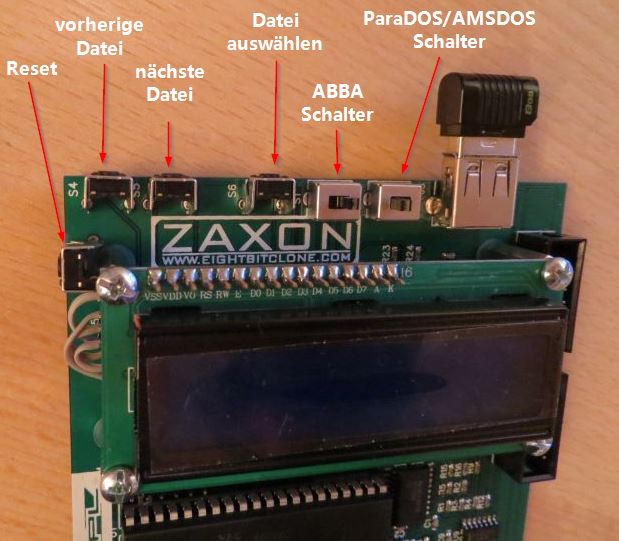
Anyone who has ever worked with an HXC drive should have no problems using it. If you did not order a USB stick from Zaxon , you will need to prepare one yourself. However, this process is exactly the same as it is for an HXC or Gotek drive .
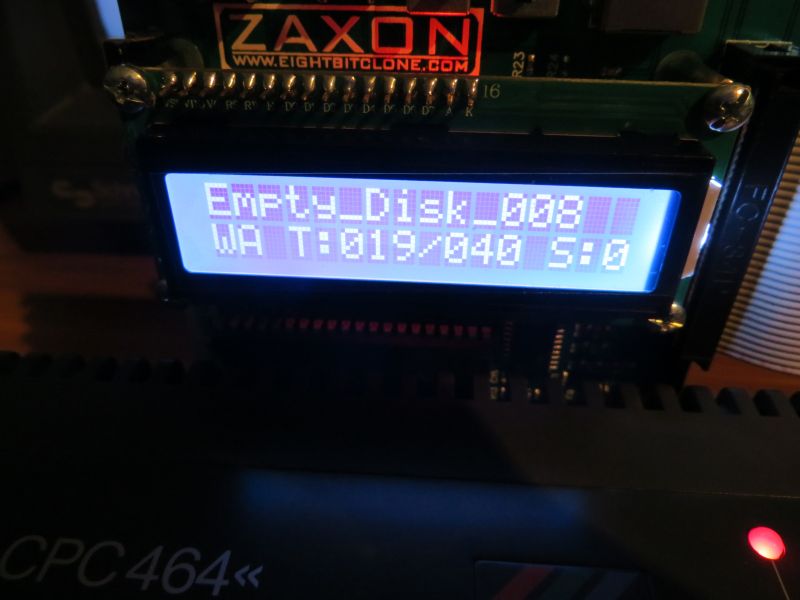
For me, one of the most interesting features:
I have a large stack of 3-inch floppy disks that I would like to archive. With the DDI3, this is now quite simple. You connect an FD-1 drive to the DDI3, create a few empty disk images on the USB stick, and copy the disks using Parados!
What happened to me during that?
- Initially, I simply connected the FD-1 drive. While this allowed me to access the floppy disk in Drive B, the DDI3 continued to display "No USB Stick." It is, therefore, indeed necessary to modify the floppy cable used to connect the FD-1 to the DDI3. As described on Zaxon's website, line number 10 must be cut. Afterward, accessing both drives works without any issues.
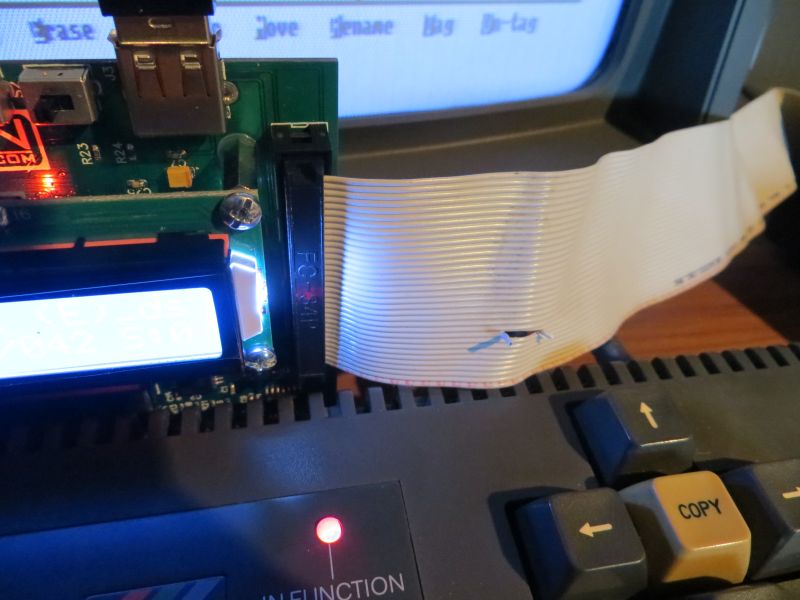
2. For copying, Parados, which is integrated into DDI3, can be used.
Unfortunately, Parados could not be activated for me with the command |drive. 🙂 The reason for this lies in the Vortex memory expansion installed in my CPC—specifically, a portion of the expansion must first be disabled using the |DISBOS command.
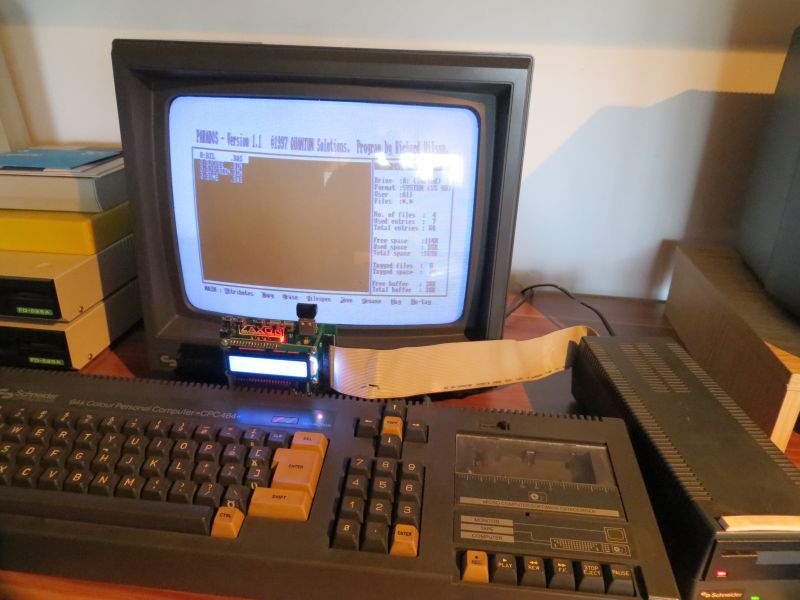
3. Parados
Before use, it is worth taking a quick look at the manual. In my case, the settings for Drive B were incorrect (80 tracks/DD).
These can be adjusted to 40 tracks/SS by pressing SHIFT+C, followed by D. Pressing SHIFT+L "logs" a floppy disk—that is, its contents are displayed. Subsequently, the files you wish to copy can be marked using T (Tag). To mark all files at once, use CTRL+T. Once everything is selected, the marked files can be copied using CTRL+C.
4. Firmware Update (2024)
Hard to believe, but after a long hiatus, I used the interface again and decided to check if there was any new firmware available. Since the DDI3 is essentially an HxC drive, surely there ought to be something to be found. Indeed, on the HxC homepage, there is a download link as well as instructions for the update.
In the final section of the page:
USB Stick STM32 HxC Floppy Emulator (HxC Firmware for Gotek)
I used the file from the following subfolder within the download:/Firmware_Updates/Generic_Gotek/Standard_Firmware/*.upd
I simply copied this file to the USB stick I use with my DDI3. Then, I plugged in the stick and held down both navigation buttons while turning on the CPC. After about two seconds, I released the buttons, and the update started automatically.
A new Version 4.2 is also available for the HxC Manager.
If hardware such as the X-ME, M4, ULIfAC, or another board capable of utilizing ROMs is being used, the Manager can also be launched as a ROM.


Conclusion
A truly excellent expansion for the CPC464 that covers everything needed to get started.
![Athanor II [Schneider CPC]](https://www.jungsi.de/blog/wp-content/uploads/Athanor-II-Ladescreen-480x300.jpg)
![The World War Simulator Simulator: Part II [Sinclair ZX Spectrum/Schneider CPC]](https://www.jungsi.de/blog/wp-content/uploads/World-War-II-Simulator-Sinclair-Ladescreen.jpg)
![Operation Alexandra [Schneider CPC]](https://www.jungsi.de/blog/wp-content/uploads/Operation-Alexandra-Ladescreen.jpg)
Leave a Reply