

![Carnivore 2 [MSX]](https://www.jungsi.de/blog/wp-content/uploads/Carnivore-2-Vorderseite.jpg)
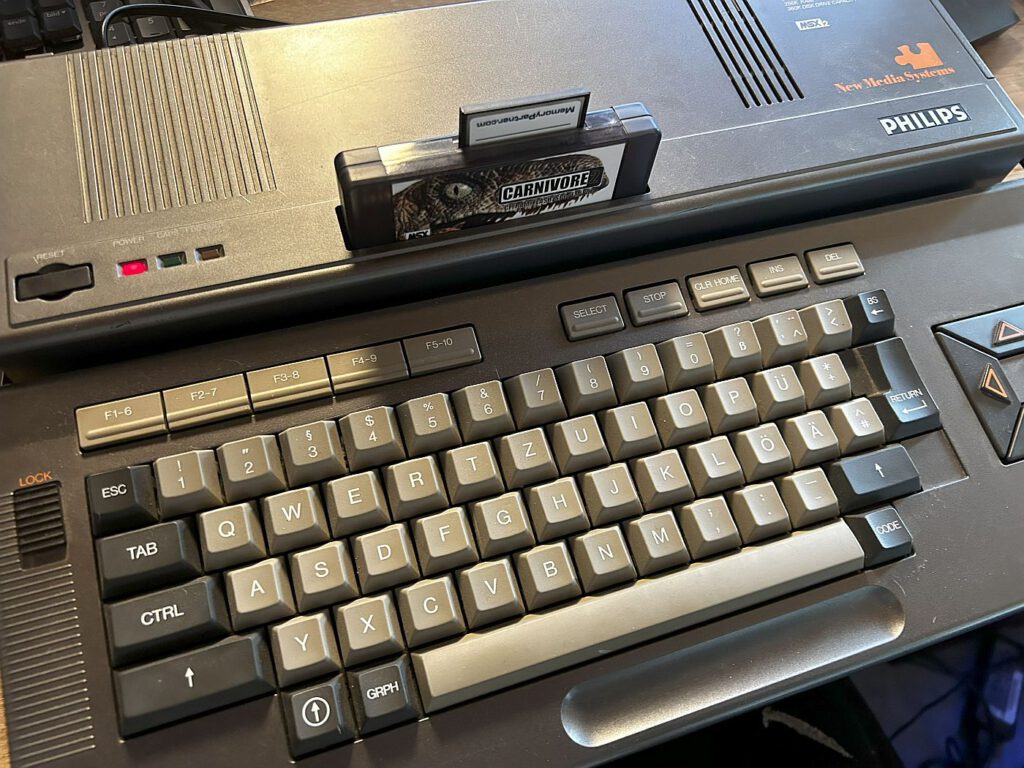
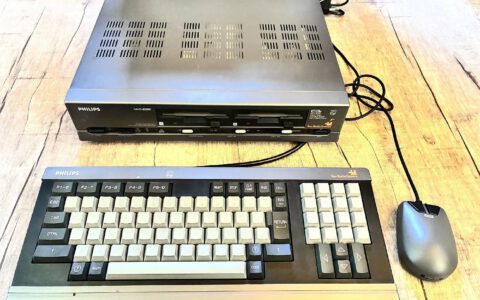
MSX computers are definitely not my area of expertise, and so far I haven't had any special add-ons for these computers, apart from the simple Beer IDE. However, some time ago I received an add-on for my MSX2 computer that enjoys an excellent reputation and is only produced in limited quantities.
Originally, I planned to just introduce the Carnivore 2 cartridge, but the report turned out to be a bit more extensive because I came across some terms that I would like to explain in more detail in the context of MSX computers and this cartridge.
Translated with DeepL.com (free version)
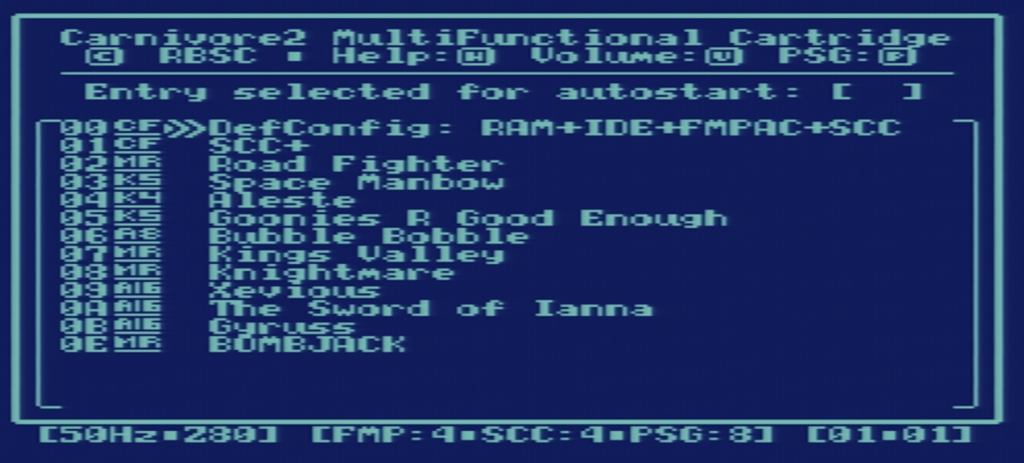
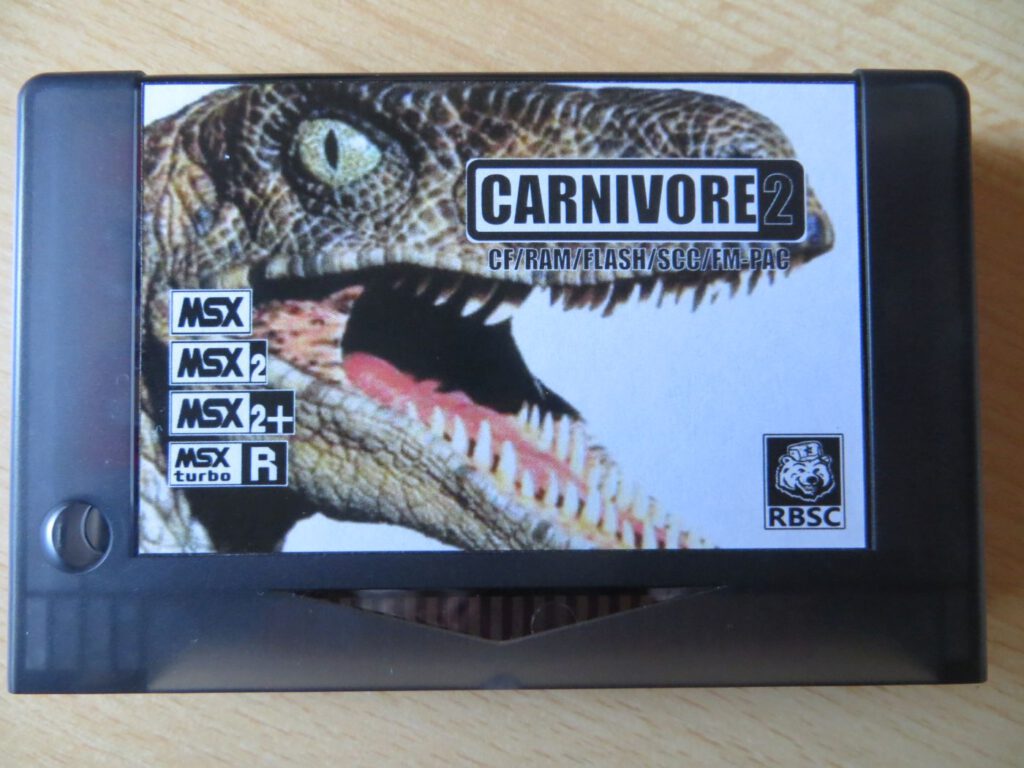
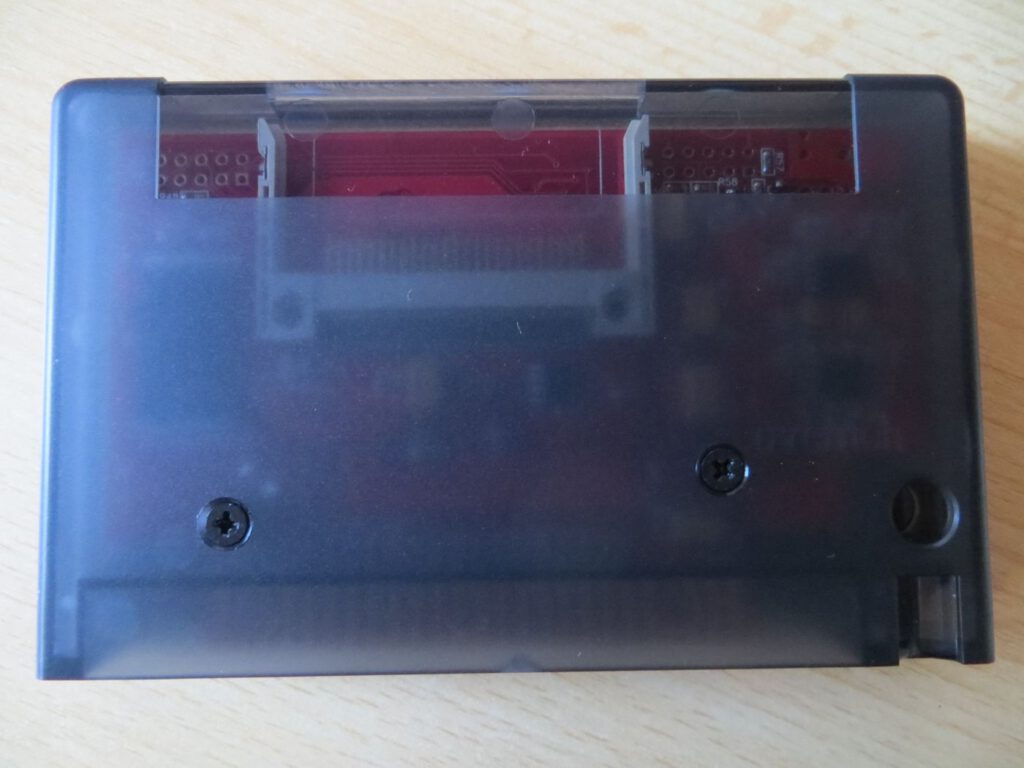
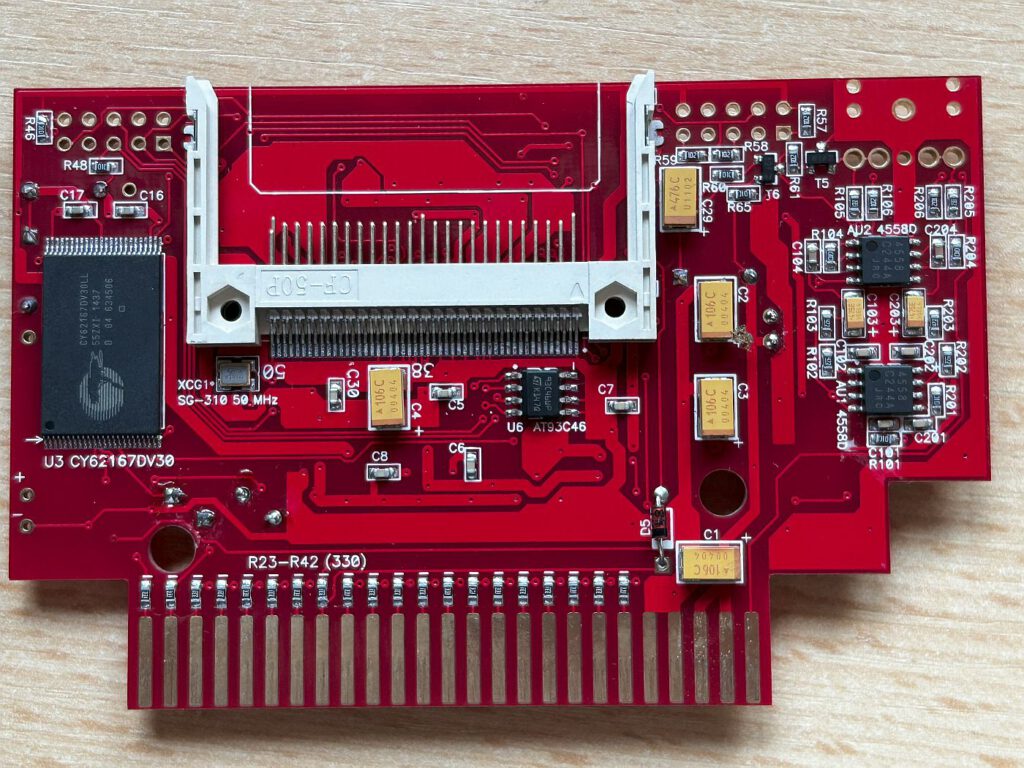
Carnivore 2 is a multifunctional cartridge developed by the Russian Bear Service Crew (RBSC) group. 8bits4ever, based in Spain, distributes the device commercially in small series. The cartridge costs around €120. My version of the circuit board does not have an audio connection (3.5 mm jack). This is not essential for it to function as an FM-PAK audio cartridge, but it is recommended for improved sound quality. When the cartridge is used with a game, it integrates the sound into the normal audio signal for output. The optional jack ensures a better quality result. Since it was unclear whether retrofitting my older card would be possible, I inquired at various places. Finally, even the head of the development group personally confirmed that this is possible.
Description of hardware
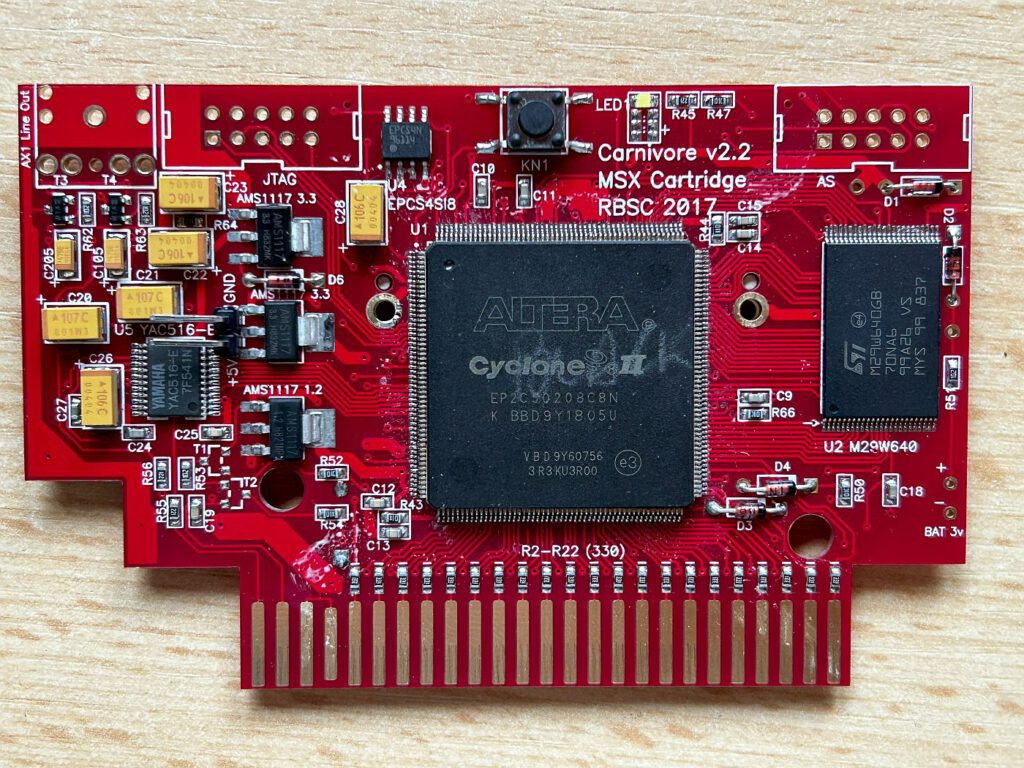
– EP2C5Q208C8 Altera CYCLONE II FPGA
– MSX Music
– SCC/SCC+
– Extra PSG
– 8 MB flash ROM
– Nextor and FM-BASIC ROMs on-board
– One Compact Flash socket
– 2048 KB RAM on board
Specifications
– Compact Flash as mass storage (MSX-DOS1/2, FAT12/16)
– 1024 KB memory mapper
– 720 KB pseudo-MegaRAM
– SCC/SCC+ and FM-PAC (with backup RAM support)
– Works with MSX1, MSX2, MSX2+ and TurboR
– Own software utility for managing all functions, ROM loader in Flash ROM, switching multiple functions on and off, etc.
Preparation
First, here is the long version of the instructions on how to prepare the CF card.
Points 1-5 may not be necessary, but I have listed them anyway for the sake of completeness.
1. Use a low-level formatting tool (e.g., Hddguru.com) to completely “zero” the CF card. 2. Use the Windows 7 Disk Manager to completely format the CF card (FAT16). 3. Use the Windows 7 Disk Manager to partition the CF card into one large partition. 4. Download the Nextor archive.
5. Extract all data from the ZIP file and copy it to the root directory of the CF card.
6. Boot the CF card in the Carnivore 2 and the MSX2
7. Press RETURN in the Carnivore boot menu and hold DEL for Nextor DOS
8. Enter BASIC for Nextor BASIC
9. Enter CALL FDISK
10. Enter “1” for Sunrise IDE driver
11. Enter “1” for hard disk
12. Enter “1” for the first (and only) unit
13. Enter ‘D’ to delete the existing partitions (yes, this also includes files that have already been added)
14. Enter “P” to add a new partition. A few partitions with 50 MB should suffice. “S” displays everything that has been created
15. ESC to return to the main menu.
16. “W” to write the partitions
17. Turn off the MSX2 and connect the CF card to a Windows 7 computer. The partitions created with Nextor should now be visible
18. Copy the same files as before to the root directory of the first partition
19. Add the files C2MAN.COM and C2MAN40.COM (for MSX1) to the root directory as well – these can be found on the Carnivore Github page
20 Insert the CF card back into the MSX and start the Carnivore 2 boot menu
21. Press RETURN again and hold DEL for Nextor DOS
22. C2MAN command
23. Enter 10 for slot 1
24. C2MAN utility menu started
25. ROMs can then be loaded from the CF card. The RCP files (also on the above-mentioned Github page) and the names of the ROMs can also be adjusted to match the RCP names.
Another option is the SofaRUN software. This works with ROM and disk images. Nothing needs to be flashed here.
These instructions may be a little exaggerated. If you are using a CF card with up to 4GB, it should be easier to do.
1. Format the CF card with FAT16 on your PC.
2. Unzip the Nextor archive mentioned above and the two files from the Carnivore Github page and copy them to the CF card.
3. Insert the CF card into the computer and turn it on. 4. Press ESC – if everything is OK, NEXTOR should now boot and the files on the CF card should be visible. Note: this only worked after I formatted the CF card with SD Formatter – apparently Windows does not write an allocation table to the boot sector.
Write games to the Carnivore's ROM:
C2MAN aleste.rom /a

Nextor
Nextor is a hard disk operating system for MSX computers. It is an improved version of MSX-DOS, with which it is 100% compatible, and it identifies itself as MSX-DOS 2.31 for MSX-DOS-compatible applications.
The main features that Nextor adds to MSX-DOS are:
– Native support for the FAT16 file system
– Nextor can handle the FAT16 file system, increasing the maximum size of usable file systems to 4 GB. The system can also boot from a FAT16 file system
– New, fully documented device driver system
– Device and partition management for drive mapping
Easy partitioning
The BASIC command CALL FDISK can be used to create partitions on any device controlled by a NEXTOR driver.
Embedded MSX-DOS 1 kernel
The computer will start in MSX-DOS 1 mode if no RAM is assigned to the computer.
To do this, press the “1” key at startup or if an MSX-DOS 1 boot sector is found in the boot device. Partitions up to 16 MB in size can be used on any device controlled by a Nextor driver.
Works on MSX 1
Nextor works on all MSX computers, including MSX1. Of course, dedicated memory is required for normal operation, but even without an MSX1 computer, Nextor can be used in MSX-DOS 1 mode.
Support for disk image files
Starting with version 2.1, Nextor can mount disk image files in drive letters, making it easy to manage their contents. It is also possible to boot in disk emulation mode, where disk image files are used as storage devices. This allows you to play old hard disk games that only work in MSX-DOS 1 mode and/or load data with direct sector access (there is no file system on the game hard disks).
Explanations
MSX Basic 2.0: Microsoft Basic for MSX2 computers (my VG-8235: Version 2.1)
MSX DOS: Disk Operating System for MSX computers, which either requires an extra cartridge with the BIOS and a boot disk or, in the case of MSX2 computers, simply the boot disk.
Mega ROM/Mega ROM Mapper
A MegaROM is a cartridge that contains more ROM than the 64 KiB that can be accessed via an MSX slot (sub-slot). To achieve this, the ROM is divided into blocks (usually 8 or 16 KiB) that are assigned to different address ranges within the MSX slot. Blocks can be switched by writing to some special addresses in the slot where the cartridge is located.
A related term is “ROM mapper.” This usually refers to the mechanism used to swap blocks, as seen from the programmer's perspective. “MegaROM” usually refers to a cartridge that contains such a mechanism.
With a few exceptions, ROM cartridges are size 2. Common MegaROM sizes are 1 Mbit (128 KiB) or 2 Mbit (256 KiB). However, there are also 4 Mbit (512 KiB) and even some larger MegaROMs. MegaROMs usually have a “MegaROM” symbol on the label of the cartridge and/or the packaging.
There are different types of ROM mappers. Some of the most common are:
ASCII 8 KiB
ASCII 16 KiB
Konami without SCC
Konami with SCC
A special type of MegaROM is Konami's Sound Custom Chip (SCC). In addition to a ROM mapper, it also contains a sound chip. The SCC chip produces a characteristic sound that is very popular with MSX users.
Some MegaROM cartridges contain battery-backed RAM. This RAM can be used, for example, to save game scores. Hydlide II is one example of this.
Mega RAM
MegaRAM is the name given to a cartridge containing RAM that is assigned as MegaROM. Data is lost when the MSX is turned off.
This allows ROM images to be executed with the same ROM mapper as the original cartridges. Depending on the type of MegaRAM used and the software used, they can also be executed in 80% of cases in the same way as the original cartridge if the ROM mapper is different (using patches).
SCC/SCC+
SCC stands for Sound Creative Chip, the meaning of the abbreviation is mentioned in the Konami Software Club Newsletter 3 from November 1987. It is a sound chip that was developed by Konami in collaboration with Toshiba from around February 1986 and was used in some of their Mega ROM cartridges. It was also available as a separate cartridge and supported some of their floppy disk games. In addition, the chip was also used in various Konami arcade systems.
An SCC chip offers 5 channels of wave table sound (not as smooth and cute as FM-PAC and MSX audio, but nice when used correctly). In fact, the samples are only 32 bytes long (defining one waveform) and are repeated to obtain “real sounds.”
On every package of every Mega ROM game produced by Konami with an SCC chip, you can read: “... new 8-voice polyphonic LSI custom sound chip unit.” 8 channels? The chip only has 5 channels, and the other 3 channels are provided by the standard PSG chip that is integrated into every MSX.
The SCC-I, commonly referred to as SCC+, is an improved version of the SCC. In a normal SCC, the 4th and 5th channels have the same waveform. In the SCC-I, the 5th channel can have its own waveform.
The SCC-I is only available in the Konami Sound Cartridge, which comes with the Konami games Snatcher and SD Snatcher. These cartridges also contain 64 KB of RAM (which can be expanded to 128 KB). The cartridge supplied with Snatcher is not normally compatible with the one supplied with SD Snatcher: the RAM banks are located in different places. With the memory expansion, they become compatible, so that the Snatcher Sound Cartridge can be used with SD Snatcher and vice versa.
Here is the complete list of Konami games that use the sound cartridge:
RA 004: Snatcher – Cyberpunk Adventure (3×720 kB Diskette und Sound-Cartridge)
RA 006: Konami’s Game Collection 1 Diskette (kann mit Snatcher’s Sound-Cartridge verwendet werden)
RA 007: Konami’s Game Collection 2 Diskette (kann mit Snatcher’s Sound-Cartridge verwendet werden)
RA 008: Konamis Spielesammlung 3 Diskette (kann Snatchers Soundmodul verwenden)
RA 009: Konamis Spielesammlung 4 Diskette (kann Snatchers Soundmodul verwenden)
RA 010: Konamis Spielesammlung Special Diskette (kann Snatchers Soundmodul verwenden)
RA 011: Super Deform Snatcher (3×720kB Diskette und Sound-Cartridge)
PSG
The standard sound chip in the MSX is called PSG (Programmable Sound Generator). It can play a tone or noise on each of the three voices. It also controls the joystick ports and a few other things.
Like other parts of the MSX specification, the PSG chip was a standard component. In this case, it was the General Instrument AY-3-8910, which can also be found in many other systems of the era. This chip or one of its clones can be found in many MSX1 systems. In newer MSX systems, the PSG is often integrated into a chip called the MSX engine (or MSX system).
FM-PAK
The FM_PAK is a sound add-on compatible with the Pana Amusement Cartridge that equips the MSX with FM synthesis capabilities.
There are many games that already have support for this cartridge built in: R-Type, Aleste Gaiden, to name just a few. This game recognizes compatible cartridges and plays an enhanced soundtrack.
The cartridge also contains new BASIC commands for programming the chip. This allows you to create your own FM music tracks on your MSX.
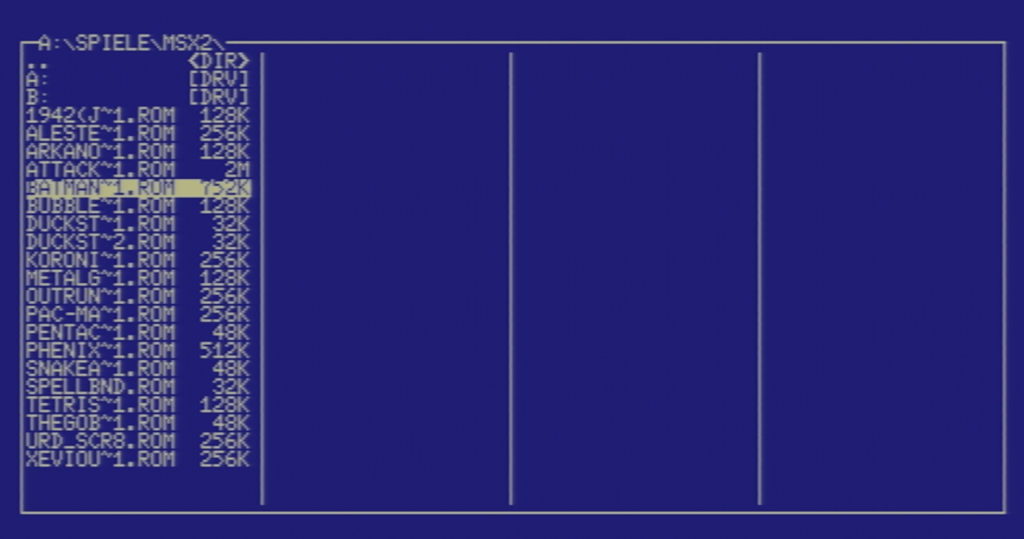
SofaRun
SofaRun is an MSX tool for running disk images (.DSK), cassettes (.CAS), and cartridges (.ROM). Different settings can be defined and saved for each game. It can also be used to start normal MSX-DOS 2 and BASIC programs.
It features a joystick-controlled file browser, support for ZIP files, options for assigning JoyMega buttons to the keyboard, and “soft reset.” So you can lie on the sofa like a lazy penguin!
Installation
Unzip “sofarun.zip” somewhere on your MSX-DOS2 mass storage device (SD card or hard drive).
Connect your mass storage device to the MSX, start MSX-DOS 2, change to the directory where you unzipped “sofarun.zip” using the ‘cd’ command (e.g., cd sofarun), and start the program with “SR” (+ Enter). You should see the SofaRun title screen. SofaRun does not accept any file arguments; only these two options can be specified:
/ S: Skips the title screen display.
/ I: Ignores the last game started and starts SofaRun from the current directory.
To start Sofarun faster, it is useful to create an SR.BAT file:
path + A:\SOFARUN
SR.COM
After that, you can start the program by entering SR without having to change directories.
It is also recommended to create an AUTOEXEC.BAT file:
ver
FAT16.COM
rem set expert=on
set HELP=\HELP
set TIME=24
set path=A:\ A:\COMPRESS A:\MGS A:\PLAYERS A:\SCSAVERS A:\TEXT A:\TOOLS A:\UTILS A:\VIEWERS
rem SR.BAT
The second line is not required if only FAT12 partitions are used or if Nextor is used.
The line with “Path” can be used individually. After that, no path change is necessary for commands in these directories.
If SofaRun is to be started automatically, the “rem” must be removed from the last line.
Links
https://www.msx.org/forum/msx-talk/hardware/carnivore-2-help-0
https://www.8bits4ever.net/product-page/carnivore2
https://www.louthrax.net/mgr/sofarun_usage.html
https://www.youtube.com/watch?v=lSZn97M34Hs
https://sysadminmosaic.ru/en/msx/carnivore2/carnivore2?redirect=1
https://www.msx.org/forum/msx-talk/hardware/carnivore-2-help-0
https://www.louthrax.net/mgr/sofarun_usage.html
download.file-hunter.com – The Complete MSX Download Archive
MSX • HobbyRetro.com
Konamiman’s MSX Page
![The Ghosts Of Blackwood Manor [Commodore 64, Sinclair ZX Spectrum u.a.]](https://www.jungsi.de/blog/wp-content/uploads/The-Ghosts-Of-Blackwood-Manor-Ladescreen.jpg)
![Rodmän [Commodore 64 u.a.]](https://www.jungsi.de/blog/wp-content/uploads/Rodmaen-Schachtel-Vorderseite.jpg)
Als ich mein Carnivore2 bekommen habe, war es noch nicht komplett ausgebaut. Habe auch einige Zeit einen sehr netten Kontakt mit Alexey gehabt, bis das Modul letztendlich auch bei mir stabil lief. Ich finde den Artikel hier sehr gut beschrieben, vielen Dank