

Connecting a Commodore 1541 to a Sinclair ZX81: The ZX1541 interface put to the test
Some may wonder what connection the Commodore 1541 floppy disk drive has with the ZX81. In fact, there is such a connection – and it is actually surprisingly logical when you take a closer look at the 1541. This is because Commodore’s floppy drives are essentially standalone computers: the 1541 contains a 6502 processor, along with ROM and RAM – and a large part of the ‘DOS’ is housed directly within the drive. The host computer’s main role is therefore to send commands and interpret the responses. It is precisely this principle that the ZX1541 interface makes use of.
As well as the VC-1540/1541, VC-1570/1571 drives can generally be used as well. Communication takes place via the serial IEC bus developed by Commodore.
Overview: What is the ZX1541 interface?
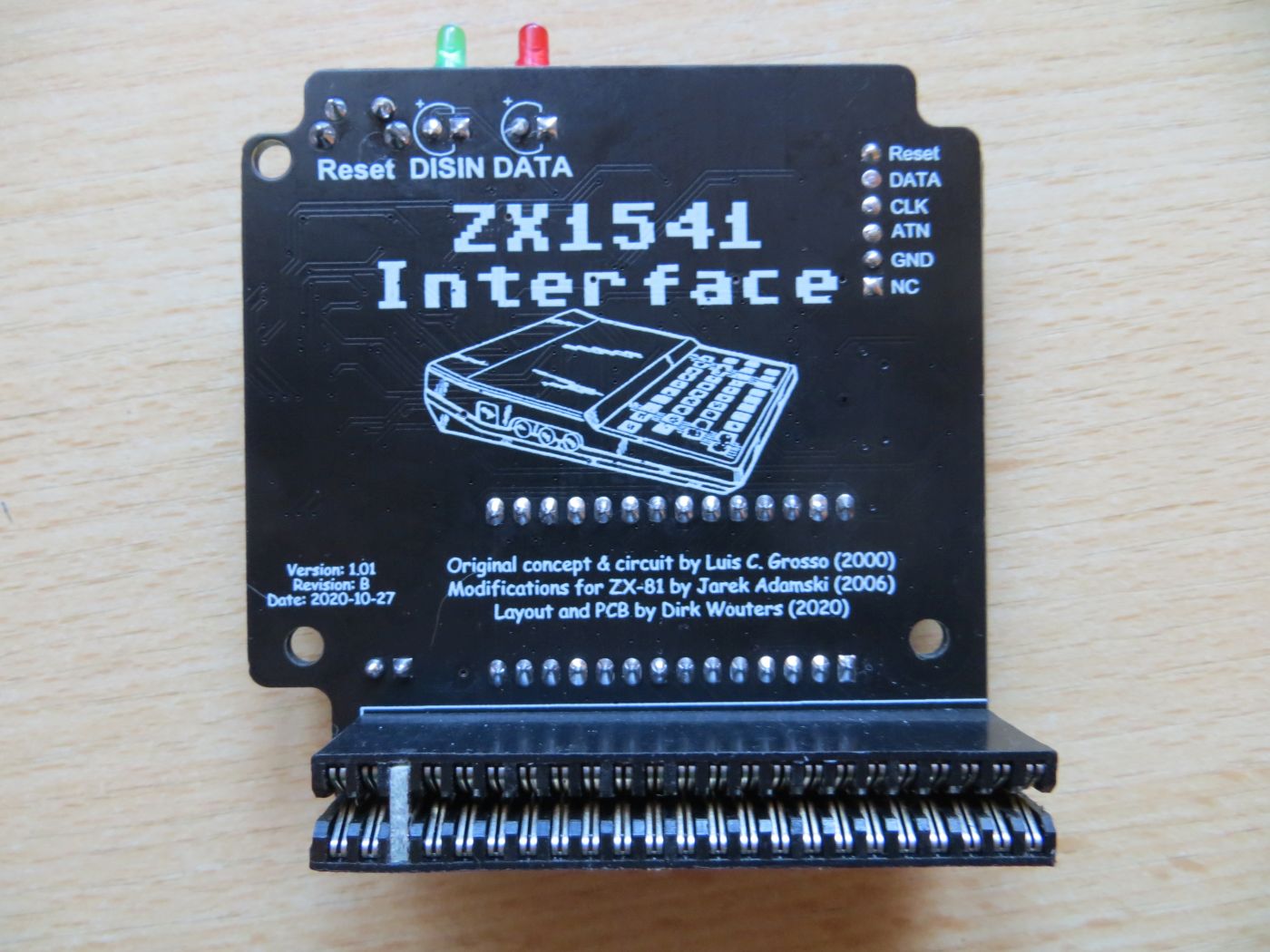
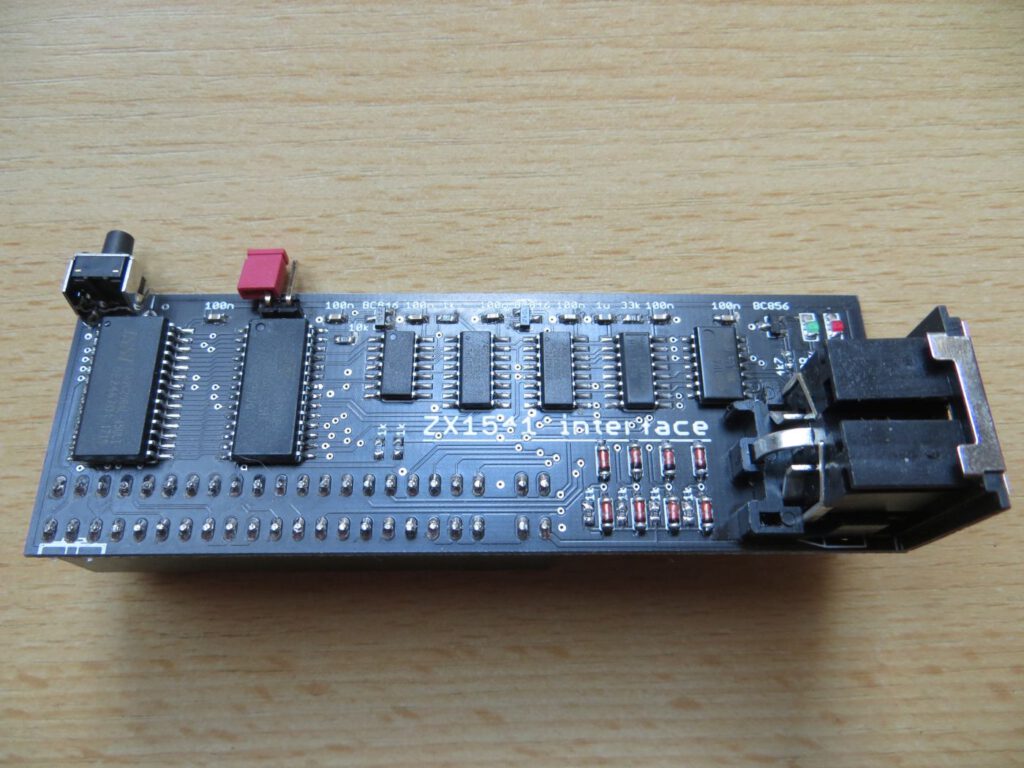
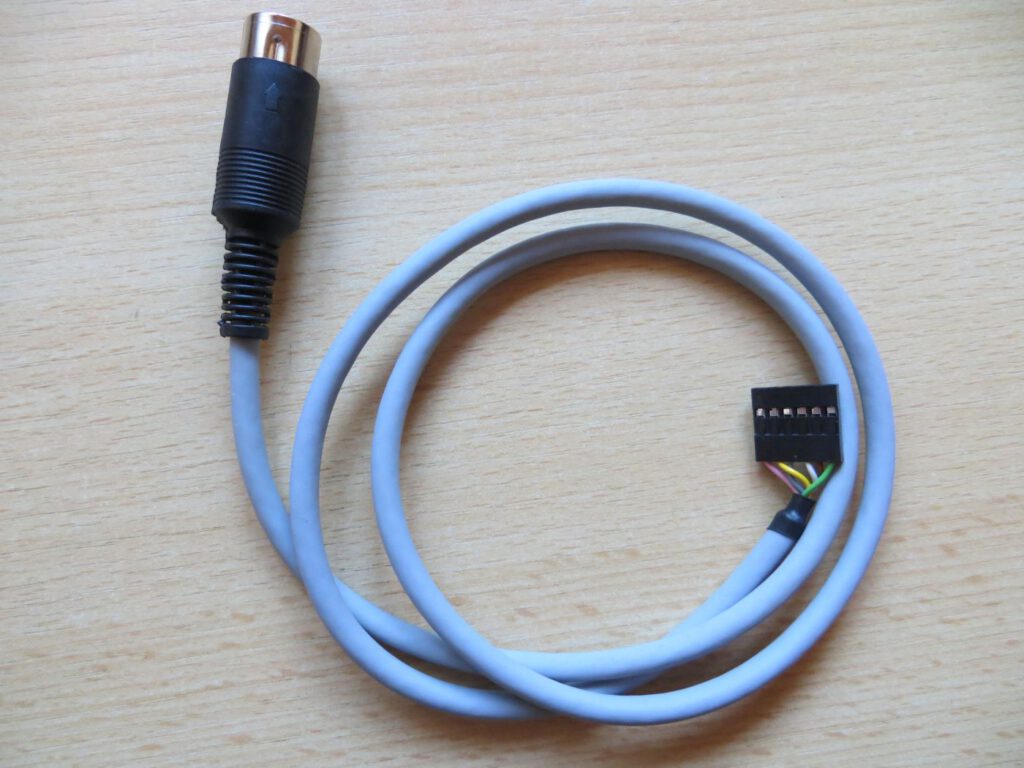
The ZX1541 (sometimes also referred to as the ‘1541 Interface’ for the ZX81) is a hardware expansion unit that connects the Sinclair ZX81 to the serial IEC bus used by Commodore floppy disk drives. The IEC bus uses just a few signals for data transmission and device control – and allows further devices to be daisy-chained onto the same bus.
Important for practical use: A memory expansion is required to use the ZX1541. 16 KB is the minimum recommended to be able to work comfortably with the menu, directory and load/save functions.
Hardware and operating principle
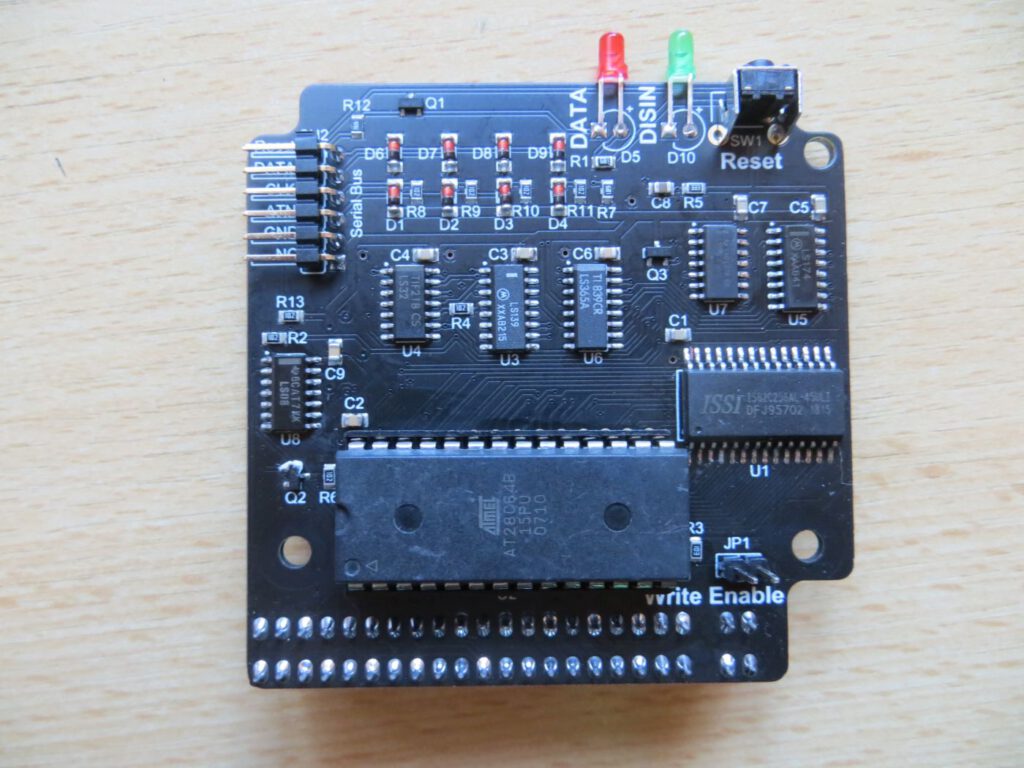
The interface contains firmware (in the EPROM/EEPROM) which provides IEC communication and an operating menu. It also includes logic and signal processing for the IEC bus. The control programme is written in assembler and is stored in the interface’s memory.
The device address of the drive is usually 8 (the default on Commodore systems). On a 1541-II, the ID can often be set easily using the DIP switches on the rear panel.
A look back at history
The concept of ‘1541 on the ZX81’ is considerably older than many of the rebuilt circuit boards currently in circulation would suggest. There are references within the community to early solutions dating back to the early 1990s: an initial interface variant is said to have been described as early as 1993 and is reported to have utilised a PIO, amongst other things, for control.
Around 2001, references began to appear to a more advanced solution that was designed not only for a 1541 drive but also for additional peripherals (e.g. printer control). This illustrates quite clearly that the topic was revisited and expanded upon time and again over the years – depending on what people wanted to achieve with the ZX81 in terms of mass storage and peripheral expansion.
My own initial attempt was also characterised by a ‘variety of versions’. I initially had an interface that couldn’t be operated reliably in practice. There were suggestions within the community that this version might have a fault in the layout or the circuitry. I therefore put the project on hold for the time being: before I write about it, I want to carry out reproducible tests and have a setup that runs stably.
Fortunately, that wasn’t the end of the matter. The issue was taken up again within the ZX community, the interface was revised, and I was subsequently provided with a working, corrected version. As things stand, I now have exactly one interface that runs reliably in my tests – and the practical section of this article is based on this very interface.
Why the BASIC commands aren’t working for me
In some documentation, you’ll find additional BASIC hooks (often in the form PRINT USR …) for calling up Directory, Load/Save or commands directly from BASIC. In my setup (German version), however, there is no firmware version in which these BASIC functions are actually active.
This is plausible, as there is evidence from practical experience that the ‘for German ZX1541’ functionality has not yet been (fully) implemented, or that the relevant adjustment is missing from the firmware. However, the consequence is not a major issue: all relevant functions are fully accessible via the menu in my working build.
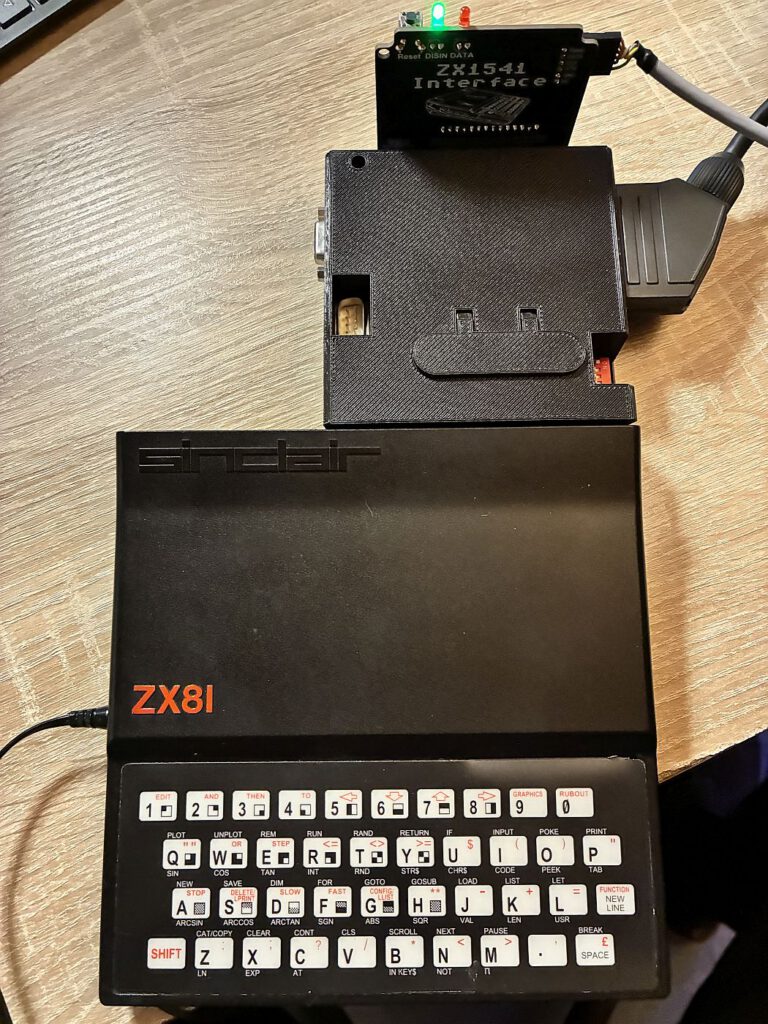
My test setup
For the tests, I use:
- Sinclair ZX81
- SPECTRA interface based on 16 KB of RAM
- ZX1541 interface (revised, working version)
- Commodore 1541-II (Device ID set via DIP switches)
Note regarding the 1541: The two IEC sockets on the drive are functionally equivalent. You can plug the ZX1541 cable into either socket; the second is used to daisy-chain additional IEC devices.
Memory expansion without SPECTRA: Options for the ZX81
Not everyone has a SPECTRA interface to hand – and that’s no problem. The important thing is this: without a RAM upgrade, the ZX81 quickly becomes a bit of a let-down, and in practice the ZX1541 also needs at least 16 KB.
External RAM packs (classic)
The most obvious solution is to use external RAM expansions on the expansion port – ranging from the original Sinclair 16K RAM pack to numerous third-party modules. Anyone already using a 16K/32K/64K RAM pack is generally well-equipped for the ZX1541.
Internal 16-KB upgrade (the ‘2-chip idea’)
The ZX81 comes with very little RAM as standard. Depending on the board revision, the 1-KB onboard RAM is either housed in a single chip (4118 type) or in two chips (2114 type, 1K×4 each). This is precisely where the ‘remove the two chips, insert a larger chip’ idea comes in: in practice, the existing on-board RAM ICs are desoldered and replaced with a modern SRAM (often 62256-class, 32K×8), which is then used as 16 KB. This is a modification method that has been known for years and can be implemented – depending on the variant – with a manageable amount of wiring work.
Ready-made internal upgrade modules
If you’d rather not do the wiring yourself, ready-made ‘Internal 16K’ modules are available. Once the original RAM ICs have been removed, these are inserted into the designated solder points or sockets and connected using just a few additional wires. Some of these modules are explicitly advertised on the basis that no traces need to be cut and no pins need to be bent – which is a real advantage, particularly with the delicate ZX81 circuit boards.
The menu: Start and functions
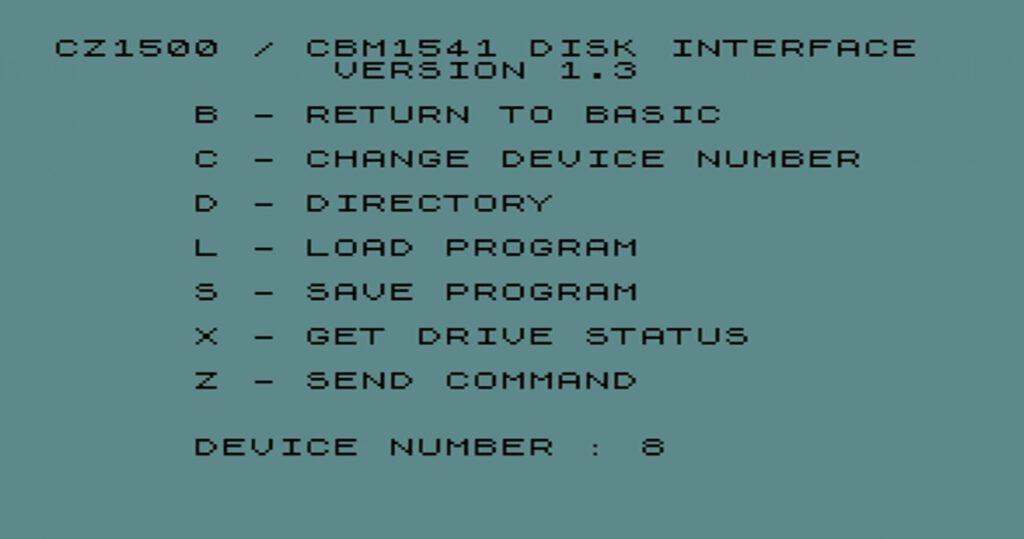
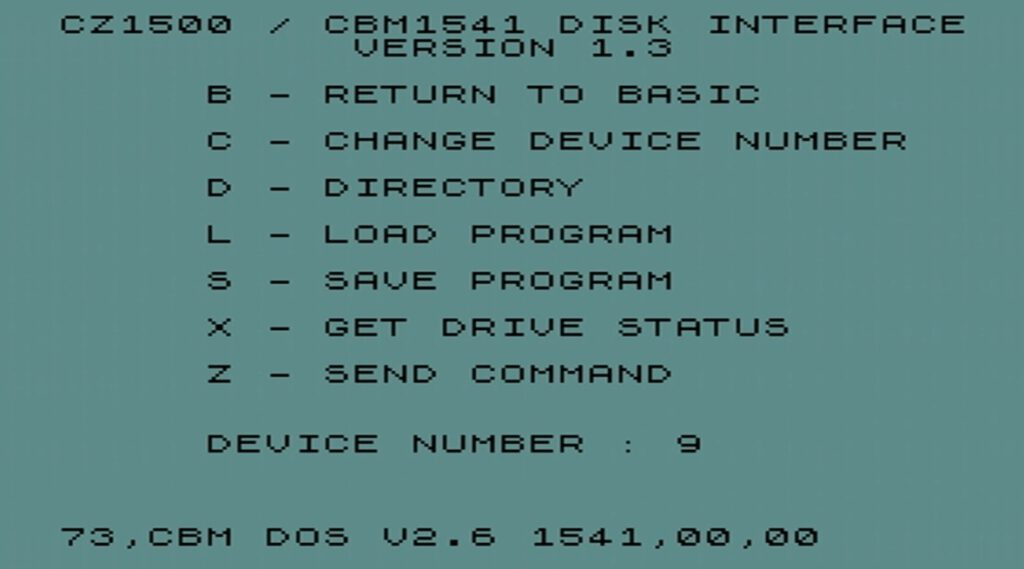
At the heart of my firmware is the menu, which is launched using the following command:
RAND USR 8192
This brings up a menu from which the most important functions can be carried out very easily:
B – Return To Basic (zurück ins BASIC)
C – Change Device Number (Gerätenummer umschalten, z. B. 8 ↔ 9)
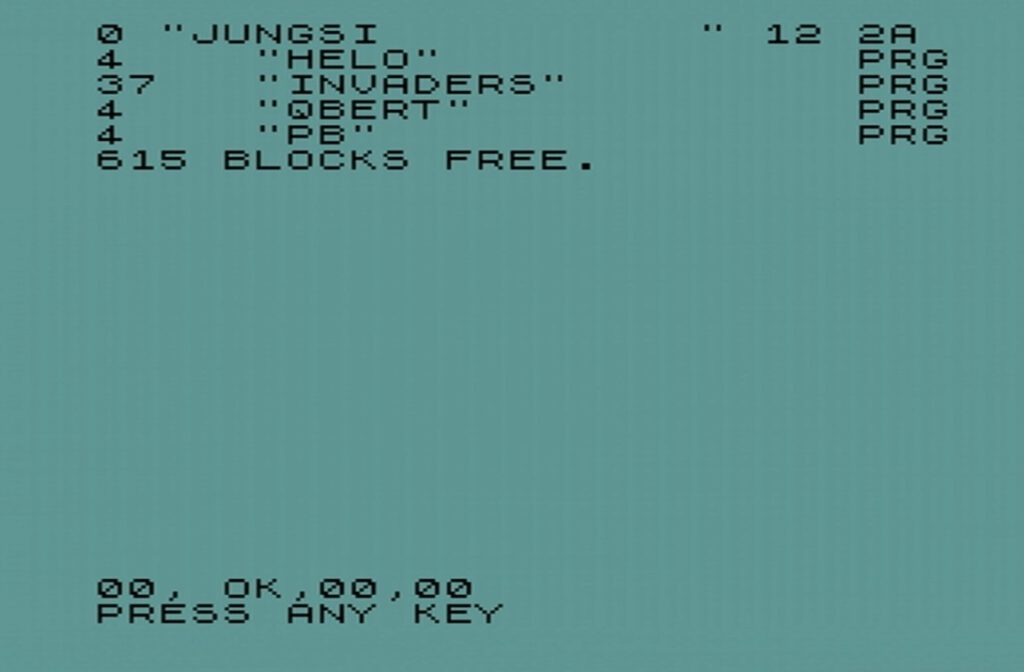
D – Directory (Inhaltsverzeichnis)
L – Load Program (Programm laden)
S – Save Program (Programm speichern)
X – Get Drive Status (Status des Laufwerks anzeigen)
Z – Send Command (Befehl an das Laufwerk senden)
X (Status) and D (Directory) in particular are ideal for quickly checking whether the bus, cabling, device ID and drive are all working together properly.
DOS commands via ‘Send Command’
Using ‘Z – Send Command’, you can send standard 1541 commands directly to the drive. This isn’t just handy; it also clearly demonstrates that the DOS is resident in the drive – the ZX81 merely initiates the process.
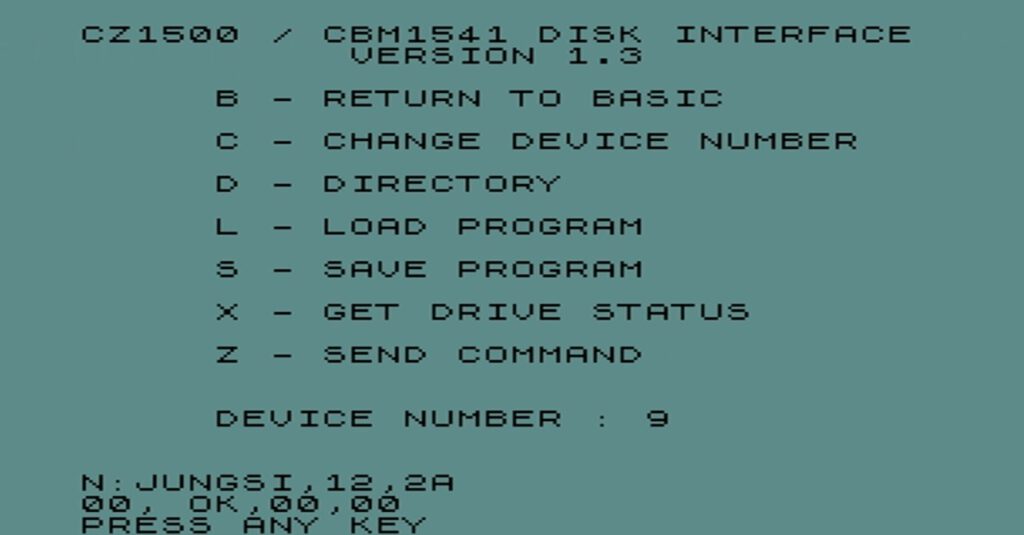
Format floppy disk
N:DISKNAME,ID,2A
ID is any combination of two alphanumeric characters. 2A refers to the classic 1541 format and must be included in this command.
Quickly ‘format’ a floppy disk (delete directory only)
N:DISKNAME
Rename file
R:NEWNAME=OLDNAME
Copy file
C:NEWFILE=OLDFILE
Delete file
S:FILENAME
Initialise drive
I
Reorganise/validate diskette
V
Direct BASIC commands: theoretically possible, but not available to me
In some descriptions of the ZX1541, you’ll also find BASIC entry points (often via commands such as PRINT USR …), which are supposed to allow you to use the Directory, Load/Save or DOS commands directly from within BASIC. However, I do not have a firmware variant in which these BASIC hooks work in the German version. Therefore, in my setup, all functions are carried out via the menu – and that is perfectly adequate in practice.
Transferring programmes from a cassette to a floppy disc – via the menu
I can answer the question of whether the classic ‘cassette → floppy disk’ workflow works without BASIC hooks with a resounding ‘yes’. In my setup, it runs reliably via the intermediate step of ‘tape → RAM → floppy disk’:
- Load the programme from a cassette as usual (depending on the programme, you can optionally disable autostart, just as you would on the ZX81).
- Then run RAND USR 8192 to launch the ZX1541 menu.
- Select ‘S – Save Programme’ from the menu.
- Enter the file name and save it.
This saves the programme currently in memory directly to a floppy disc – without the need for any USR commands in BASIC or having to rewrite programme lists.
Note: Whether a programme starts automatically afterwards often depends on the specific programme or loader on the ZX81. In practice, it is usually no problem to simply start the programme with RUN after it has loaded, if it does not start by itself.
SD2IEC, µIEC, Pi1541: modern alternatives to the real floppy disc
Since the ZX1541 ultimately ‘only’ uses the IEC bus and many operations are carried out via standard DOS commands, a modern alternative springs to mind: SD2IEC/µIEC or a Pi1541 setup.
There are also concrete examples from real-world use: it has been reported that accessing SD card data via the ZX1541 + SD2IEC was successful. Furthermore, the use of the Pi1541 in combination with the ZX1541 has been documented as a working solution. This is exciting for everyday use: a genuine 1541 is, of course, true to the original – but with SD2IEC/µIEC, you avoid the mechanical parts, the hassle of changing floppy discs and the issues of media ageing.
Practical tips
Check device ID
The quickest way to test this is via the menu: X (Status) or D (Directory). If there is no response, the device number is often incorrect – in which case selecting C (Switch device) should help. On my 1541-II, I set the ID using the DIP switch on the rear panel.
Take IEC cabling seriously
Connection problems or poor-quality cables can quickly lead to strange behaviour. If something isn’t working, check the connectors and cables first; only then should you consider the firmware or the drive.
Conclusion
The ZX1541 is one of those wonderfully unusual bridges between two worlds of home computing. It provides the ZX81 with mass storage access that is surprisingly easy to use thanks to its menu-driven interface. It is precisely because the 1541 comes with its own DOS that the concept works so well: the ZX81 sends commands – and the drive carries them out
In my test setup, the revamped interface runs reliably. Even without working BASIC hooks, the system is fully usable because all the relevant functions are available in the menu – including a straightforward workflow for transferring programmes from cassette to floppy disk. And for those who prefer a more modern approach: SD2IEC/µIEC/Pi1541 also seem to work well with the ZX1541 – a very appealing alternative to a real floppy disk.
Sources and Further Links (Selection):
- Ready-made internal 16K module (example): (myretrostore.co.uk)
- Early references (1993 PIO, 2001 Multimodul) and discussion on implementation: (forum.tlienhard.com)
- Note: ‘German ZX1541’ not yet implemented: (forum.tlienhard.com)
- Technical description/chip configuration (62256/28C64 etc., linked to yarek.pl): (AtariAge Forums)
- Practical experience: ZX1541 + SD2IEC works (user report): (z88dk.org)
- Practical experience: ZX1541 + Pi1541 (review): (Reddit)
- ZX81 On-board RAM (2114/4118) Background: (Wikipedia)
- Internal 16K conversion (2114 removed, 62256 installed, operated as 16K): (AmiBay)


Leave a Reply