

![Megarom T.2 [Thomson TO7/TO8]](https://www.jungsi.de/blog/wp-content/uploads/Megarom-T.2-Oberseite.jpg)
Unfortunately, obtaining and using software for Thomson computers isn't quite that simple. Although I had already been able to test the SD-Drive, I stumbled upon the Megarom T.2 project while researching these French computers. Since it wasn't available at the time, I put my name on the waiting list. Now that I’ve received the hardware—early in 2024—I’d like to share my findings.
What is the Megarom T.2?
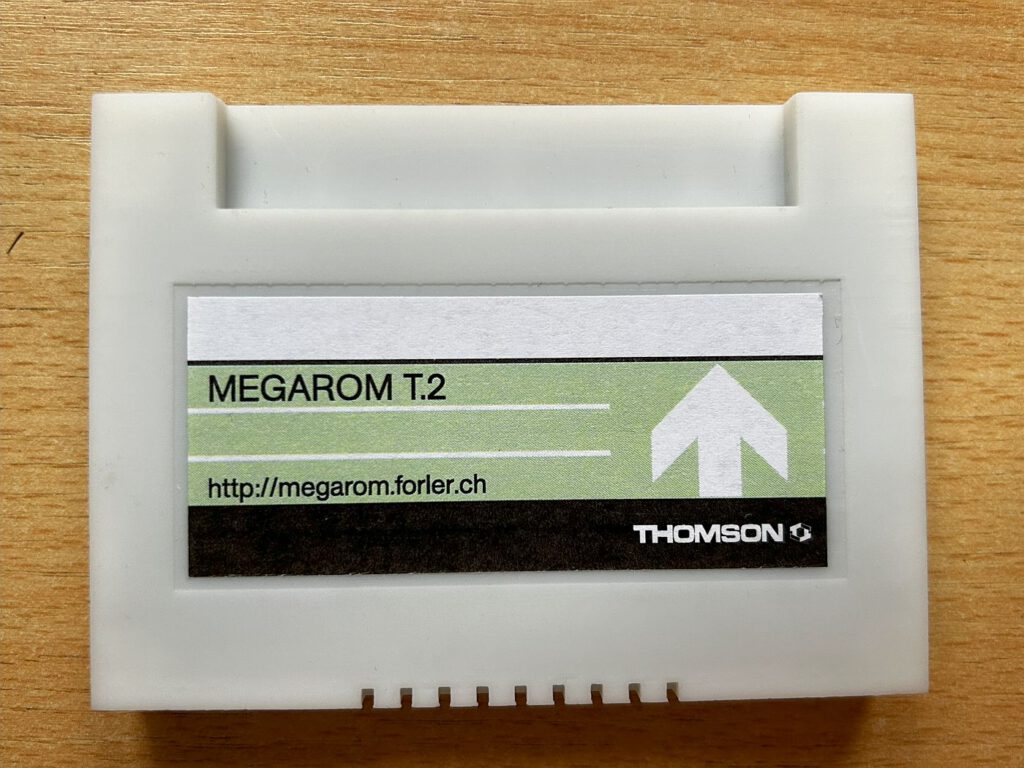
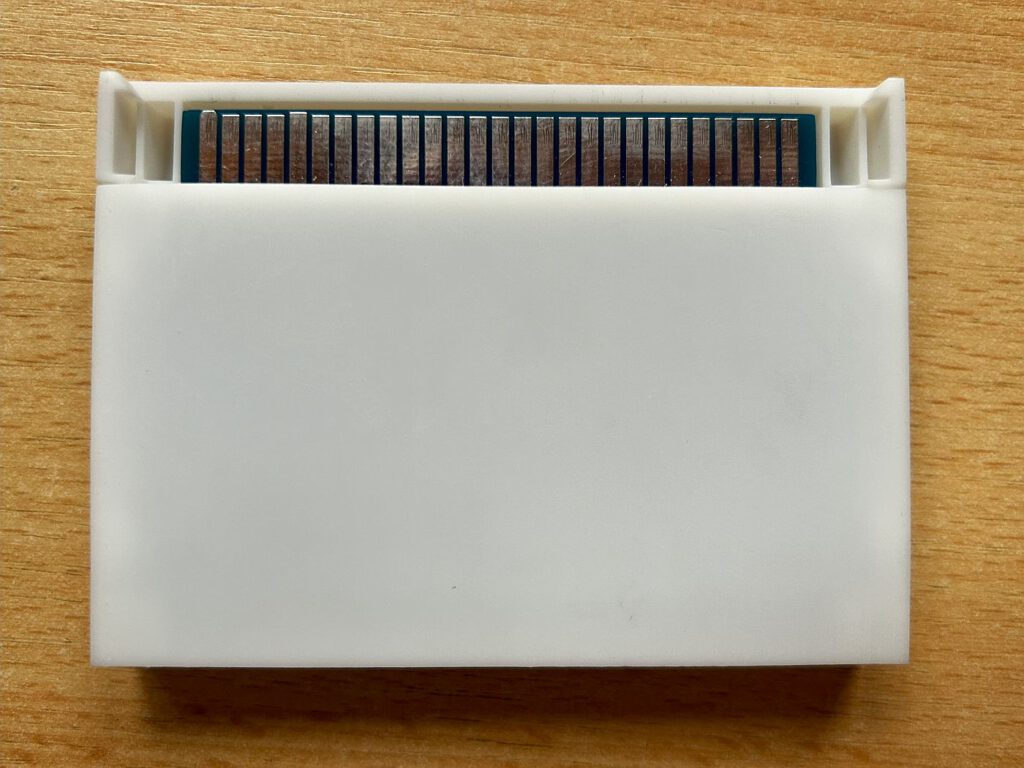
The Megarom T.2 is the successor to the original Mégarom T.1 and was developed as a community project by François Mouret (Prehisto) and Édouard Forler (Fool-DupleX). It is a MEMO7 cartridge compatible with all 8-bit computers in the Thomson TO family: T9000, TO7, TO7/70, TO8, TO8D, TO9, and TO9+. Its physical format is directly compatible with original MEMO7 casings.
Technical details
The rewritable flash memory is 2 MB in size and divided into 128 banks of 16 KB each. The controller is based on a reconfigurable CPLD/VHDL chip. The cartridge is also fully compatible with all commercial software in MEMO7 format, including multi-bank software with 32 and 64 KB such as Microsoft BASIC 128. It can also be programmed directly on the computer - no external programmer is required. Hot plug is also supported for TO8/8D/TO9/TO9+.
Vorinstallierte Software
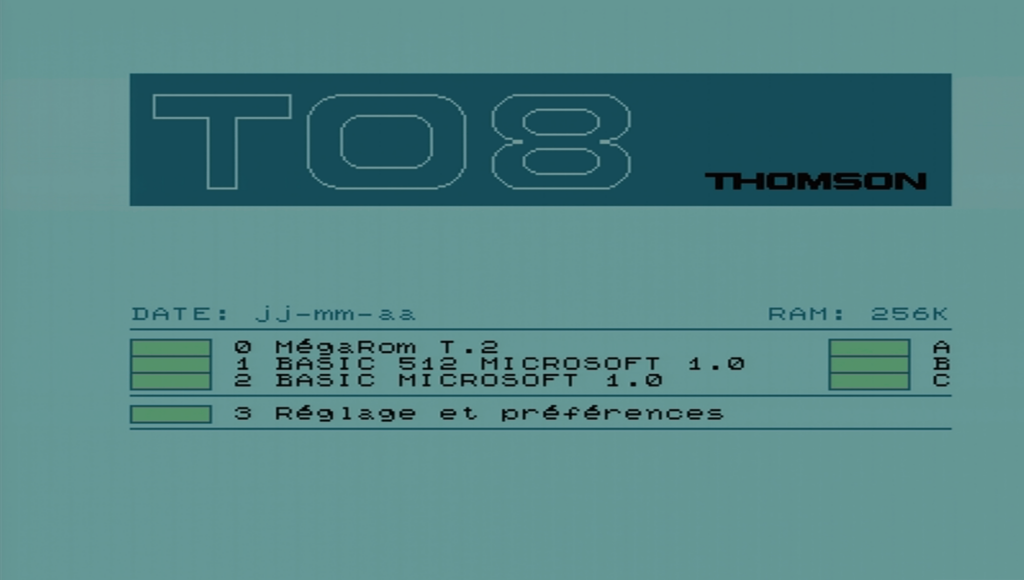
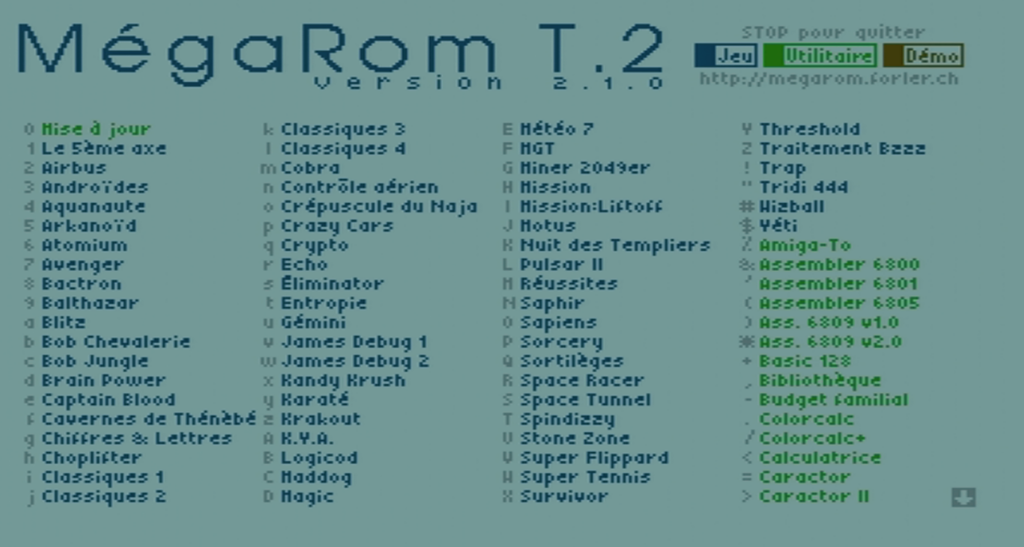
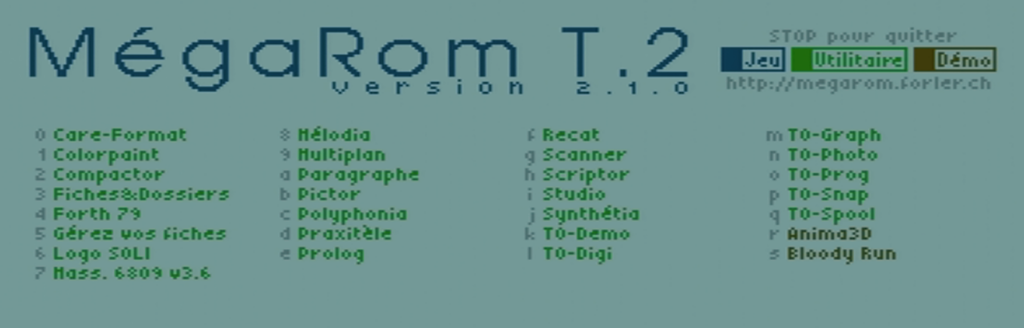
Ein großer Pluspunkt ist, dass die Cartridge bereits mit einer umfangreichen Sammlung an Programmen gefüllt ist, sodass sofort gestartet werden kann. Das Menü ist auf Französisch gehalten und unterteilt die Software in drei farblich gekennzeichnete Kategorien: Jeu (Spiele, blau), Utilitaire (Dienstprogramme, grün) und Demo (braun). Je nach Rechner stehen unterschiedlich viele Titel zur Verfügung – für den TO7-70 sind es 76, für den TO8 110 Programme.
Operation
Using it is incredibly simple: insert the cartridge and turn on the computer. Pressing the "0" key launches the menu. The Megarom automatically detects the computer and displays a list of available, compatible software. You can launch the software directly by pressing the corresponding key shown in the column next to the name. To return to the Megarom menu, press and hold the reset button (init. prog.) for at least two seconds.
Updates
It is possible to update the cartridge's content. The update can be installed in two ways: either via floppy disks—conveniently using an SD drive—or via a serial connection from a PC to the CC90 interface using a USB-to-RS232 adapter. An external programmer or a complex PC connection is not required.
Personal impression
What I particularly appreciate is that the selection of pre-installed games includes several titles I recognize primarily from the Atari ST. *Arkanoid*, *Captain Blood*, *Spindizzy*, and *Wizball*—all classics that demonstrate the Thomson platform was by no means isolated from the European mainstream market back then. As a modern bonus, the collection also features *Mission Liftoff*, a 2018 reinterpretation of the classic *JetPac* developed specifically for the TO8/8D/TO9+. Using the cartridge is incredibly simple, allowing you to get started right away—no fiddling around, no configuration required.
Conclusion
The Megarom T.2 is a fantastic addition for Thomson computers and their users. It is easy to use, and the selection of games and other software is outstanding—plus, anyone wanting to experience classics like Arkanoid or Wizball on Thomson hardware won't be disappointed. This makes the Megarom T.2 an almost indispensable piece of hardware for TO users. It is well worth picking up as soon as the cartridge becomes available.
Mégarom: the Official Website
System-CFG Forum – Link to the Megarom
![Thomson TO7-70 [Thomson]](https://www.jungsi.de/blog/wp-content/uploads/Thomson-TO7-70.jpg)
![Thomson TO8 [Thomson]](https://www.jungsi.de/blog/wp-content/uploads/Thomson-TO8-Oberseite.jpg)
![SDDRIVE [Thomson TO7]](https://www.jungsi.de/blog/wp-content/uploads/SDDRIVE-1.jpg)
Leave a Reply