

![Gammadisk [Sinclair ZX Spectrum]](https://www.jungsi.de/blog/wp-content/uploads/gamma-disk-interface.jpg)
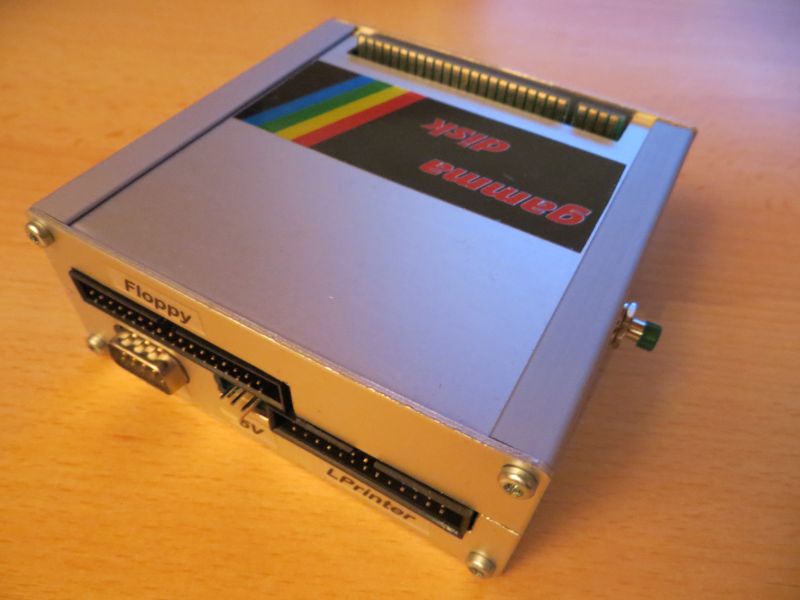
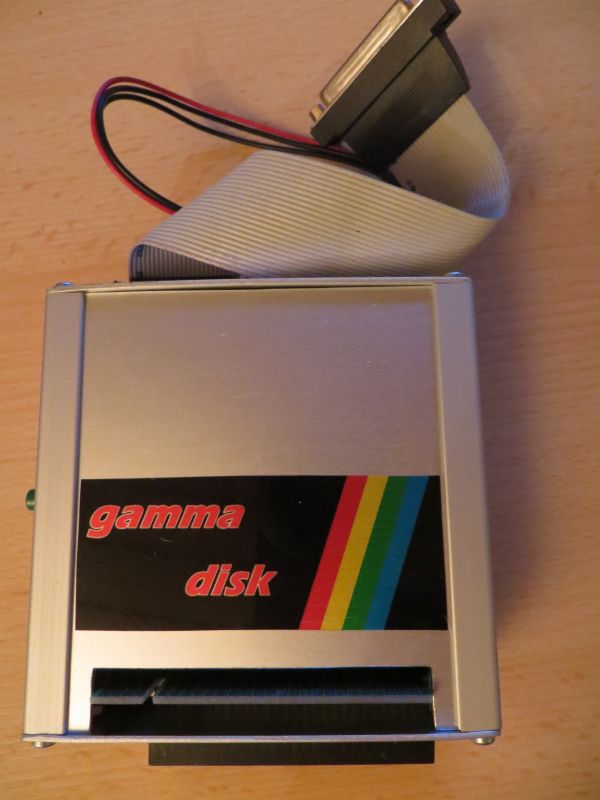
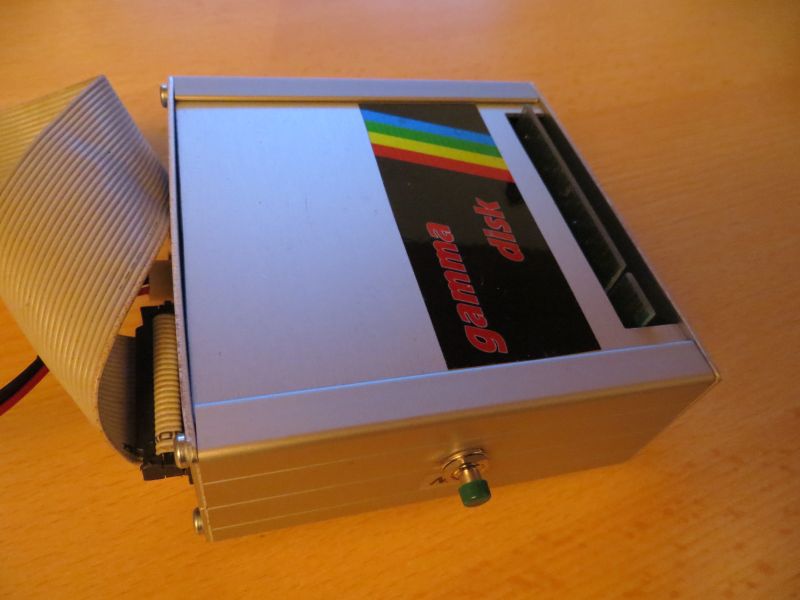
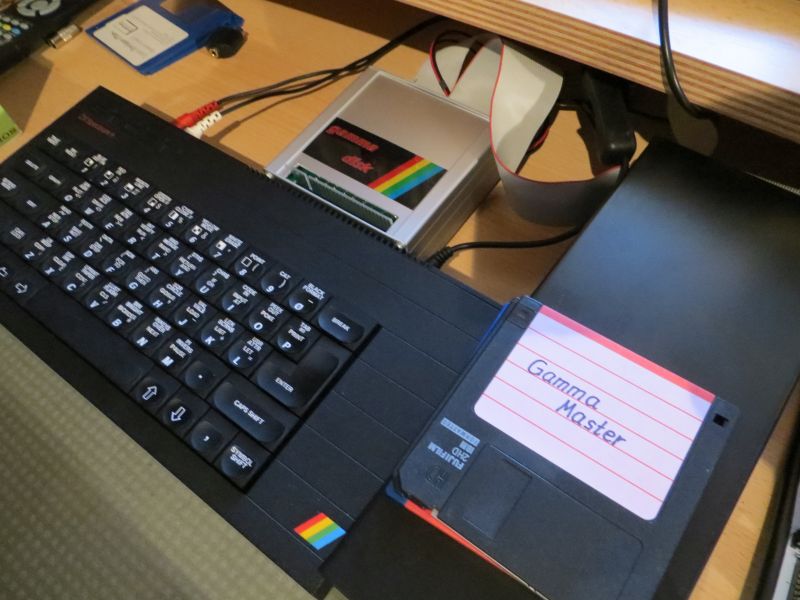
The Gammadisk interface is a special floppy disk interface for the Sinclair ZX Spectrum. The original is extremely hard to find, and reproductions are no longer available either. I am therefore especially pleased that Claus-Peter Casper assembled a complete unit for me. Many thanks again!
This interface was manufactured in limited quantities in 1986 by the German company *MIDAS*. It is software-compatible with the Betadisk interface from *Technology Research* (UK). However, the Gammadisk featured improvements over the original—specifically, the addition of an 8255 3-port PIO, which enabled the inclusion of ports for a Kempston joystick and a printer.
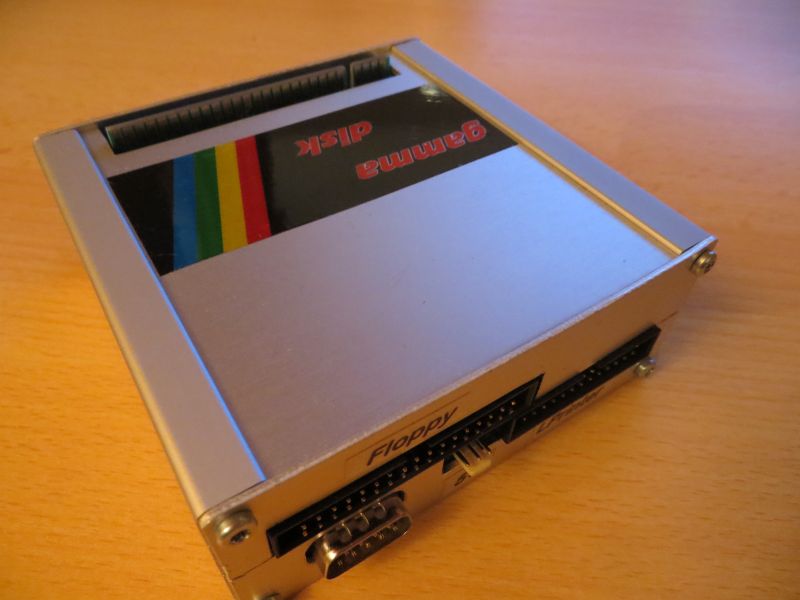
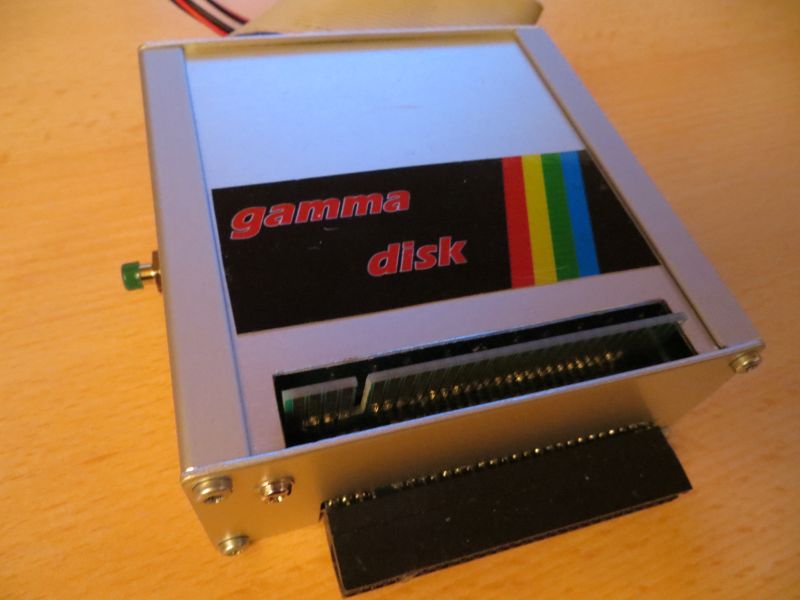
The floppy disks (720k DD) are compatible with the Betadisk 48 (successfully tested). *Claus-Peter Casper* took the trouble to create a new PCB layout (as original schematics were unavailable) and produce replicas of the interface housed in an excellent case.
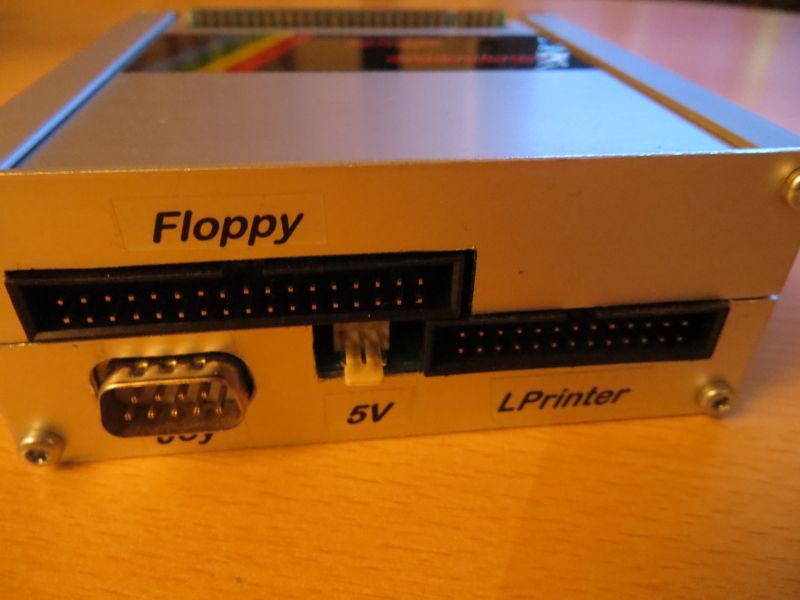
The housing contains two circuit boards: one holds the control circuitry for the joystick and printer ports as well as the power supply for a floppy disk drive, while the second board houses the controller and connector for the disk drive itself. The two boards are linked via an adapter; additionally, the interface port is routed externally to allow for the connection of further interfaces. The NMI button (known as the "Magic Button" on the original unit) is located on the left side. Unlike the Beta Disk interface—where the Spectrum is powered through the interface itself—the Gamma interface allows the Spectrum to be powered directly, as usual.
Technical data:
- Floppy controller SAB-1793 (no other!)
- 3-Port-PIO 8255
- NMI push-button
- 34-pol. Shugart-Bus
- Joystick port
- Printer connection
- I/O bank switching
- fed-through system bus
Up to four drives can be connected to the interface. The drives must be configured accordingly (DS0, DS1, etc.). Ideally, DD drives that can be configured via jumpers should be used.
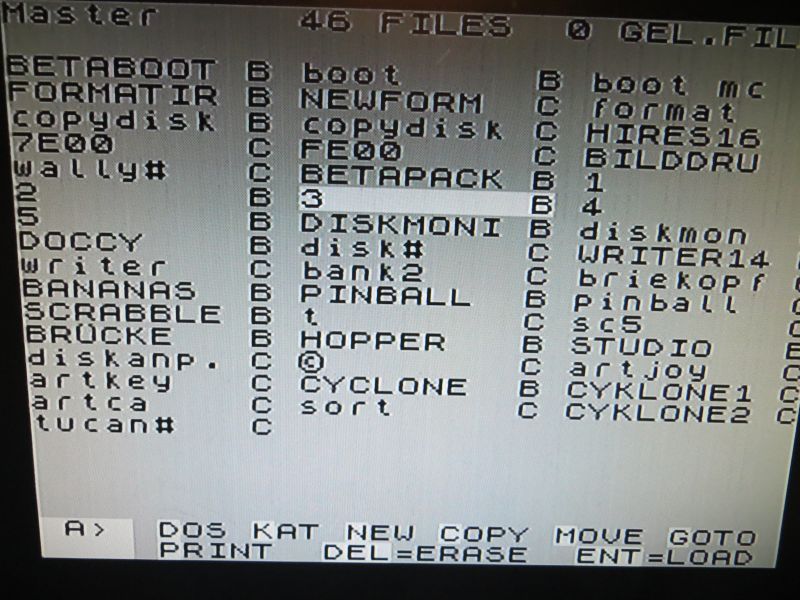
After switching on the Spectrum with the interface connected, BASIC starts up if no autoboot disk is inserted. TR-DOS is activated using
RANDOMIZE USR 15360 (+ Enter)
or
RANDOMIZE USR 99 (+ Enter)
Return to BASIC using
RETURN (+ Enter)
The printer interface is initialized using
RANDOMIZE USR 44
Afterward, LLIST and LPRINT can be used, and a COPY routine allows the screen to be printed out at a scaled size. The Gammadisk interface contains a 27C256 EPROM with two 16K memory banks. The first 16K section holds the ZX ROM with the adapted printing routines, while the second 16K section contains TR-DOS 4.12.
Commands are issued from BASIC just as with the Betadisk—for example: RANDOMIZE USR 15363 : REM: CAT
Kopieren
Mit nur einem Laufwerk wird zum Kopieren ganzer Disketten das Dienstprogramm „copydisk“ benutzt.
Mit zwei Laufwerken steht der Befehl „COPY“ zur Verfügung – z. B.: COPY „B:*“,“A:*“ (kopiert alle Dateien von Laufwerk B nach Laufwerk A)
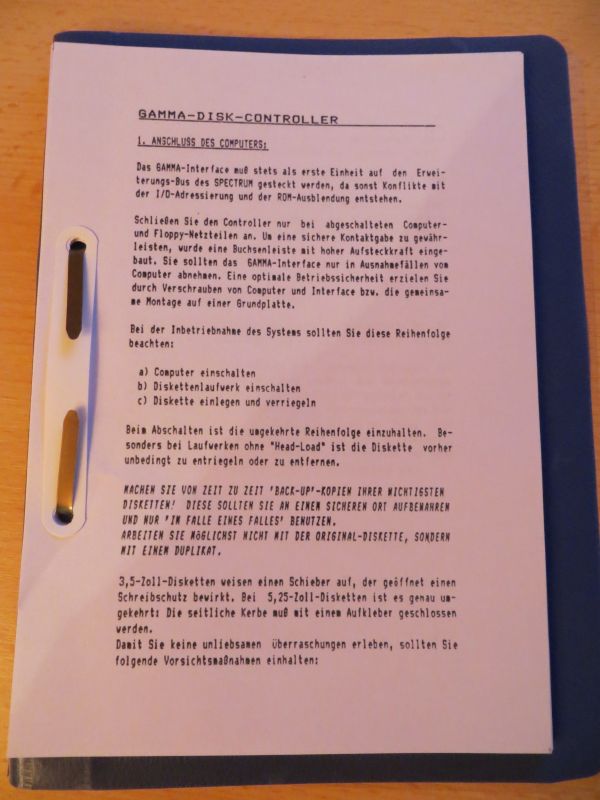
Der an der linken Seite angebrachte NMI-Knopf unterscheidet sich etwas in seiner Funktionsweise vom Betadisk-Interface. Beim Original wurde beim Drücken des Magic-Buttons einfach eine einzelne Datei auf die Diskette mit dem Namen „@“ geschrieben. Das nächste Betätigen des Knopfs überschreibt diese Daten, wenn sie vorher nicht umbenannt wurden. Das Gammadisk löst das eleganter: wird der NMI gedrückt, gibt es mehr Möglichkeiten:
B – Break: das laufende Programm wird unterbrochen und man kehrt in den BASIC-Editor zurück
D – DOS: das System wird komplett zurückgesetzt und befindet sich im gleichen Zustand wie nach dem Einschalten
R – Reset: bewirkt dasselbe wie ein RANDOMIZE USR 0. Programme und Daten gehen verloren, DOS wird jedoch nicht aufgerufen.
S – SAVE: ruft eine Eingabezeile auf, in der man einen Namen vergeben kann – danach wird das Programm in drei Teilen gespeichert:
1) BASIC-Lader
2) Bildschirminhalt
3) Maschinencode
Nach dem Speichern wird das Programm fortgesetzt. Die gespeicherten Programme können dann wie gewohnt umbenannt, kopiert, gelöscht und geladen werden.
Gammadisk mit Vision
Durch eine Initiative des ZX-Teams (auch in Zusammenarbeit mit Claus-Peter Casper) ist es seit 2021 möglich, ein anderes ROM für das Gammadisk zu verwenden.
Zum Einsatz kommt das Beta-Disk-ROM in der Version 4.83 zusammen mit der grafischen Oberfläche „Vision“ von Individual Software in der Version 1.7.
Als Steuerung kommt neben der Tastatur der Kempston-Joystick-Anschluss des Gammadisk zum Einsatz.
Dies alles wird durch den Austausch des EPROMs 27C256 mit einer gepatchten Version des ZX-Teams möglich.
Links
Gammadisk page by Claus-Peter Casper
Gammadisk documents in the 8-bit wiki
![Interface 1bis – Teil 1 [Sinclair ZX Spectrum]](https://www.jungsi.de/blog/wp-content/uploads/2013/02/Interface-1bis-1.jpg)
![Devil’s Quest [Sinclair ZX Spectrum]](https://www.jungsi.de/blog/wp-content/uploads/Devils-Quest-Startbildschirm.png)
![Zombi Mall [Sinclair ZX Spectrum]](https://www.jungsi.de/blog/wp-content/uploads/Zombi-Mall-Ladescreen-480x300.webp)
Leave a Reply