

![Interface 1 [Sinclair ZX Spectrum]](https://www.jungsi.de/blog/wp-content/uploads/Interface-1.jpg)
Interface 1 on the Sinclair ZX Spectrum: Microdrive, network and RS-232 in a wedge-shaped housing
I’ve been using it on the Spectrum on and off for many years – and yet it had somehow slipped my mind until now: the Sinclair Interface 1. Yet, from a historical perspective, this unassuming wedge-shaped unit is a truly significant component of the Spectrum ecosystem. After all, the Interface 1 wasn’t ‘just’ any old expansion unit, but a complete package comprising mass storage connectivity, networking and a serial interface.
In this article, I’d like to finally do justice to the Interface 1: what it can do, what it was designed for, what it’s like to use today – and why (especially for collectors and tech enthusiasts) it absolutely deserves its place in the history of the Spectrum.
What exactly is Interface 1?
The Interface 1 was launched in 1983 as an official peripheral device from Sinclair Research. Originally, the idea was probably aimed squarely at the classroom and education: connecting several Spectrums together, exchanging data, and working collaboratively. Shortly before or at the time of its launch, however, the concept was significantly expanded – and that is precisely what makes it so fascinating: the Interface 1 also became a controller for the ZX Microdrives.
As a result, what had been a ‘network add-on’ suddenly became a key component of Sinclair’s own mass storage solution for the Spectrum.
The three core functions at a glance
Microdrive support
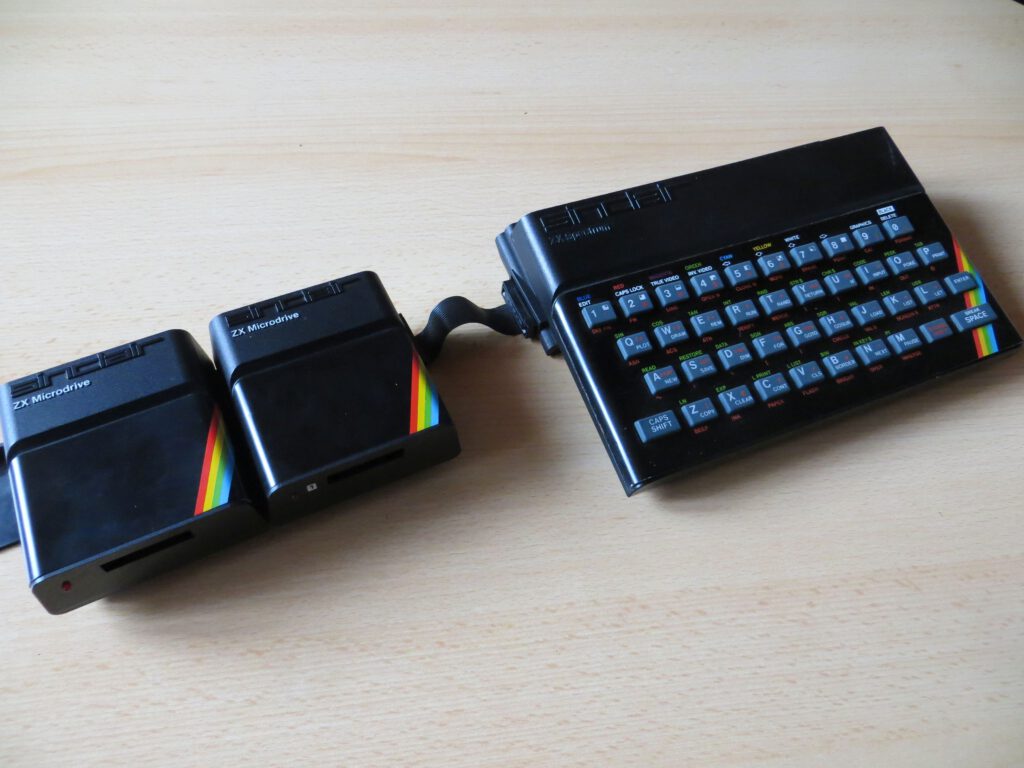
Interface 1 is the control centre for the ZX Microdrives. Up to eight drives can be operated in series. This gave the Spectrum a much more convenient storage alternative to the Datasette – at least on paper.
ZX Net Network
Two network ports allow multiple Spectrums to be daisy-chained. The idea: small local networks, data transfer between stations, and ideally even a ‘server’ computer that provides programmes or data.
RS-232 serial (DE-9)
In addition, Interface 1 features a serial port – handy for communicating with other hardware, printers or (back then) modems and terminals. On the Spectrum, RS-232 has always been a sort of ‘gateway to the outside world’ – and on Interface 1, it’s built right in.
The ZX Microdrive: storage with retro charm and its own quirks
When you work with Microdrives today, you soon realise that this is a very unique form of mass storage. The cartridges are tiny, and handling them feels like ‘a cassette on speed’ – yet at the same time, it’s technically fascinating because Sinclair took a completely different approach here from that of traditional floppy disk drives.
Capacity and Speed
Typically, the formatted minimum capacity is 85 KB per cartridge. Added to this is a data transfer rate that is fast by Spectrum standards – significantly faster than loading from tape. In everyday use, this immediately feels more ‘computer-like’: cataloguing, saving, loading, managing.
Reliability: the part you have to be honest about
Microdrives have a reputation for being a bit temperamental, and for good reason. The endless tape loop is subject to mechanical stress, cartridges age, and depending on the individual unit, performance can vary between “runs surprisingly reliably” and “unfortunately a bit temperamental today”. For me, however, that’s not a deal-breaker – more a part of the experience. Especially as a demonstration in a museum or when tinkering with the original setup, it illustrates very well how Sinclair envisaged ‘affordable mass storage’.
ZX Net: Networking before the internet was the norm
One of my favourite features of Interface 1 is the ZX Net – not because I use it productively all the time, but because it shows just how ambitious Sinclair’s thinking was back then. Connecting several Spectrums in a row, addressing stations, sending data back and forth or broadcasting to all of them – that’s a real ‘LAN feel’ at a time when home networks were still a long way from being commonplace.
In a classroom or computer room setting, this still makes sense even today: one computer distributes tasks or programmes, and the others download them via the network.
RS-232: Connection to the outside world
The serial interface may seem unremarkable today – but for the Spectrum, it was a significant step forward. RS-232 means that the computer is no longer limited to tape and a screen. It enables communication with other systems, printers or serial devices.
And particularly in the context of Interface 1, it fits into the bigger picture: Sinclair wanted to position the Spectrum not just as a games computer, but as a versatile home computer – with memory, networking and ‘communication capabilities’.
Why Interface 1 is so important to the history of the Spectrum
It is an official extension platform
Interface 1 comes with its own ROM and extends Sinclair BASIC via defined mechanisms. This was not only practical, but also set new standards: when a manufacturer officially demonstrates how extensions can be seamlessly integrated into the system, other developers often follow suit with similar extensions.
It’s directly linked to the Microdrive ecosystem
Without Interface 1, there’s no Microdrive setup on the Spectrum. And that means a whole branch of Spectrum history is missing: tools, workflows, accessories and that typical ‘Sinclair feel’ – doing things differently from the rest of the market.
It illustrates Sinclair’s vision of the future
Networks in the classroom, affordable mass storage, serial communication – this is a clear vision of what computing could look like in everyday life.
Practical aspects: installation, handling and common pitfalls
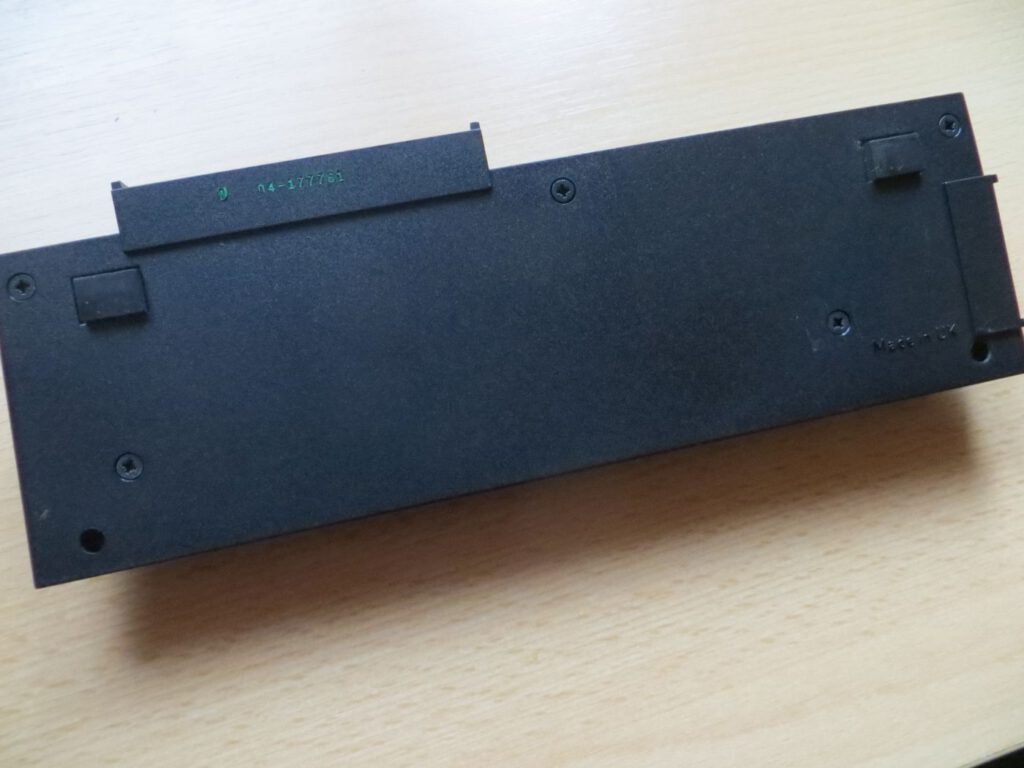
Interface 1 fits snugly beneath the Spectrum and is secured with longer screws. This makes it mechanically more stable than if it were simply ‘dangling’ from the expansion port. However, it’s also clear that this isn’t exactly the sort of expansion you can just plug in and unplug in 10 seconds. It’s more of a deliberate setup that you have to ‘put together’.
A typical problem encountered in practice is the ‘Out of memory’ error when opening streams with Microdrive or Netz: Interface 1 creates channels/buffers for this purpose – and if there isn’t enough free space under RAMTOP, you’ll get this error. This isn’t a fault, but often simply a matter of memory and programme configuration.
The Achilles' heel after decades: the ULA in Interface 1
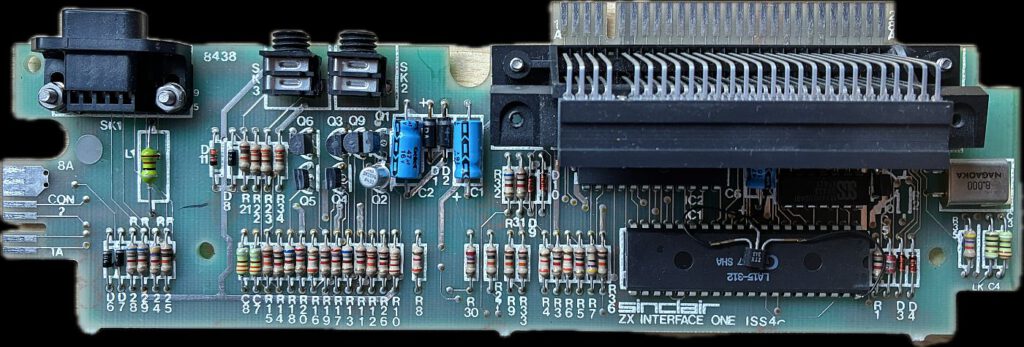
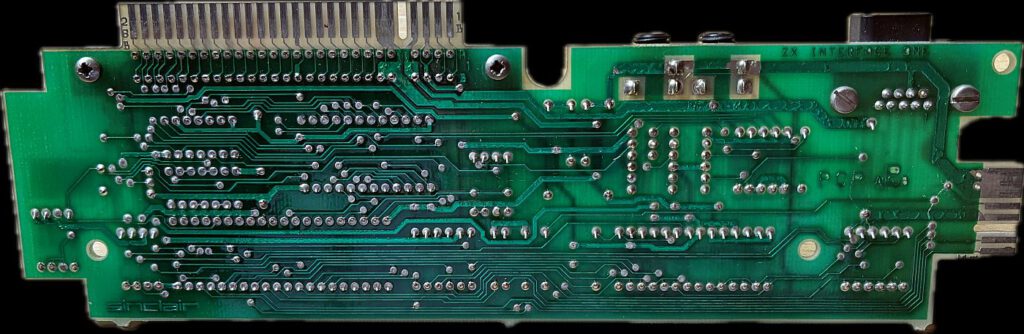
One issue that is becoming increasingly important today is that many Interface 1 units are now so old that certain components may fail due to age – and the ULA (the custom logic IC in Interface 1) is considered a particularly critical component in this regard.
If this ULA causes problems, the symptoms can vary greatly depending on the setup: Microdrive access becomes unreliable, the interface behaves strangely, and certain functions stop working altogether. This is particularly frustrating for collectors, as there are often no visible signs of the problem – yet the device becomes practically unusable.
vLA1: a modern ULA replacement for Interface 1
Zum Glück gibt es inzwischen einen spannenden Ersatz: die vLA1. Das ist ein pin-kompatibler, funktionaler Ersatz für die Sinclair Interface 1 ULA, umgesetzt mit moderner Logik. Ziel ist nicht „irgendwas Ähnliches“, sondern wirklich vollständige Unterstützung der ursprünglichen Funktionen – also Microdrive, RS-232 und Netzwerk wie beim Original.
Important practical note: Installation is not something you can do ‘in a jiffy’. Due to the limited space inside the Interface-1 housing, a socket is often not an option – depending on the condition or modifications, this means carefully desoldering and soldering directly. Furthermore, the module is sensitive to static electricity: ESD precautions and careful handling are essential.
Info vLA1
Supplier in Germany
Why I still enjoy using Interface 1 today
I’ll admit it: in everyday life, there are plenty of things that could be done more conveniently these days. But that’s not always what retro is about for me. The Interface 1 is a piece of genuine Spectrum history that you can not only look at on a shelf, but actively experience: Microdrive sounds, cartridge handling, BASIC commands that ‘smell of expansion’, network experiments – that’s 80s computing you can touch.
Conclusion
For me, the Sinclair Interface 1 is one of the most underrated add-ons for the ZX Spectrum. It represents Sinclair’s attempt to open up the computer to mass storage, communication and networking – and historically speaking, it’s simply part of the story if you want to define the platform as more than just games and cassettes.
And for those who own one today: it’s worth seeing it not just as a collector’s item, but actually plugging it in every now and then. With a modern ULA replacement like the vLA1, you can even get an Interface 1 up and running reliably again if you’re in any doubt.
Microdrive – formatting, cataloguing, saving and loading cartridges
REM Format and name Microdrive 1 (WARNING: deletes contents!)
FORMAT ‘m’;1;‘JUNGSI01’

REM Display contents (directory)
CAT 1

REM Save / verify / load programme
SAVE *‘m’;1;‘SQUARES’
VERIFY *‘m’;1;‘SQUARES’
NEW
LOAD *‘m’;1;‘SQUARES’
RUN

REM Save / load screen (screenshot style)
SAVE *‘m’;1;‘TITLE’ SCREEN$
LOAD *‘m’;1;‘TITLE’ SCREEN$
Microdrive – easily write and read data files
REM Connect stream 4 to a file on Microdrive 1
OPEN #4;‘m’;1;‘LOG’

REM Write data
PRINT #4;‘Hello Interface 1!’
PRINT #4;‘Timestamp? Unfortunately, no RTC – but it’s got that retro feel.’

CLOSE #4

REM Read file again (very simple, line by line)
OPEN #4;‘m’;1;‘LOG’
INPUT #4;a$
PRINT a$
INPUT #4;a$
PRINT a$
CLOSE #4
ZX Net – two Spectrums, a short news item
Requirement: Both computers must be connected via ZX Net, and each station must be assigned a number.
Station 1 (Transmitter)
FORMAT ‘n’;1
OPEN #8;‘n’;2
PRINT #8;‘Hello from Station 1!’
CLOSE #8
Station 2 (receiver, ‘polling’ with INKEY$)
FORMAT ‘n’;2
OPEN #8;‘n’;1

REM Print everything that comes in (infinite loop)
10 PRINT INKEY$ #8;
20 GO TO 10
Bonus: Broadcast (everyone can listen in)
REM Receiver (any station):
LOAD *‘n’;0

REM Transmitter (any station):
SAVE *‘n’;0
RS-232 – Set text channel and baud rate
REM Textkanal, z.B. 9600 Baud
FORMAT "t";9600
OPEN #3;"t"

REM Alles, was auf Stream 3 geht, wandert zur seriellen Schnittstelle
LLIST

CLOSE #3![Ninja Gardening Simulator [Sinclair ZX Spectrum]](https://www.jungsi.de/blog/wp-content/uploads/Ninja-Gardening-Simulator-Screen_2.jpg)
![Danterrifik [Sinclair ZX Spectrum]](https://www.jungsi.de/blog/wp-content/uploads/Danterrifik-Ladescreen.png)
![Pitman [Sinclair ZX Spectrum]](https://www.jungsi.de/blog/wp-content/uploads/Pitman-Startscreen.jpg)
Leave a Reply