

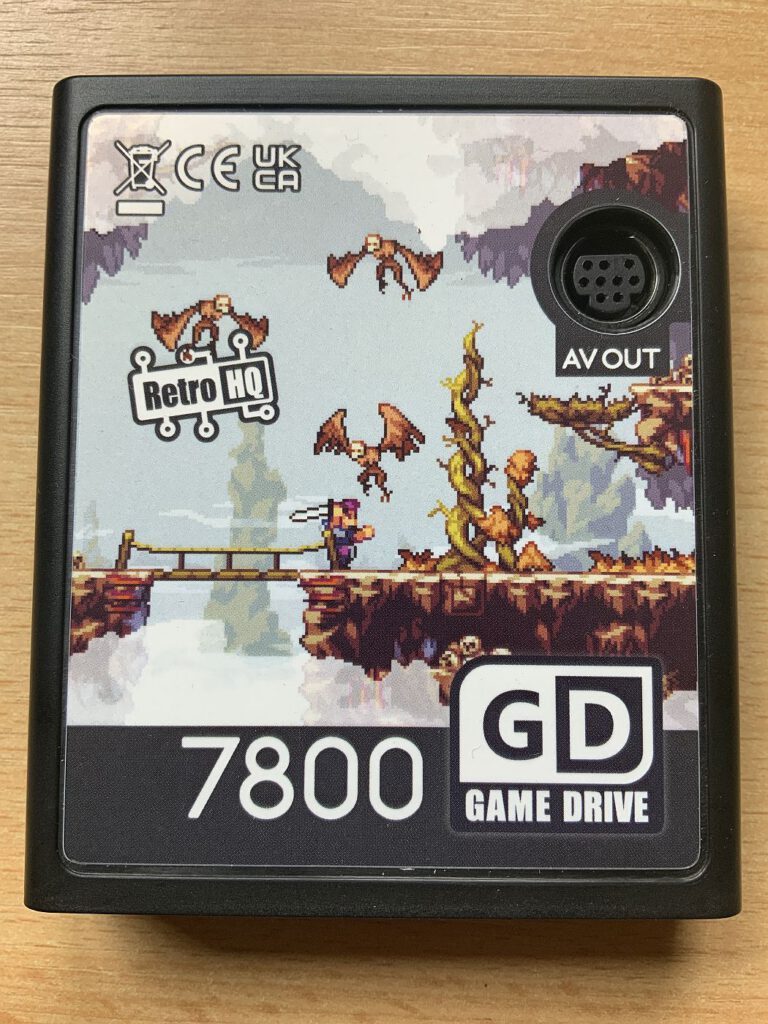
![GameDrive [Atari 7800]](https://www.jungsi.de/blog/wp-content/uploads/Game-Drive-Oberseite.jpg)
Following the success of the GameDrives for the Atari Lynx, Atari Jaguar, and NeoGeo Pocket, RetroHQ has now turned its attention to the Atari 7800 console. The result is a versatile cartridge that once again demonstrates the thoughtful design behind RetroHQ's hardware. As usual, the development of the GameDrive could be followed on the AtariAge forum. Initial discussions began back in 2016, continued into 2017, and then went dormant for several years. It wasn't until late 2021 that the project gained momentum again, and the final hardware is now available.
In Germany, the Atari 7800 GameDrive is available in the DragonBox shop. There I was even able to examine the first copy live at the Level Up! 2023 in Salzburg. Shortly afterwards, the pre-order for the first batch started, including the option to order the Mega 7800 adapter directly.
Extensive features
Originally planned as a simple game cartridge, the GameDrive gained numerous additional features during its development:
- Compatibility with Atari 7800 and 2600 games (playable from an SD card)
- Audio options: Support for dual POKEY chips, YM2151, Covox audio (sampled sound), and BupChip (sampled music).
- RGB video and audio output: Compatible with Mega Drive 2 video cables.
- Saving and loading game states, as well as activating cheats (for 7800 games only).
- Mega 7800 Adapter: Use of Mega Drive and Master System controllers.
- Serial port: Upload and direct execution of code from a PC (e.g., using 7800 Basic).
Regional restrictions and ROM compatibility
The module supports PAL, NTSC and multi-regional ROMs, but the formats cannot be converted automatically. Therefore, only suitable ROMs should be used on PAL consoles. The files must also contain a correct header. If an incompatible ROM is loaded, the message appears: “WARNING: Wrong Region!”
A handy addition is the cheat function: a cheat file is available on the AtariAge forum that simply needs to be copied to the root directory of the SD card. The cheats can then be activated via a special menu.
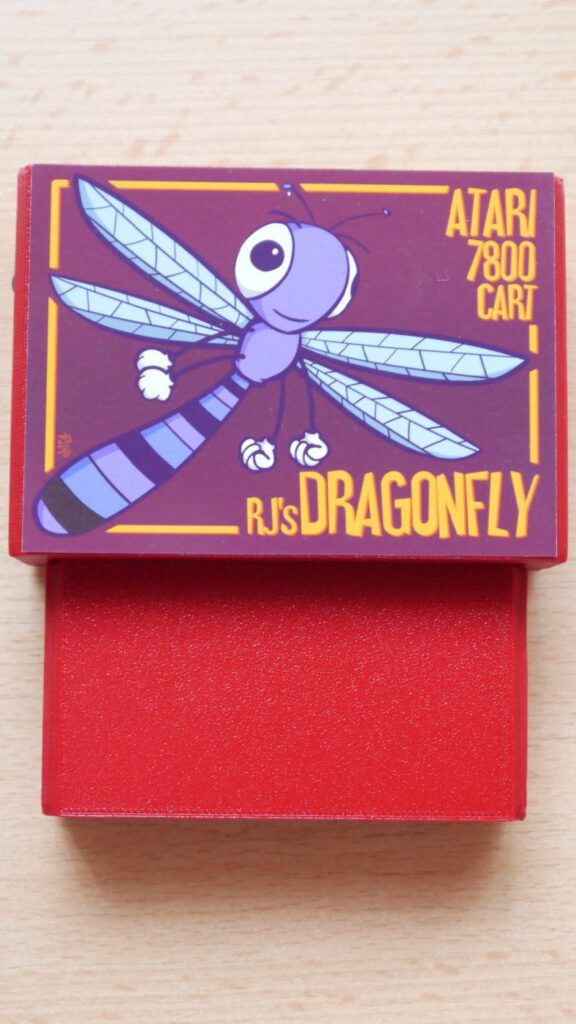
Comparison with the Dragonfly cartridge
Since I also own the Dragonfly cartridge, I was able to compare both devices directly. Aside from the fact that the new hardware is easier to use, it is also actually available; the Dragonfly is not currently in production. The GameDrive’s basic functions—such as launching ROMs and performing firmware updates—are refreshingly straightforward.
- Firmware update: Simply hold down the B button when starting the Atari 7800. A link (including a QR code) leads to the update page. Download the file, copy it to the SD card, turn on the console – and you're done!
RGB compatibility and cable issues
My Atari 7800 is equipped with a composite video mod. In theory, the Mega Drive 2 RGB cable should work with the GameDrive. However, the reality was this:
- LCD TV with many ports: No picture.
- LCD TV with SCART-to-HDMI adapter: Excellent picture, but no sound.
- CRT TV: No picture at all.
It is probably because my cable isn't a true RGB cable, but just a composite cable.
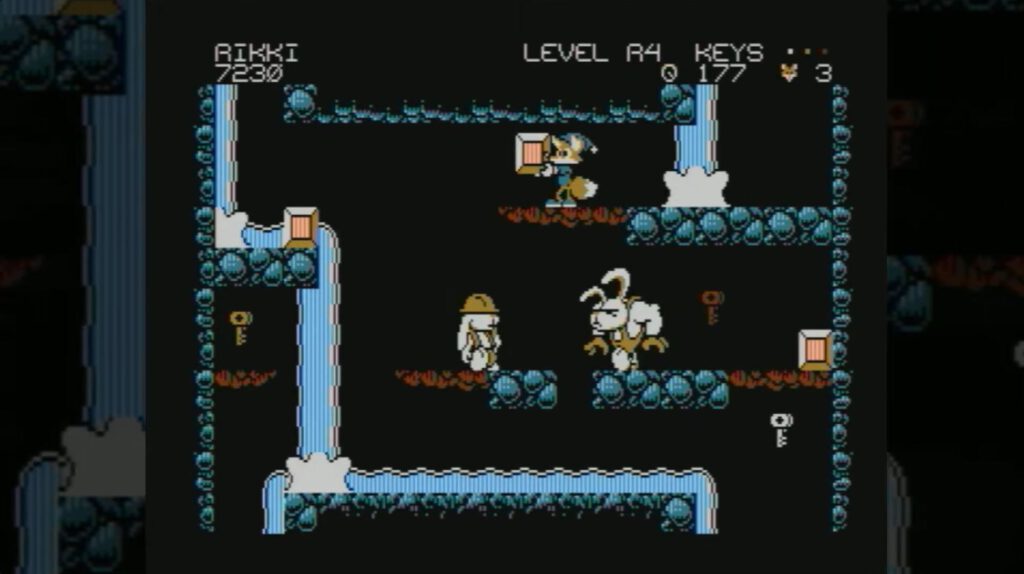
Ricky & Vikki: A must-have for the A7800
One of the best games for the Atari 7800 is Ricky & Vikki. If you want to play it, you have to do the following:
- Purchase and install the PC version via Steam.
- Read the corresponding AtariAge thread: BupBoop! (Ricky & Vikki) – 7800 GameDrive Support.
- Play and enjoy!
Mega 7800 Adapter: Pure versatility
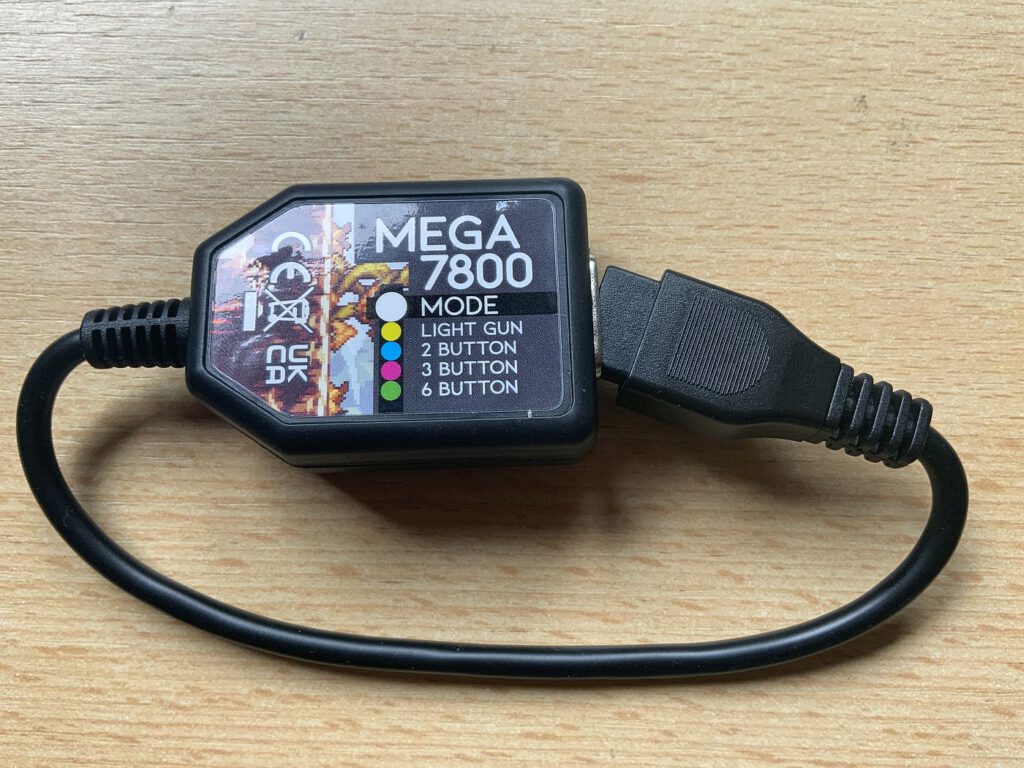
The Mega 7800 adapter allows the use of Master System and Mega Drive controllers. The module automatically detects which controller is connected and adjusts the controls accordingly—for both Atari 7800 and 2600 games. Supported controllers include:
- Master System Controller (two-button mode).
- Light Phaser (Lightgun mode).
- Mega Drive controller (three- and six-button mode).
However, non-optimized games only recognize inputs from the A and B buttons. The LED indicators on the top of the adapter provide information about the connected controller.
Tip: If you own a new Atari 2600+ and are having trouble with Mega Drive controllers, you can also use the Mega 7800 adapter with the 2600+ console.
RetroHQ sets new standards
The Atari 7800 GameDrive is another example of RetroHQ's outstanding quality. Operation is intuitive, and regular firmware updates continuously improve functionality. The RGB connection is a particular highlight—especially for consoles that normally only feature an RF output. Retro fans looking to get the most out of their Atari 7800 console simply cannot overlook this GameDrive. An absolute must-have.
![Atari 7800 [Atari]](https://www.jungsi.de/blog/wp-content/uploads/Atari-7800-seitlich.jpg)
![Dragonfly [Atari 7800]](https://www.jungsi.de/blog/wp-content/uploads/Dragonfly-seitlich-oben.jpg)
Hallo,
auch ich bin ein begeisterter A7800 GameDrive user, habe dazu ebenfalls etwas im Forum64 geschrieben. Es ist bekannt, dass manche AV- Mods sich negativ auf das GameDrive auswirken, und manchmal Leiterbahnen unterbrochen werden, die wichtig sind! Manchmal fehlt dann auch der Zweikanalige TIA- Sound (VS2600), da dieser dann im Modulschacht fehlt. Daher habe an meiner Konsole nur etwas an der Spannungsversorgung verändert, der Rest ist Original. Bei mir funktioniert RGB und Stereo- Wiedergabe an jeden Gerät, was ich zuhause habe einwandfrei Das GameDrive Modul ist wirklich der Hammer Auf die SD- Karte, darf auch „ https://7800.8bitdev.org/index.php/Trebors_7800_ROM_PROPack“ nicht fehlen