

![Acorn Electron [Acorn]](https://www.jungsi.de/blog/wp-content/uploads/Acorn-Electron-1.jpg)
The Electron was designed as the little brother of the BBC Micro to compete with the Sinclair ZX Spectrum. The computer was released in August 1983. For a short time, it was the best-selling computer in England. I owe my computer to a generous donation from Sebastian Braunert, who also develops games for the Sinclair ZX Spectrum and the Amstrad CPC. The computer arrived along with the GoSCD, an SD card solution for the Electron, and the original manual. Thank you very much! This has encouraged me to get more involved with Acorn computers.
The aim of Acorn was to develop a computer that offered better graphics than the Spectrum from Sinclair, whilst remaining compatible with its big brother, the BBC Micro. This aim was to be achieved through the development of a ULA (Uncommitted Logic Array). This made it possible to eliminate 90 per cent of the Micro’s 100 chips, thereby also reducing the cost of the computer. However, there were setbacks and the planned delivery of the computer to customers had to be postponed.
Die Bewertungen des Rechners fielen meist gut aus und stellten die hervorragende Grafik im Vergleich zum Commodore 64 fest. Während die Geschwindigkeit gegenüber dem C64 und konkurrierenden Computern annehmbar war, war der Electron jedoch viel langsamer als der BBC Micro. So berichtete beispielsweise Popular Computing Weekly, dass die BBC Micro Spiele „weniger als halb so schnell“ liefen, was ihre Attraktivität stark beeinträchtige.
Die ULA verursachte weiterhin Probleme und verzögerte die Herstellung in großem Maßstab. Bis Oktober 1983 hatte Acorn Aufträge für mehr als 150.000 Einheiten erhalten und erwartete, jeden weiteren Monat vor Weihnachten 25.000 Stück zu produzieren. Der bestehende Rückstand würde mehr als sechs Monate in Anspruch nehmen. Trotz der Reduktion der Chips lag der Preis für den Rechner bei 175 £ und der des Konkurrenten Sinclair ZX Spectrum bei 130 £.
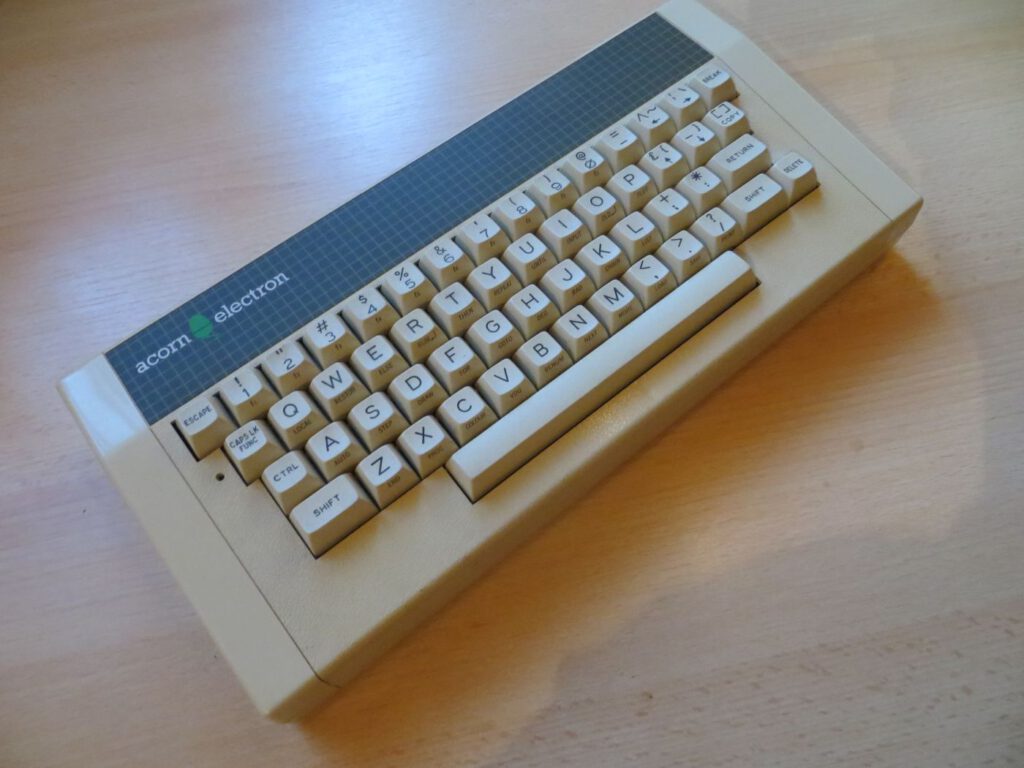
Acorns Christmas sales in 1984 fell well short of expectations, and in January 1985 the company reduced the price of the Electron to £129. Olivetti acquired the company later in 1985 and wound up Acorns’ home computer business.
Although the Acorn Electron may not have been as popular as the Spectrum, Commodore 64 or Amstrad CPC, it sold in sufficient numbers to ensure that new software continued to be produced until the early 1990s. This meant that the Electron had a lifespan that was not much shorter than that of the better-known BBC Micro computers and much longer than that of its competitors, the Oric-1 and Dragon 32.
Hardware
CPU: MOS Technology 6502A
RAM: 32 kB
ROM: 32 kB
Graphics modes: 160×256 (4 or 16 colours), 320×256 (2 or 4 colours), 640×256 (2 colours), 320×200 (2 colours — distance display with two blank horizontal lines following every 8 pixel lines), 640×200 (2 colours — spacing display)
Colours: 8 colours (TTL combinations of RGB primary colours) + 8 flashing versions of the same colours
Sound: 1 channel, 7 octaves; built-in loudspeaker. Software emulation of the noise channel is supported
Connections: Expansion port, cassette recorder port (1200 baud CUTS – a variation of the Kansas City standard for data encoding, via a 7-pin circular DIN socket), TV antenna port (RF modulator), composite video and RGB monitor output
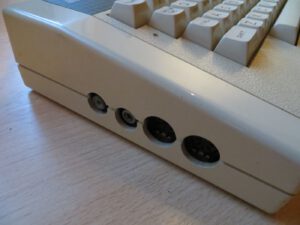
Extensions
Acorn Plus 1
Das Acorn Plus 1 verfügt über zwei ROM-Cartridge-Steckplätze, eine analoge Schnittstelle (unterstützt zwei Kanäle) und einen Centronics-Parallelport. Die analoge Schnittstelle wurde normalerweise für Joysticks verwendet, die Parallele für einen Drucker. Die ROM-Slots konnten über die Tastenkombination „Shift + BREAK“ gestartet werden. (Der Steckplatz an der Vorderseite der Schnittstelle hatte Vorrang, wenn beide belegt waren).
Acorn Plus 2
Laut einem News-Artikel auf Seite 9 der Oktober-Ausgabe von Acorn User vom Oktober 1984 sollte die Acorn-Schnittstelle „Plus 2“ die Econet-Fähigkeit bereitstellen. Diese Schnittstelle hat es nicht auf den Markt gebracht.
Acorn Plus 3
The Acorn Plus 3 was a hardware module that connected independently of the Plus 1 and incorporated a 3½-inch double-density floppy disk drive via a WD1770 drive controller and an ADFS ROM. Two versions of the Plus 3 were produced:
a single-sided and a double-sided drive version. As the WD1770 operates in single-density mode and uses the same IBM 360-derived floppy disk format as the Intel 8271 from BBC Micro, it was also possible to run a DFS file system with an alternative ROM, such as the PRES AP4 interface.
GoSDC
With GoSDC, you can store all your software on an SDHC, SD or MMC memory card. Move all your floppy disks, hard drives and tapes to the flash card, give them names and use them as before (via the same file systems).
Load programme
If it is not yet possible to load programmes from an SD card at the start, there is another way to do this. In any case, you’ll need the right cable. This has a DIN plug on one end and three 3.5mm mono plugs on the other for EAR, MIC and CONTROL. The EAR plug can be connected to the appropriate output on a cassette recorder (!), the audio output of a PC and even a mobile phone. You then simply need to play the relevant files on that device. This website is ideal for this purpose: http://www.8bitkick.cc/playuef.html – there, you can select a game, play it and load it once the cables are connected correctly.
Well-known games
Starship Command (Acornsoft, 1983)
Chuckie Egg (A’n’F, 1984)
Elite (Acornsoft, 1984)
the Repton series (Superior Software, 1985–1989)
Thrust (Superior Software, 1986)
Exile (Superior Software, 1988)
Although Acorn effectively discontinued the Electron in 1985, games continued to be developed and published by professional software companies until 1991. Around 1,400 games were developed for the Acorn Electron , and several thousand additional public domain titles were released on DVDs via public domain libraries.
Tip: Power supply
An Acorn without a power supply? No problem: any power supply that outputs AC/DC from 12V to 20V at a current of 0.75 A (or more) will work. It should have a 2.1 mm plug.
Tips on RGB/Composite Connections
The Electron has a socket for an RF cable (antenna socket), a composite socket and an RGB socket. Unfortunately, only the antenna and composite sockets work for me. The computer is easy to open and has just four screws on the underside – then carefully lift off the cover so as not to damage the keyboard’s ribbon cable.
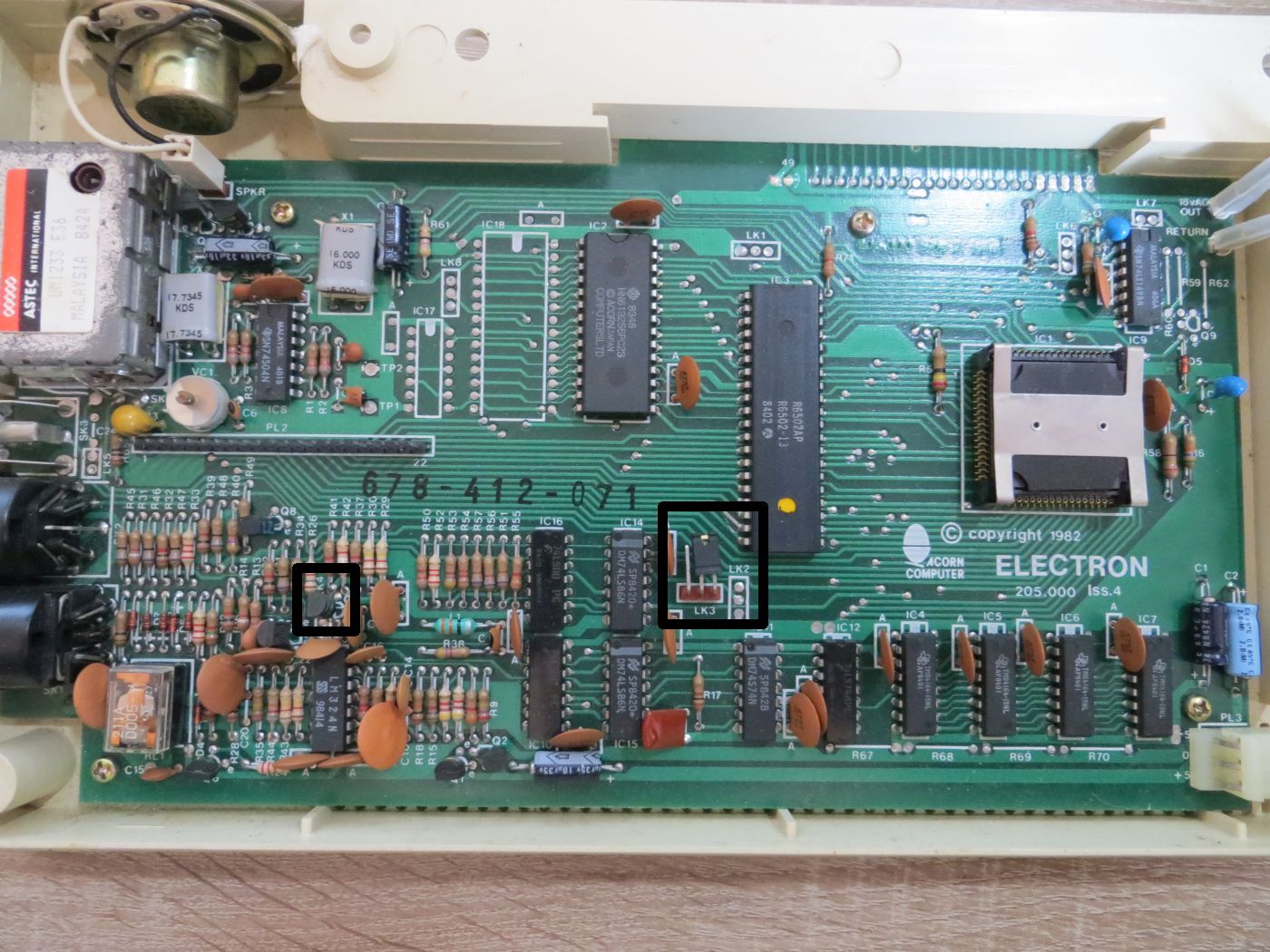
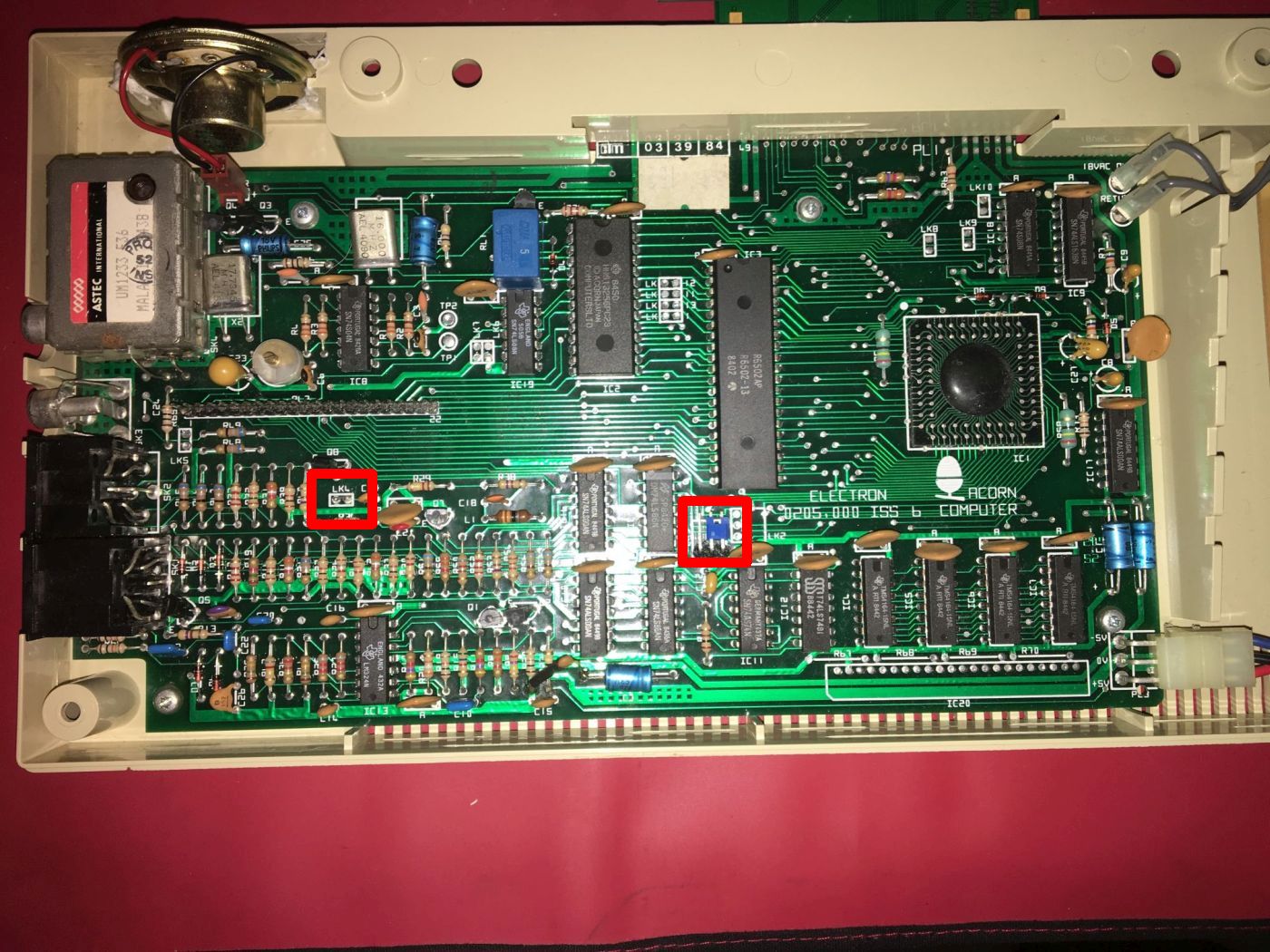
Apparently, to use the RGB connector, pins 2 and 3 on jumper LK3 need to be shorted. I’ve no idea why the jumper wasn’t even present on my board.
Unfortunately, the Electron only outputs a black-and-white picture via the composite output, but this can be fixed by shorting LK4.
The location of this jumper depends on the mainboard version:
Links
http://www.acornelectron.co.uk/
http://www.stardot.org.uk
https://www.stairwaytohell.com/roms/index.html?page=homepage
http://www.zeridajh.org/hardware/gosdc/index.htm
![GoSDC [Acorn Electron]](https://www.jungsi.de/blog/wp-content/uploads/GoSDC.jpg)
![Commander 3 Joystick Interface [Acorn Electron]](https://www.jungsi.de/blog/wp-content/uploads/Commander-3-Cartridge-2.jpg)
![ElkSD64/ElkSD128 [Acorn Electron]](https://www.jungsi.de/blog/wp-content/uploads/ELKSD64_2.jpg)
Leave a Reply